
To watch the video, click here: https://loom.com/share/ddfe38a18a5545cb9f34a680aa2f8a0c
Step-by-Step Instructions
1. Introduction to Historical Cost Trend Report 0:00
-
The historical cost trend report is a powerful cost management tool.
-
Unlike fee benchmarking reports, which are point-in-time, this report shows cost optimization over time.
2. Importance of Historical Cost Trend Report 0:12
-
It represents the value you've delivered in optimizing plan costs over multiple years.
-
Useful for demonstrating annual progress to clients and demonstrating value.
3. Accessing Fee History 0:24
-
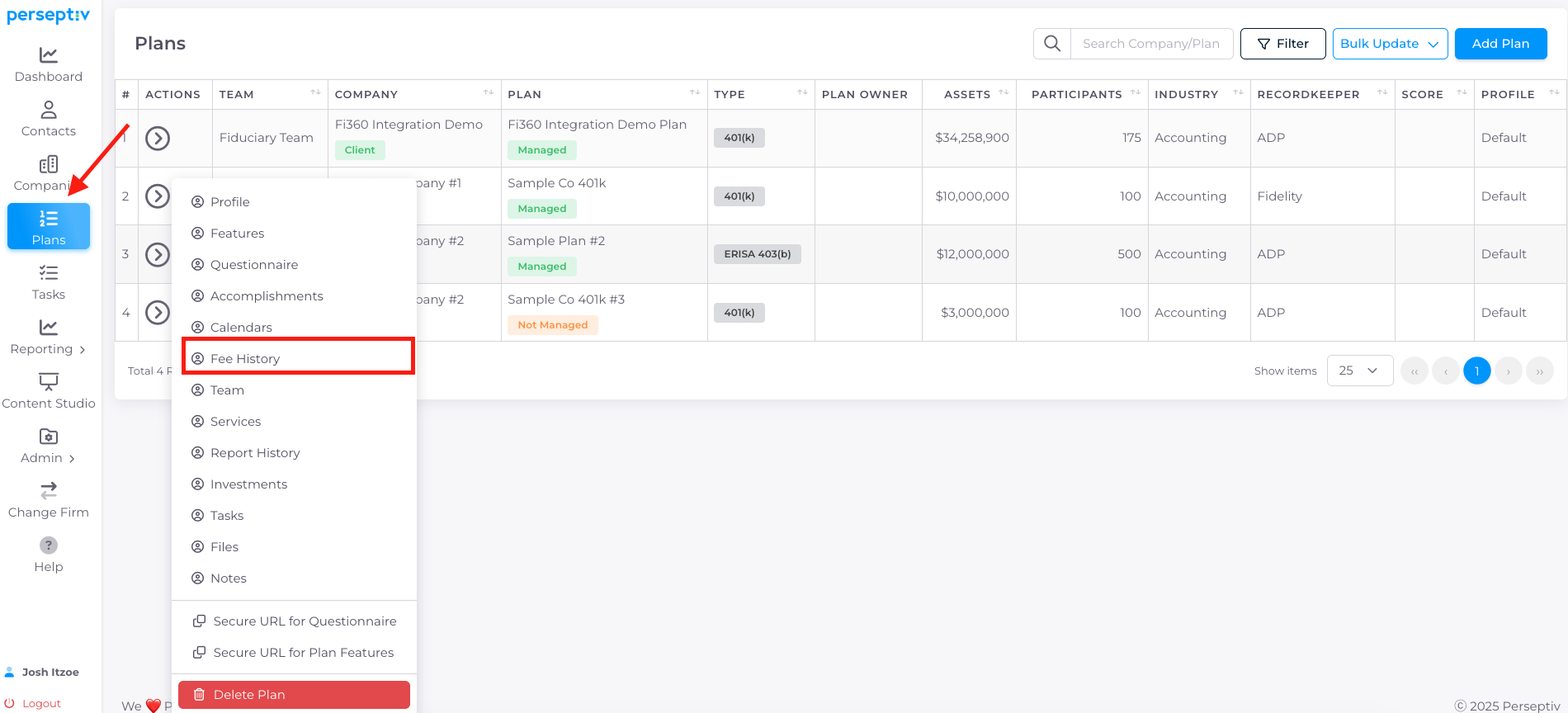
Navigate to the 'Plans' section to access fee history.
-
Check for multiple years of fee history available.
4. Analyzing Fee History Data 1:04
-
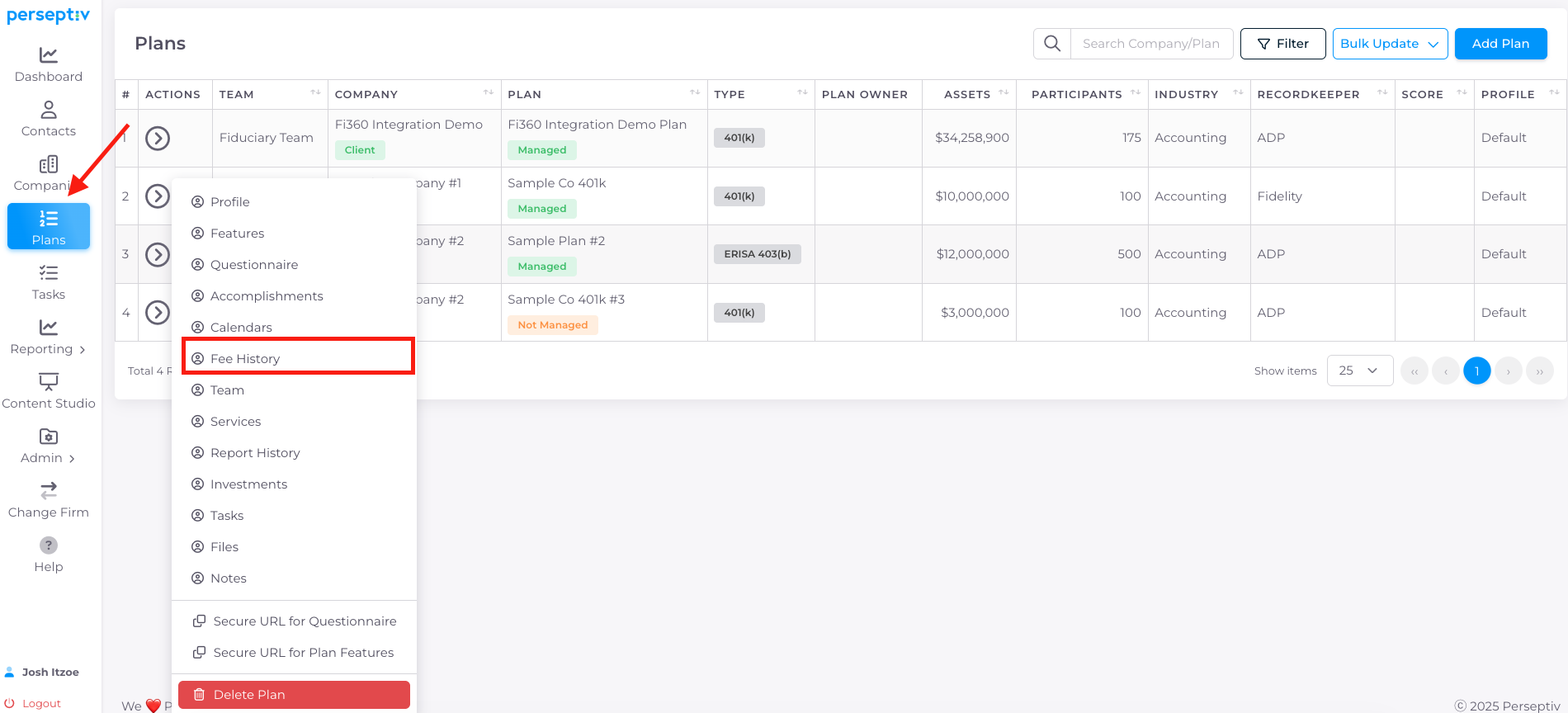
Review the fee history by year:
-
2023: $5 million in assets, 250 participants, all-in fees at 1.05%.
-
2024: Assets grew to $8 million, 375 participants, fees dropped to 0.87%.
-
2025: Assets increased to $12 million, 500 participants, fees further reduced to 0.6%.
-
5. Reasons for Fee Changes 2:02
-
Fee reductions may result from:
-
Transitioning to lower-cost share classes or CITs.
-
Negotiating record-keeping fees.
-
Implementing fixed fee per participant arrangements.
-
6. Generating the Historical Cost Trend Report 2:23
-
To run the report:
-
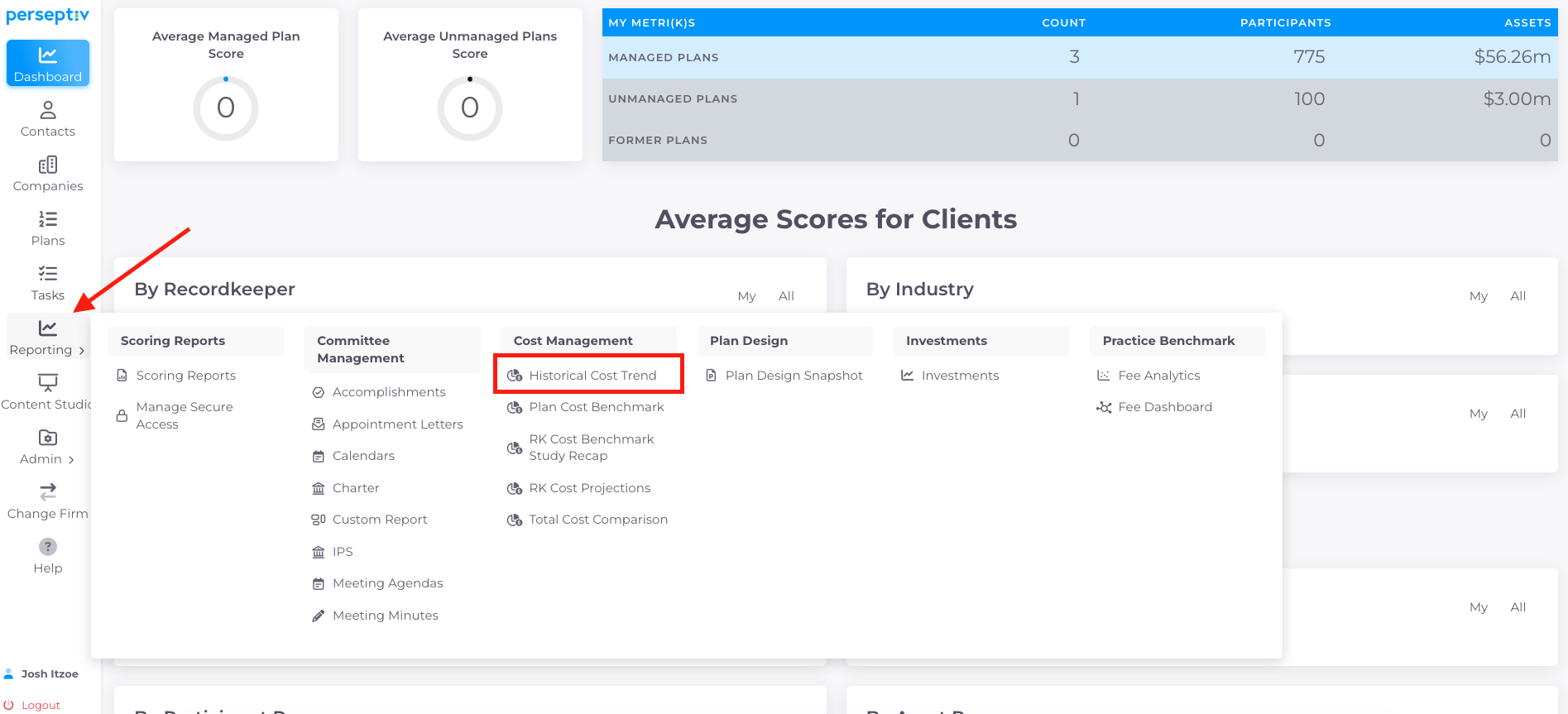
Go to 'Reporting' > 'Cost Management' > 'Historical Cost Trend'.
-
Select the plan and save the report.
-
7. Interpreting the Report 2:37
-
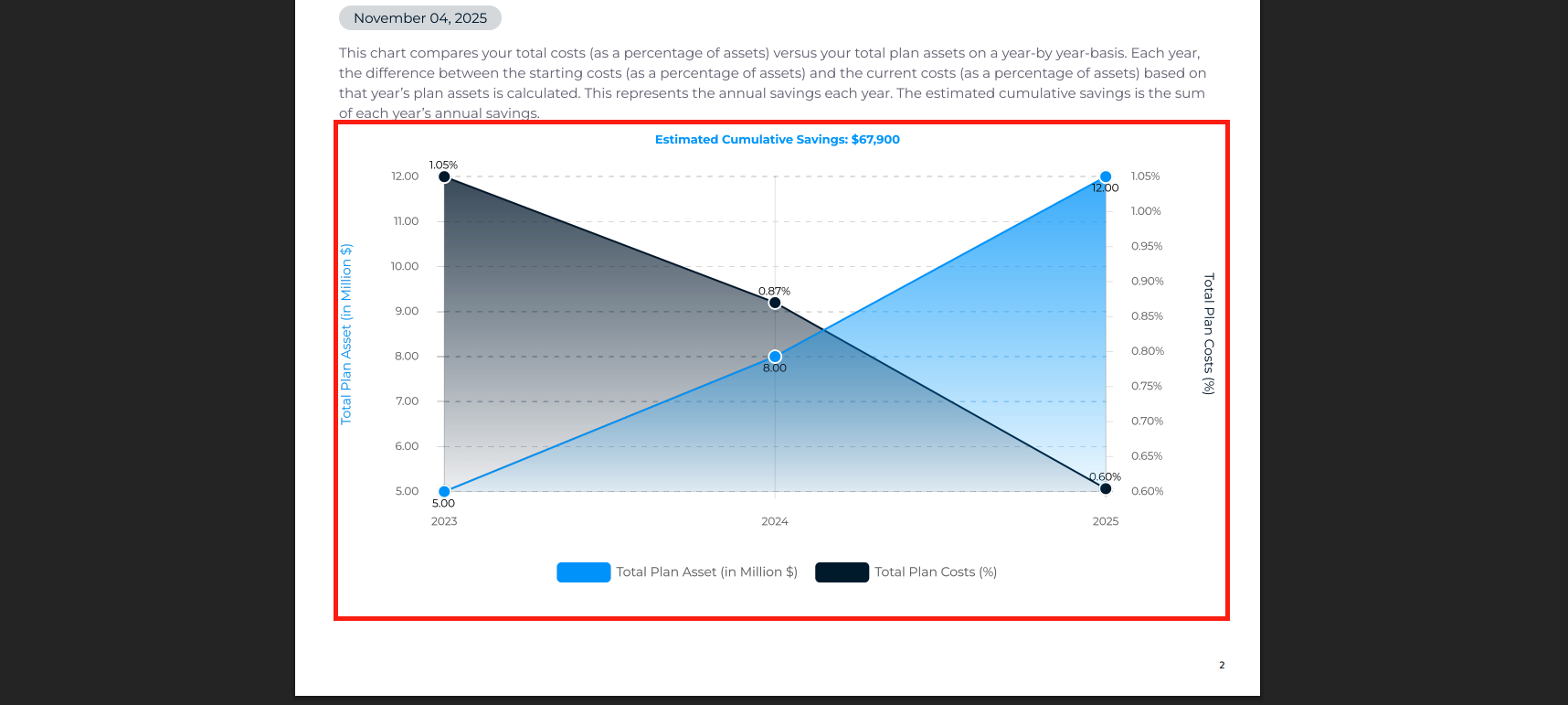
The report generates a one-page snapshot visualizing:
-
Asset growth and fee reductions over time.
-
Estimated cumulative savings had the client not optimized their cost structure.
-
8. Value of the Historical Cost Trend Report 3:32
-
Clients appreciate this report as it shows long-term value rather than just point-in-time data.
-
It effectively demonstrates how cost optimization has benefited the client.