
To watch the video click here: https://loom.com/share/795ea797c1814aeeb2e04f678d67cc15
Step-by-Step Instructions
1. Introduction to Custom Fee Schedules 0:02
-
Perseptiv allows the creation of custom fee schedules for:
-
Advisory fees
-
Recordkeeper fees
-
TPA fees
-
-
These schedules can be utilized in fee history.
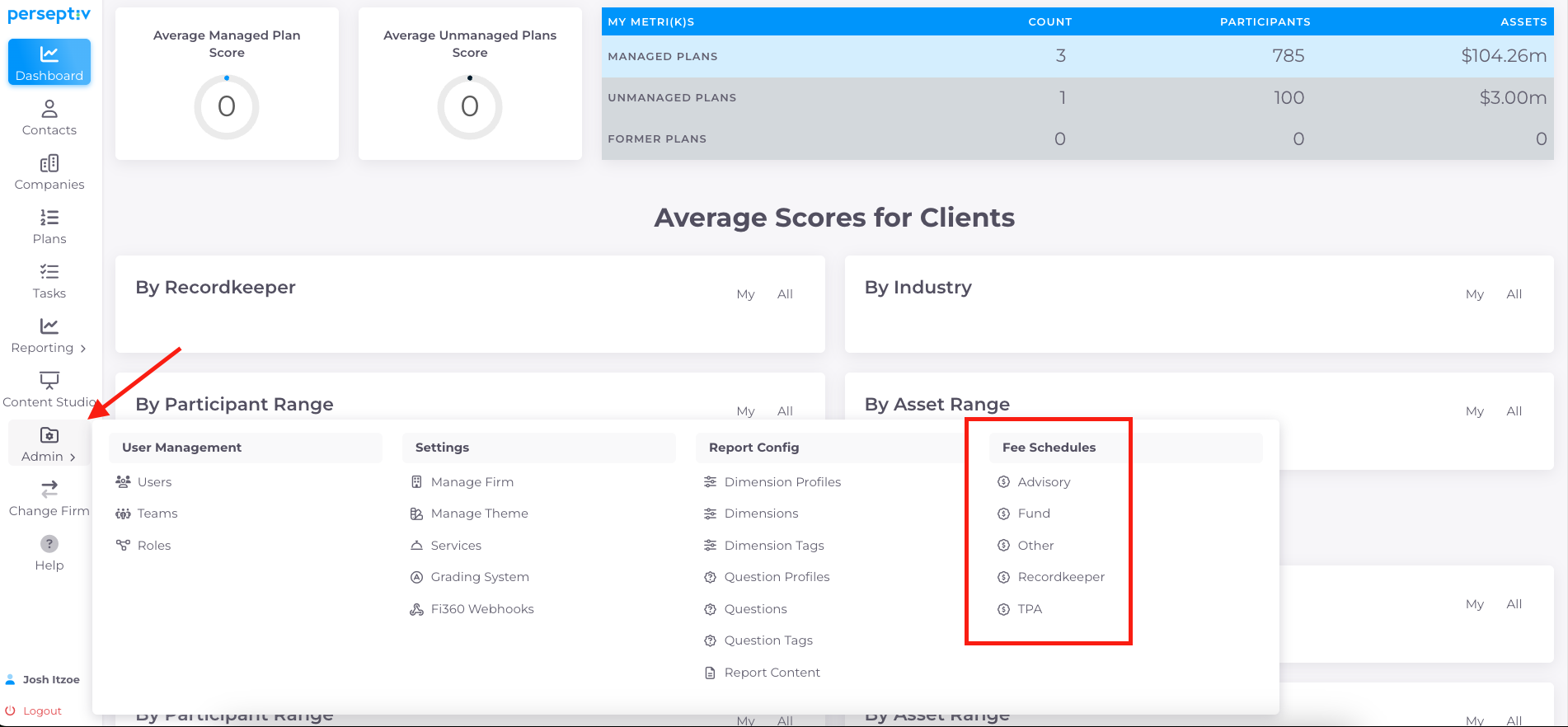
2. Accessing Fee Schedule Settings 0:16
-
Navigate to the Admin section.
-
Select 'Fee Schedule' to begin creating a new schedule.
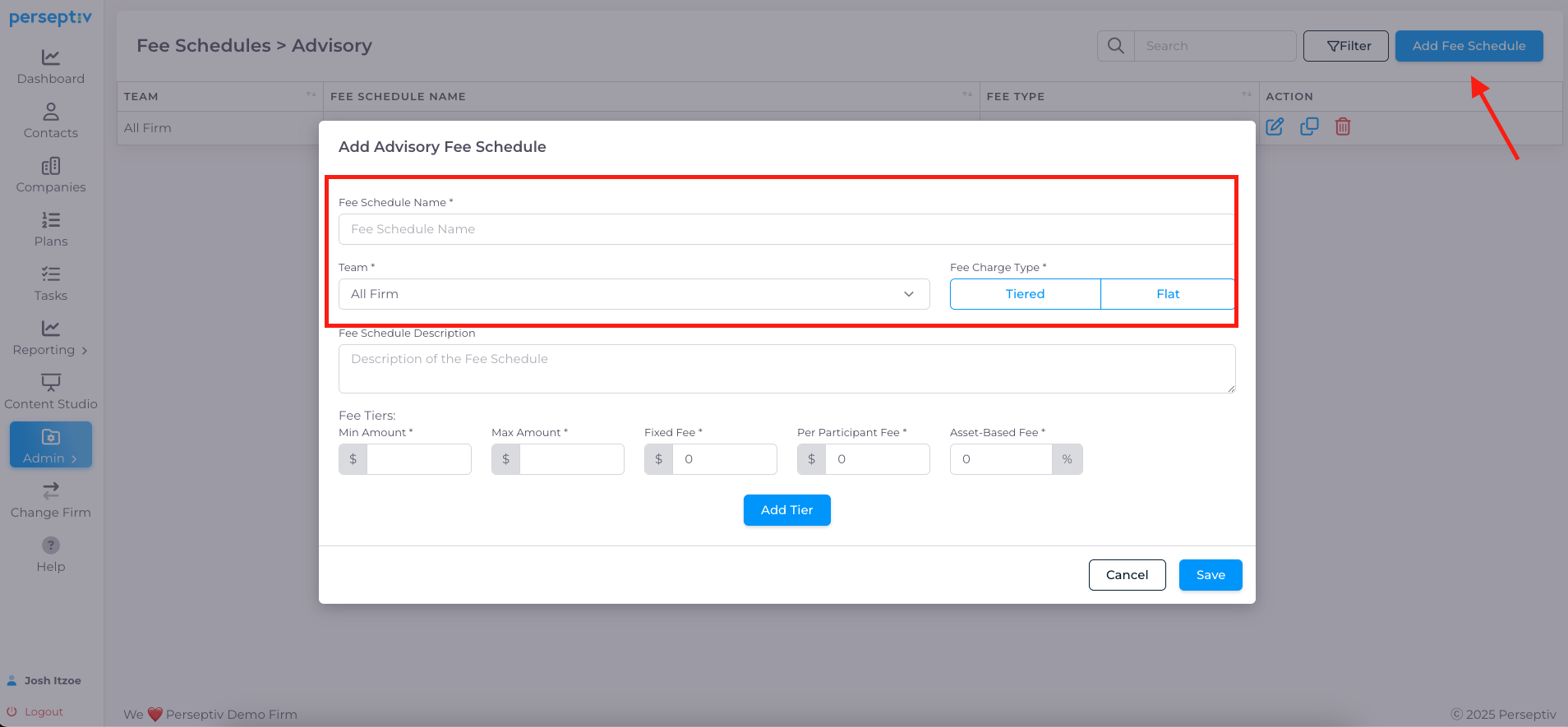
3. Creating an Advisory Fee Schedule 0:41
-
Click 'Add a Fee Schedule'.
-
Name the schedule (e.g., 'Standard Advisory Fee Schedule').
-
Optionally apply it to specific teams or across the firm.
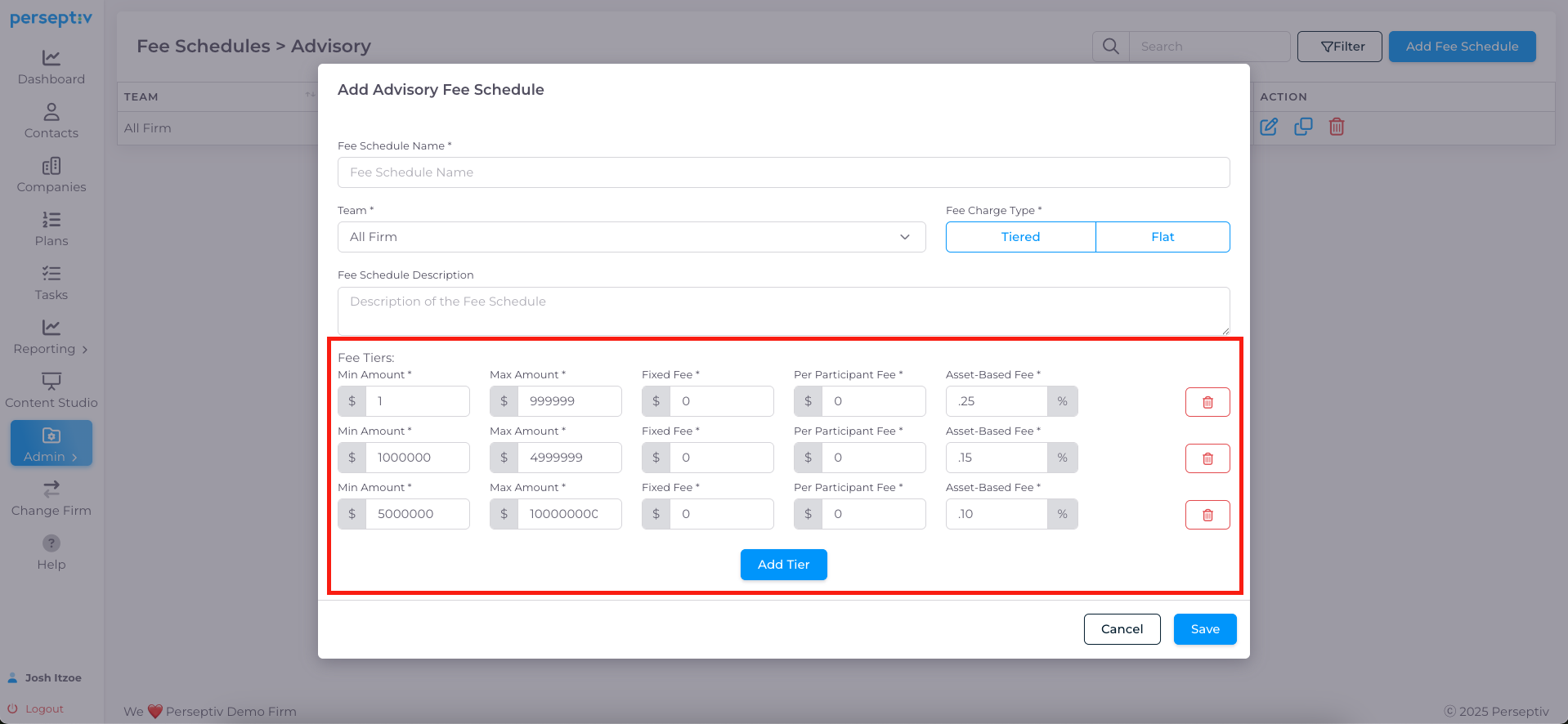
4. Building Fee Tiers 0:59
-
Define tiers for the fee schedule:
-
Tier 1: Up to $1 million at 50 basis points.
-
Tier 2: From $1 million to $4 million at 25 basis points.
-
Tier 3: Above $4 million at 5 basis points.
-
-
Ensure the last tier captures all amounts above the defined thresholds.
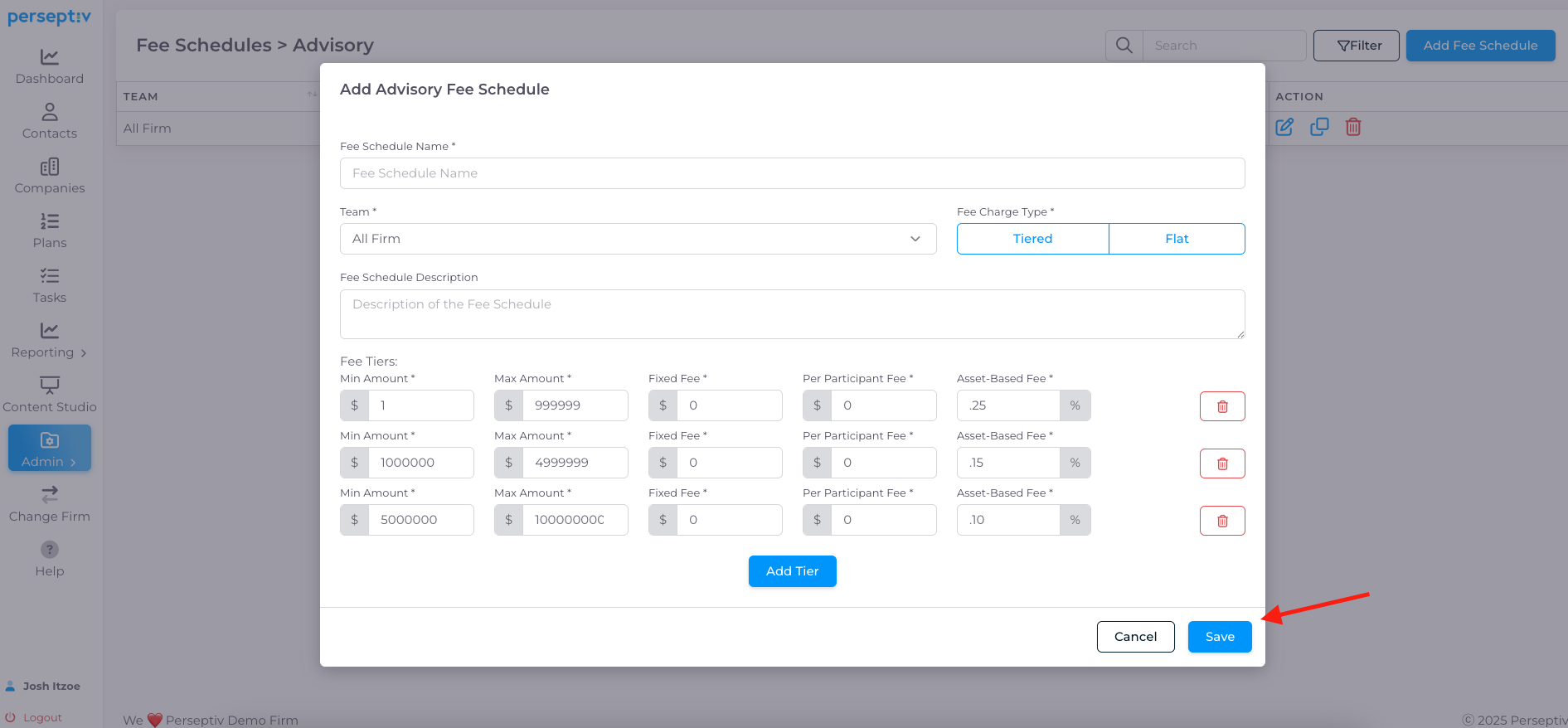
5. Saving the Fee Schedule 2:06
-
After defining the tiers, click 'Save' to store the advisory fee schedule.
6. Applying Fee Schedules to Plans 2:18
-
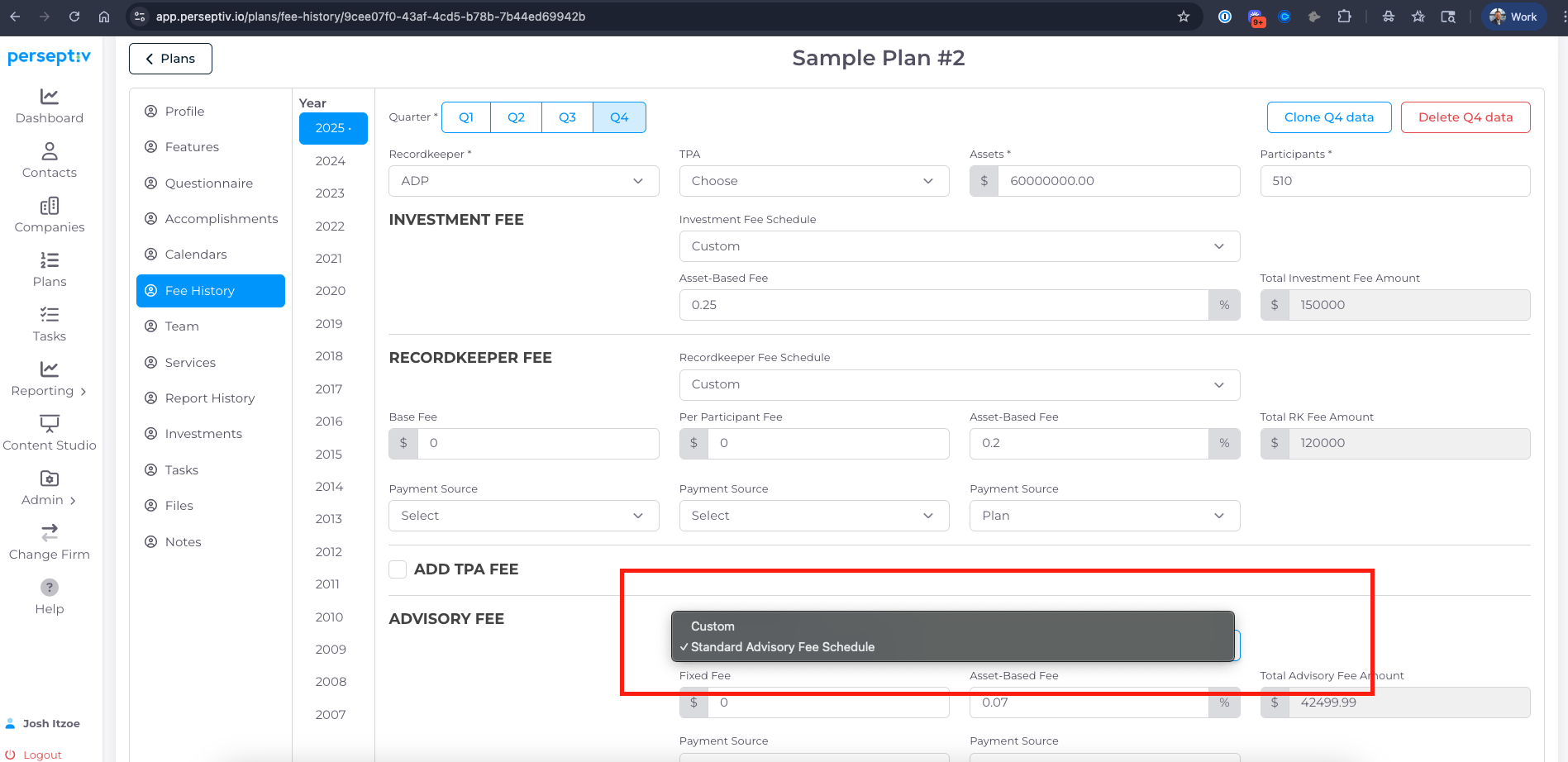
Go to a specific plan and access 'Fee History'.
-
Select the created advisory fee schedule to apply it.
7. Calculating Fees Based on Plan Size 2:45
-
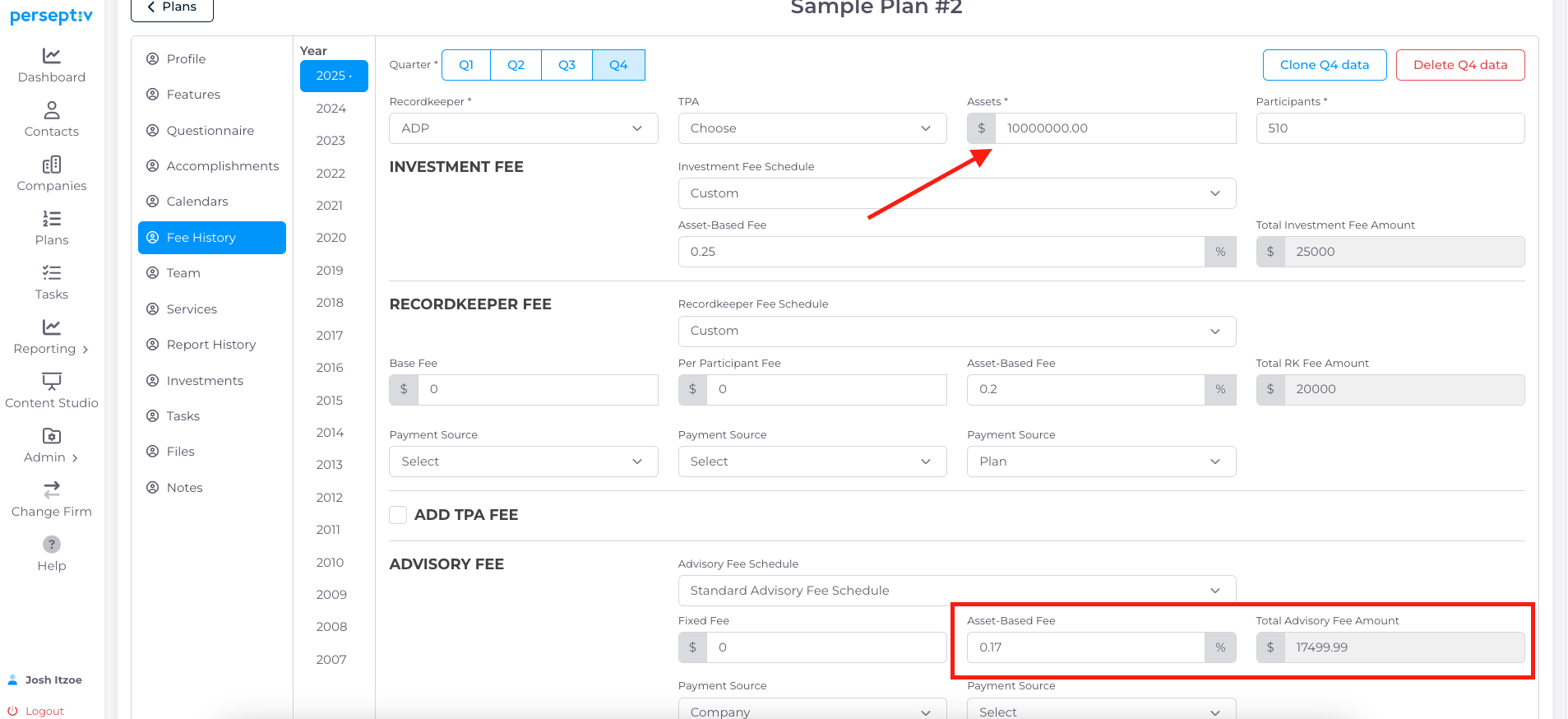
Example: For a $10 million plan:
-
Calculate fees based on the defined tiers:
-
Tier 1: $5,000 (50 basis points on $1 million)
-
Tier 2: $10,000 (25 basis points on $4 million)
-
Tier 3: $2,500 (5 basis points on $5 million)
-
-
Total fees = $17,500.
-
8. Custom Pricing Considerations 4:41
-
Many plans today are custom priced.
-
Custom fee schedules can be beneficial for recordkeepers or TPA with published pricing schedules