
To watch the video, click here: https://loom.com/share/d82e8db70aea453489a6999386d67799
Step-by-Step Instructions
1. Introduction to Cost Management 0:00
-
Overview of Perseptiv's capabilities around cost management.
-
Importance of updated fee history for running reports.
2. Accessing Fee History 0:27
-
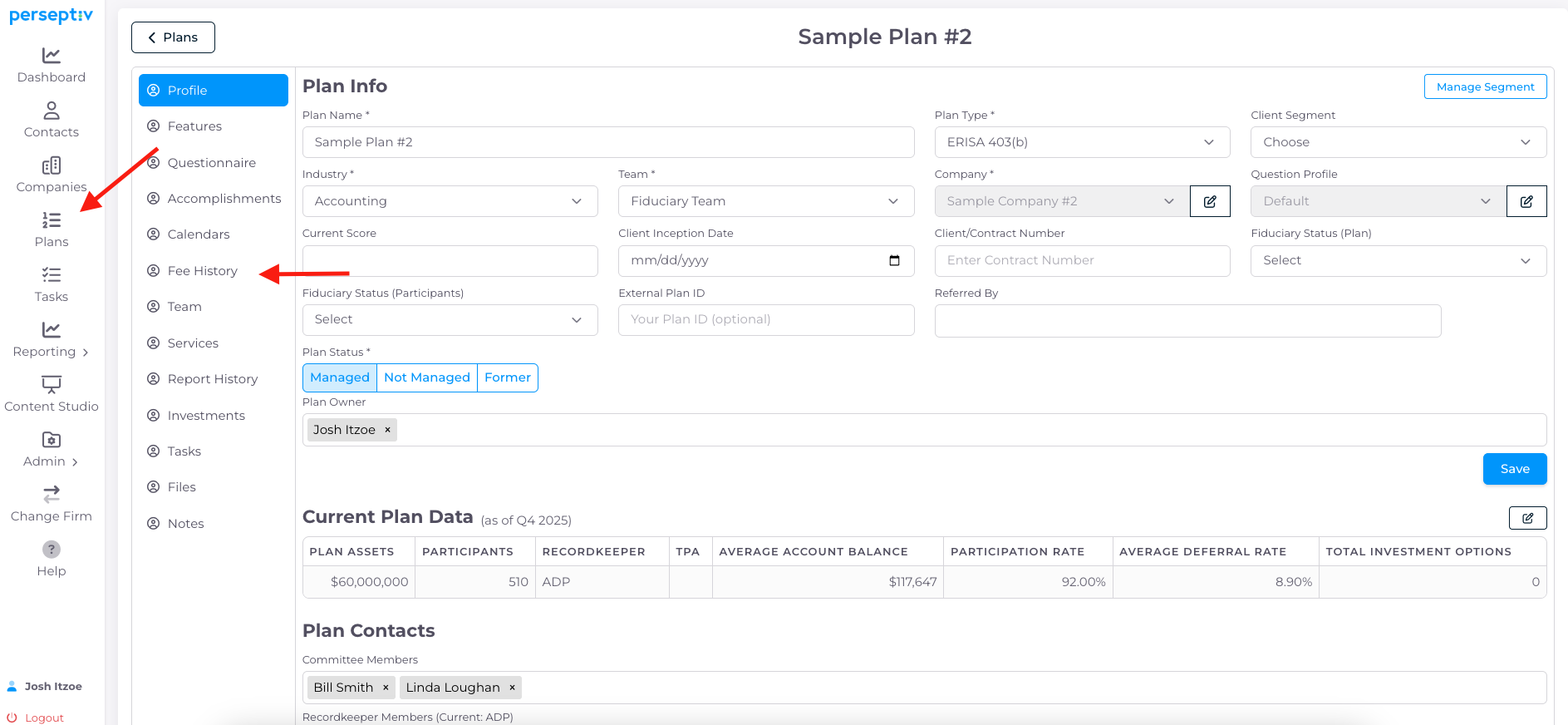
Navigate to 'Plans' and select the 'Plan Profile'.
-
Locate 'Fee History' to view and update data.
3. Updating Fee History Data 1:04
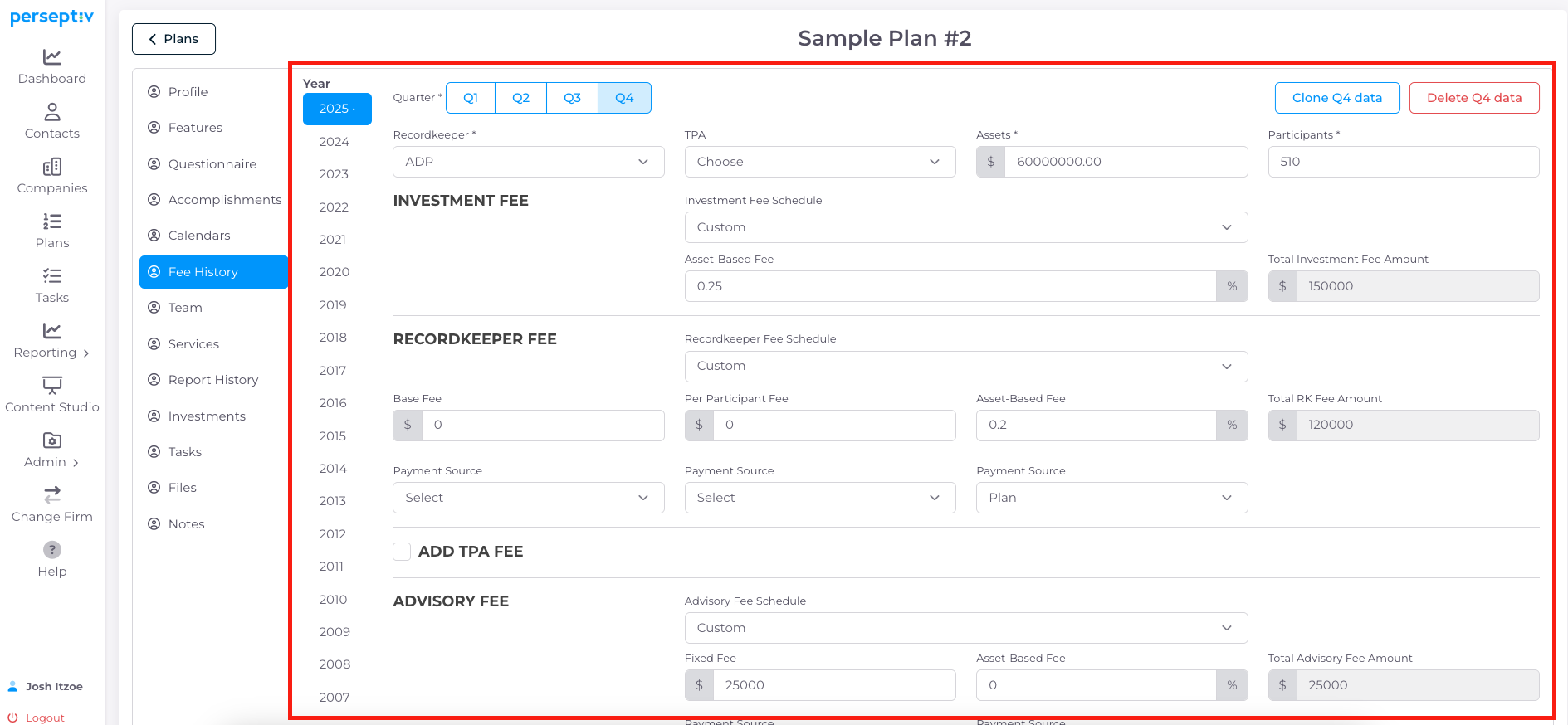
- Update assets, participants, recordkeeper, and TPA as needed.
- Changes to fee history will automatically update the most recent data under 'Plan Features' section.
4. Tracking Fees 2:18
-
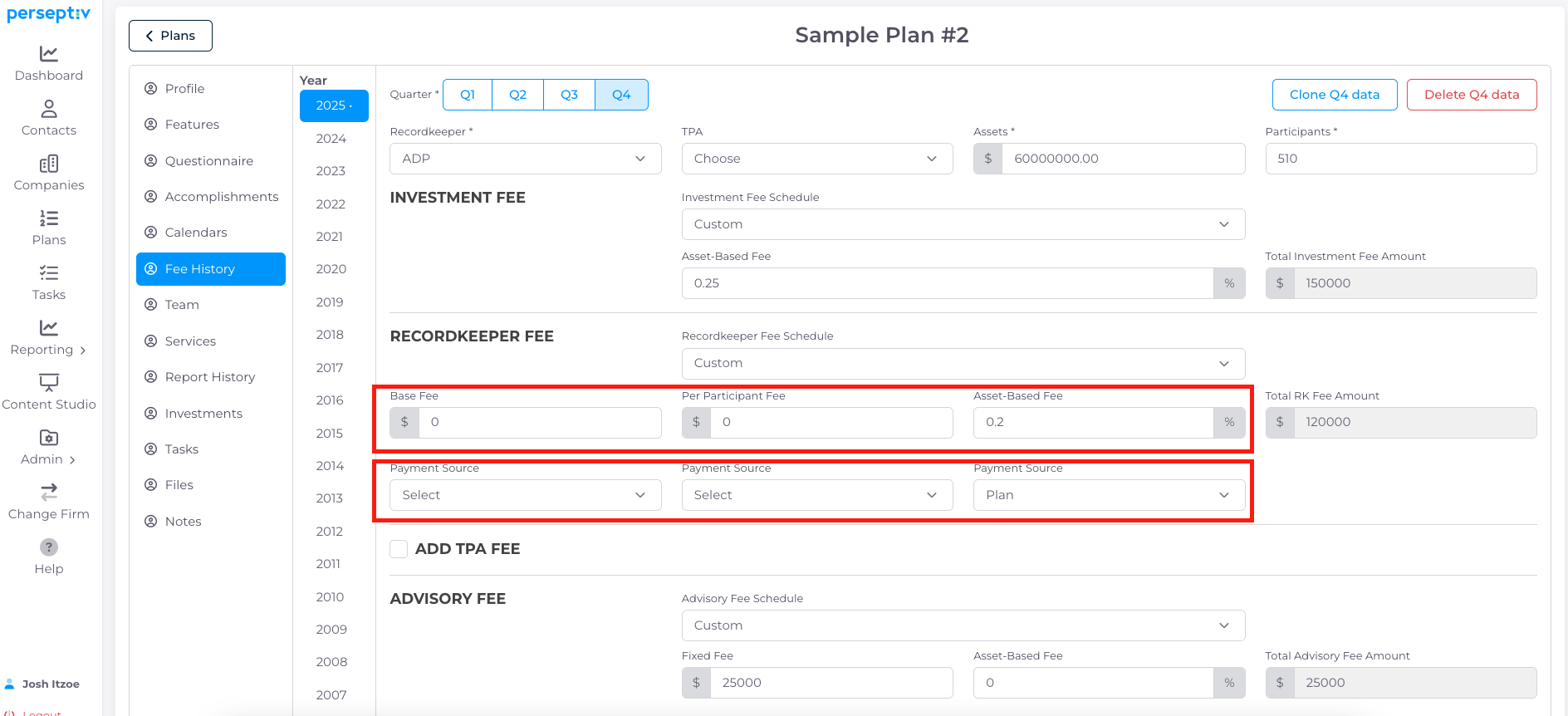
Understand different types of fees: weighted average of investments, recordkeeper fees, TPA fees, advisory fees, etc.
-
Input fee data (e.g., per-participant fee, asset-based fee) and see calculations.
- Select the "Payment Source" to show where fees are being paid from
5. Calculating Total Fees 3:05
-
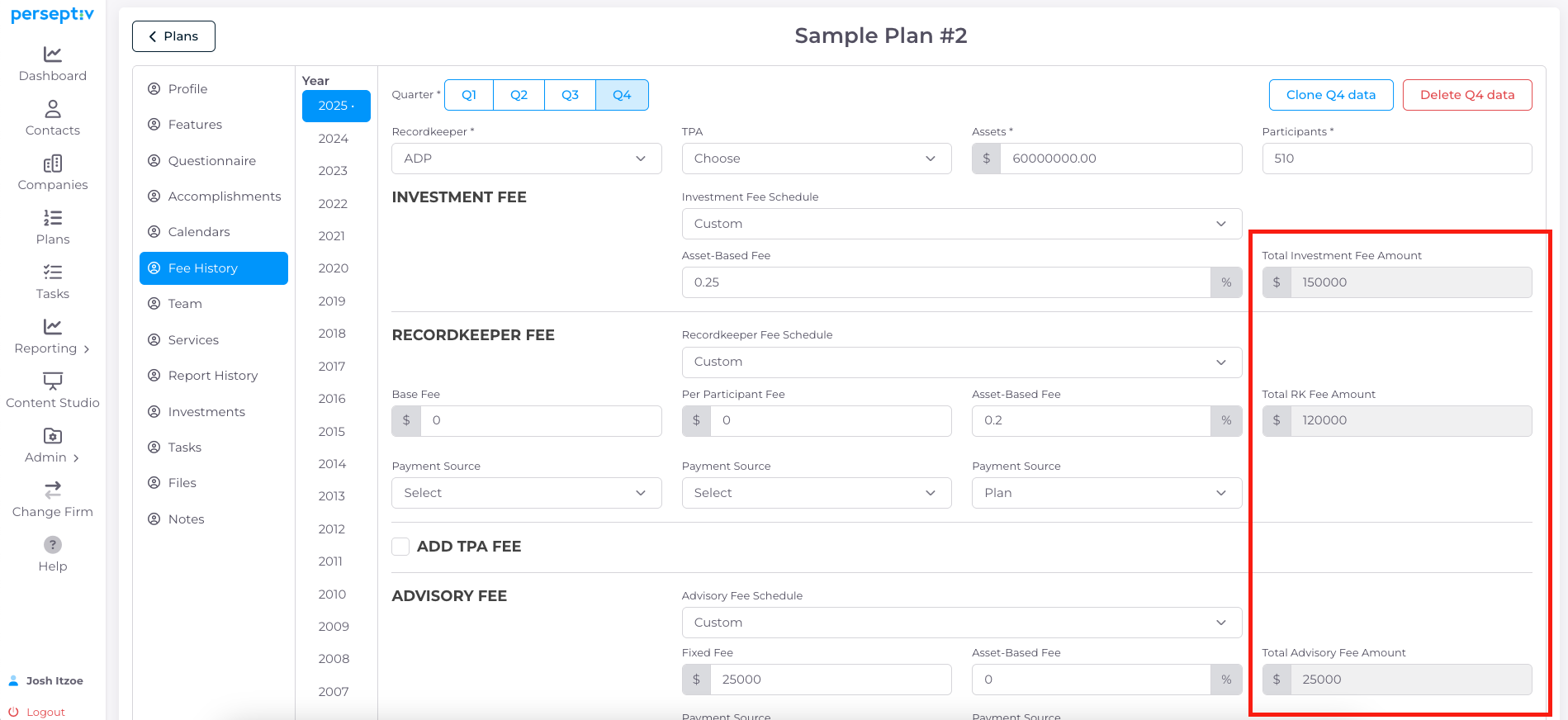
System automatically calculates total $ fees based on inputs:
-
Per participant fee multiplied by number of participants.
-
Asset-based fees multiplied by total assets.
-
6. Adding Payment Sources and Advisory Fees 3:33
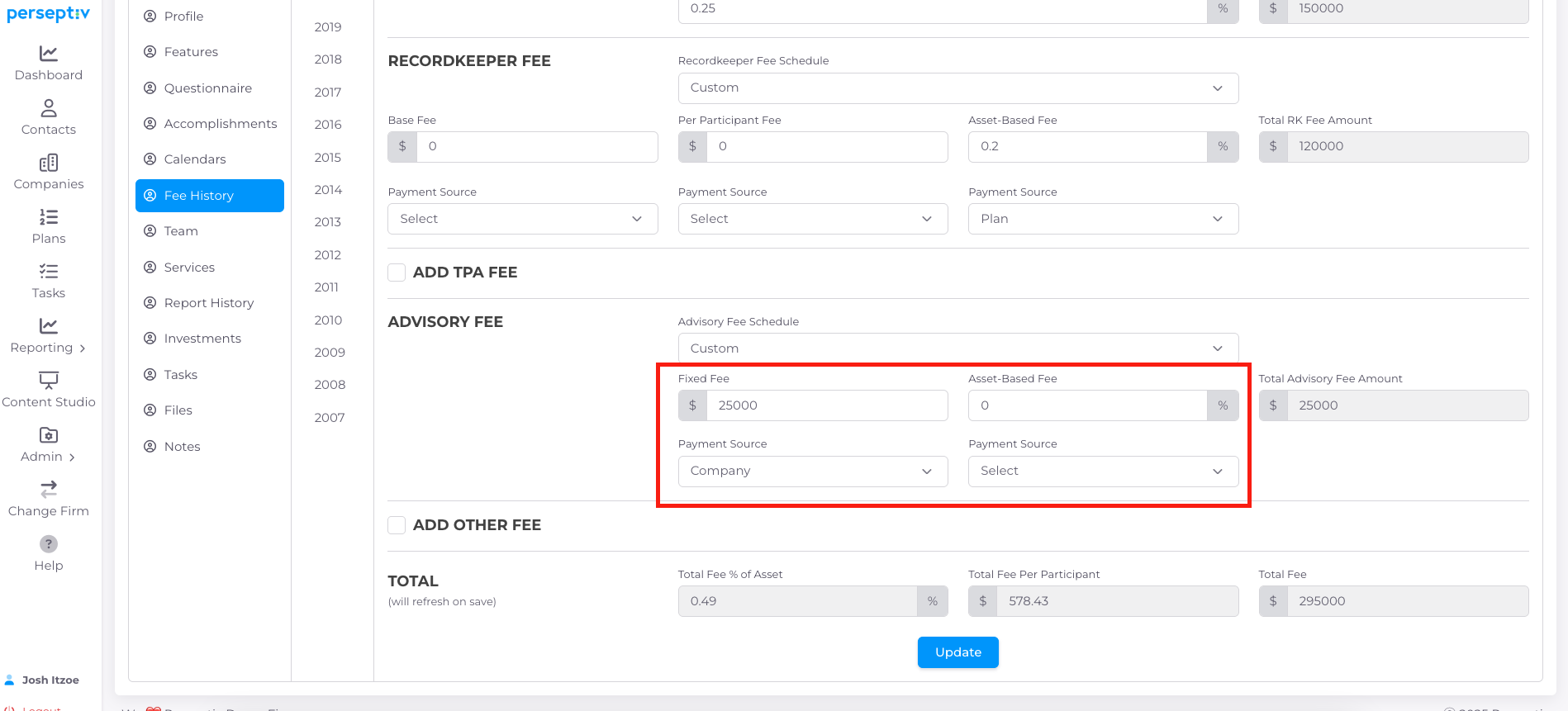
-
Specify payment sources for fees (e.g., plan vs. company).
-
Input advisory fees and configure as needed.
7. Reviewing Fee Calculations 4:28
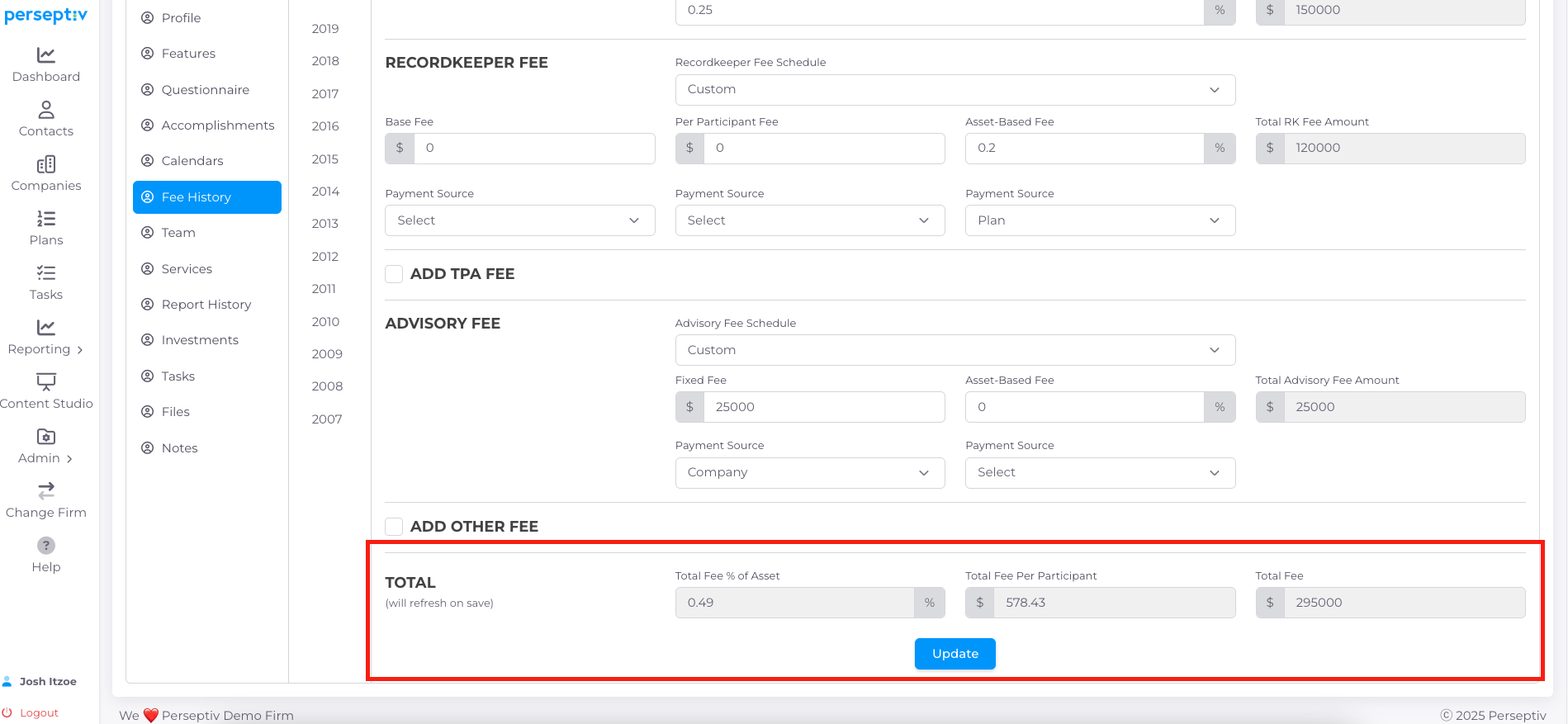
-
After updates, review total fees as a percentage of assets and per participant.
-
Ensure investment fees are net of revenue sharing.
8. Generating Cost Management Reports 6:07
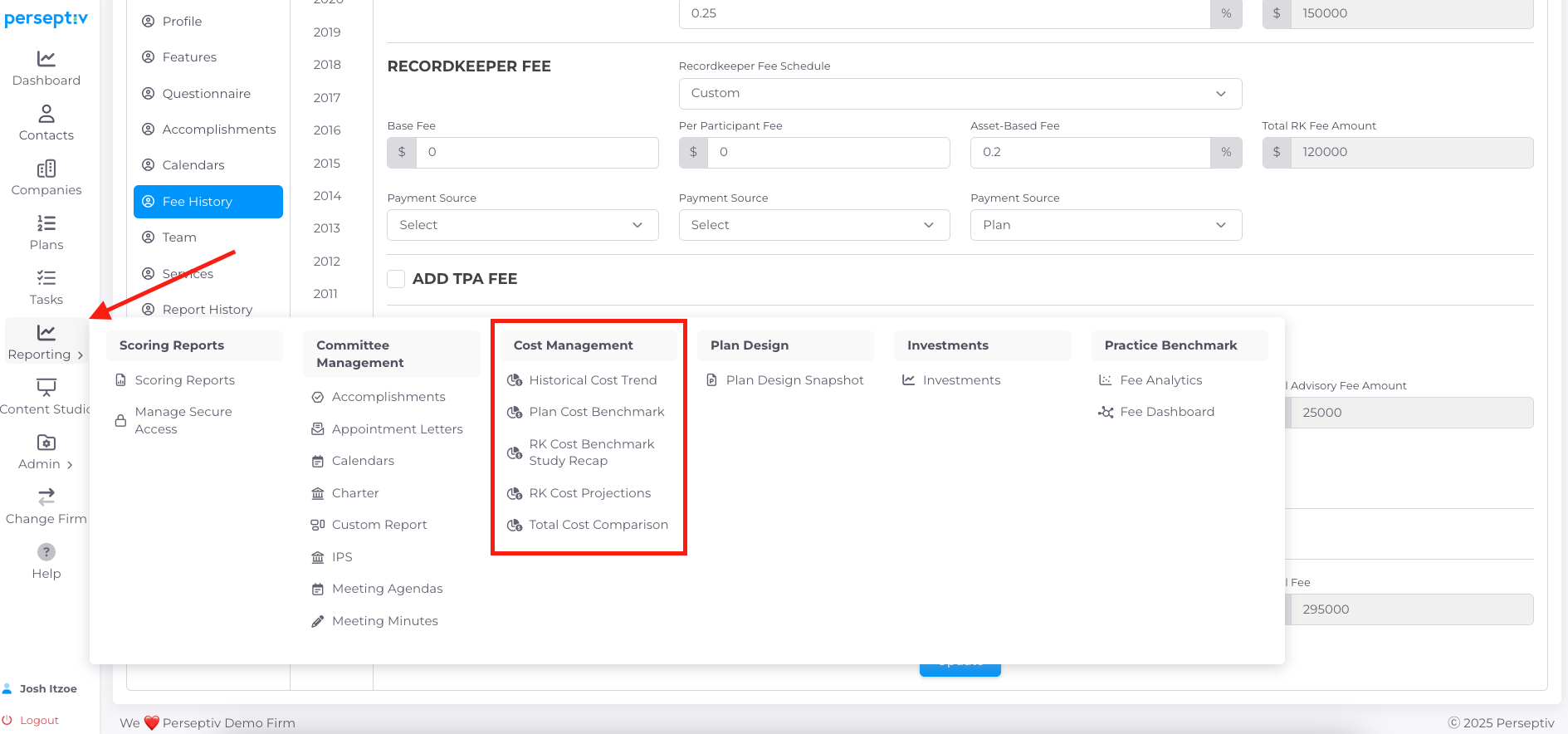
-
Once fee history is updated, you can run various cost management reports.
-
Watch additional videos to see which reports can be generated.