
To watch the video, click here: https://loom.com/share/752bb80d8ac14f1aab39df3f89b6934e
Step-by-Step Instructions
1. Introduction to Total Cost Comparison 0:01
-
The Total Cost Comparison report is a great prospecting tool in Perseptiv
-
It differs from a cost benchmarking report, as it shows fee comparisons over a ten-year period.
2. Input Current Fee Information 0:12
-
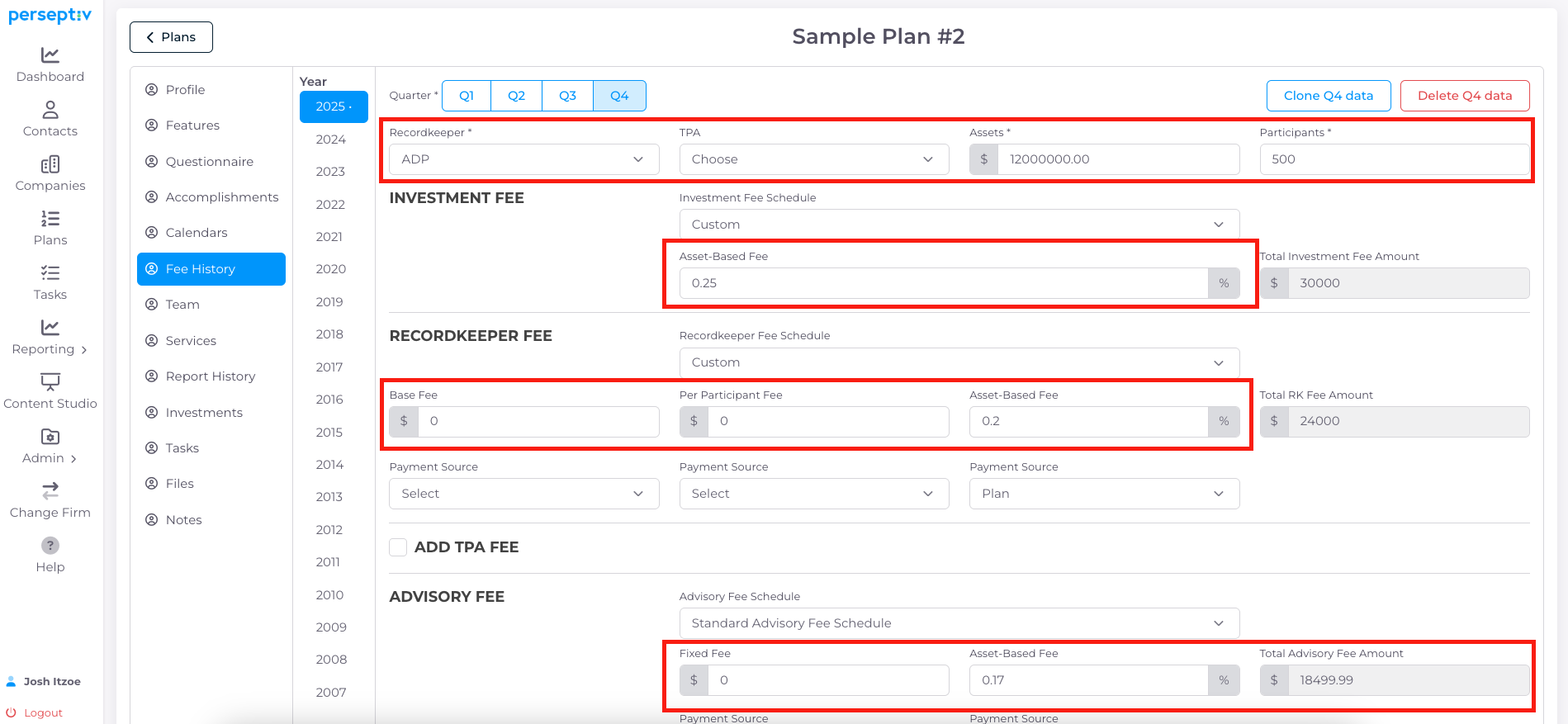
Gather current fee information for the prospect.
-
Example: Total assets of $12 million with fees at 0.6%, totaling approximately $72,500.
3. Generate the Report 0:36
-
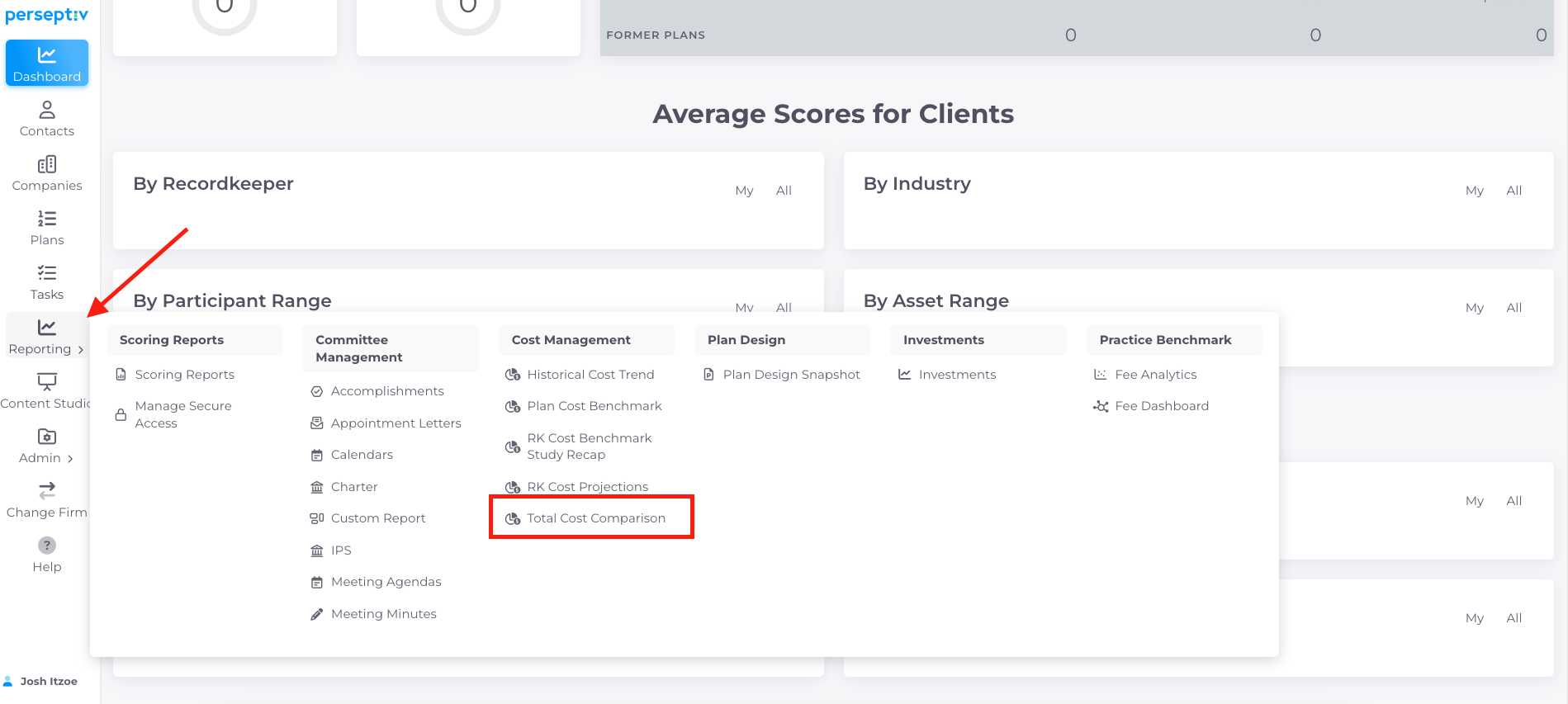
Navigate to the reporting section in Perceptive.
-
Select 'Cost Management' and then 'Total Cost Comparison'.
-
Click 'Create Report' and input the prospect's information.
4. Input Fee Assumptions 1:36
-
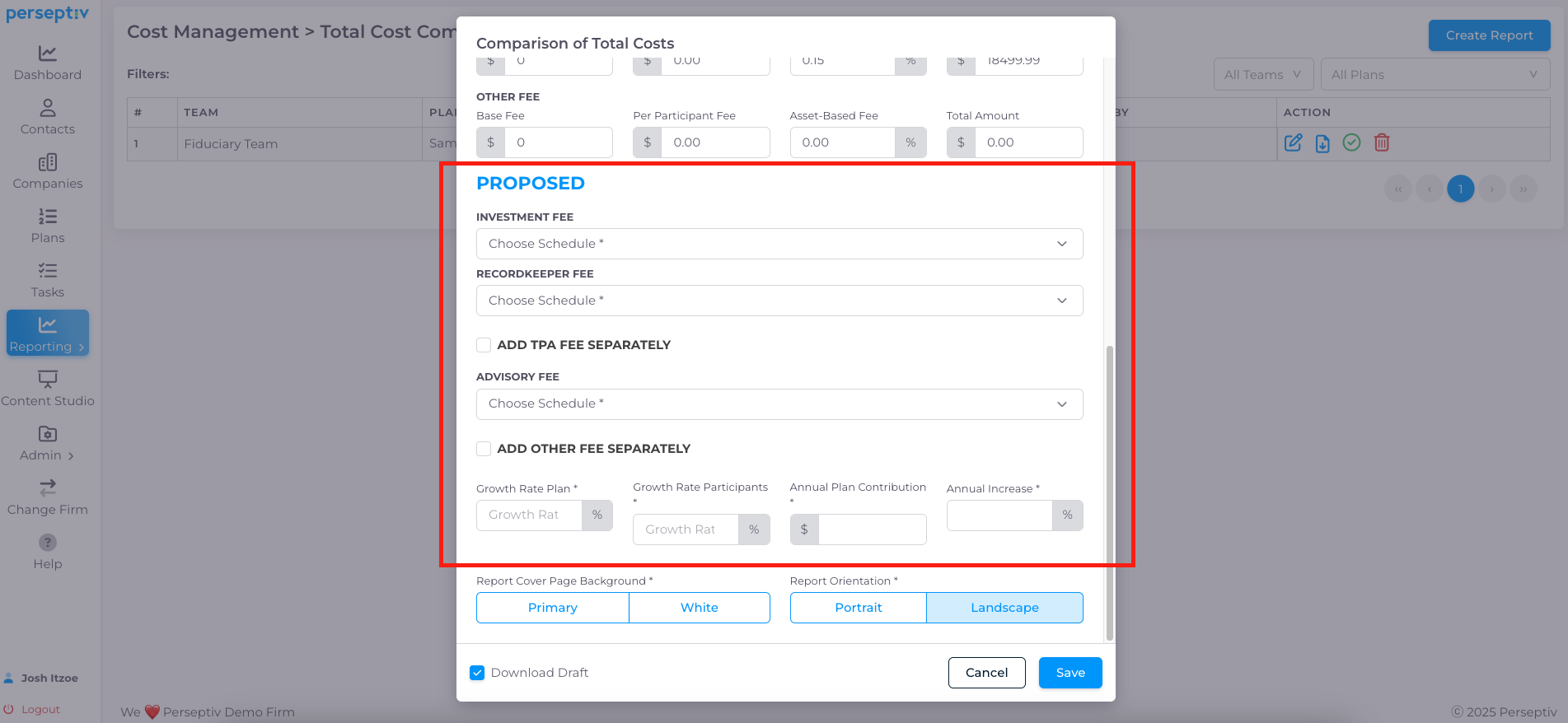
Enter the prospect's current investment fees (e.g., 25 basis points).
-
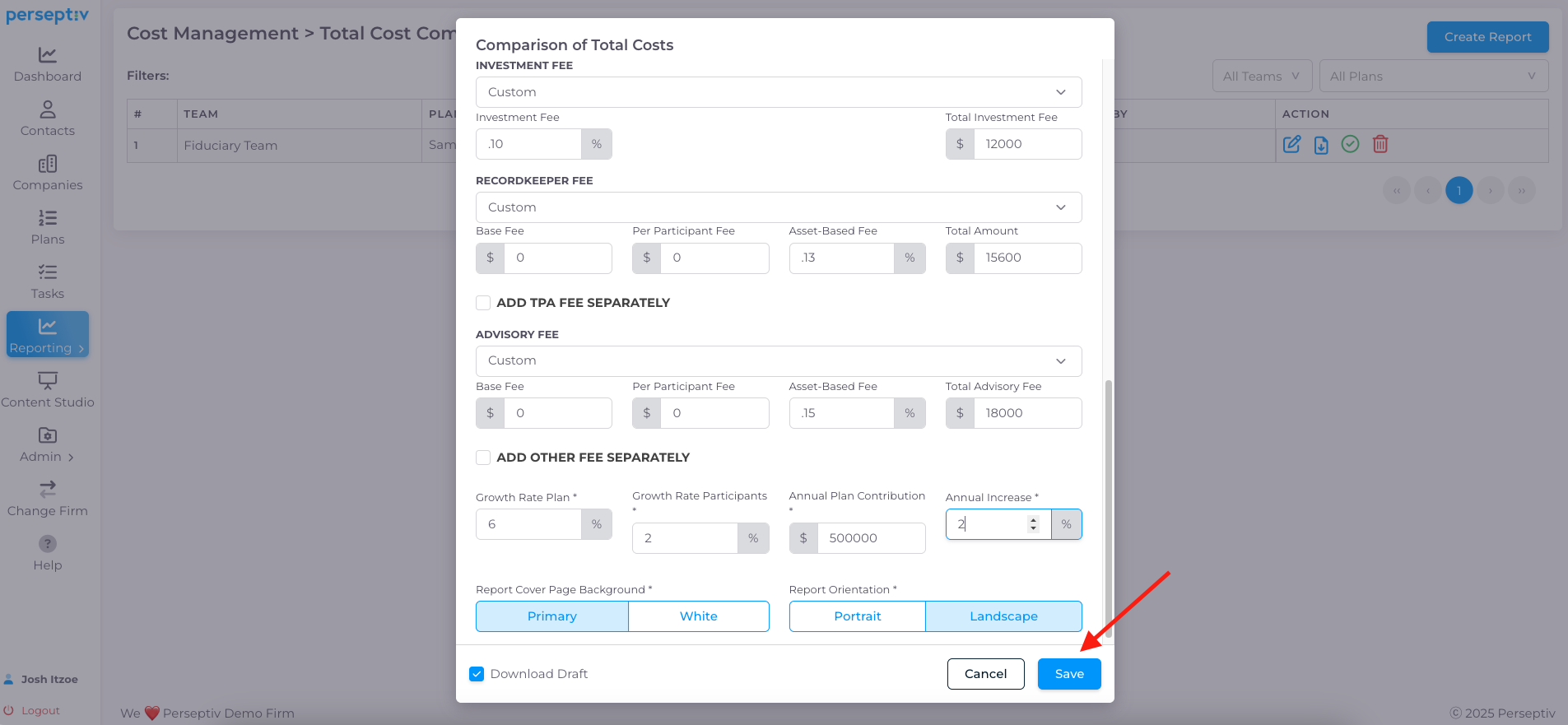
Input your proposed fees (e.g., 10 basis points for investment fees, 20 basis points for record keeping, etc.).
-
Set a growth rate for the plan (e.g., 6% for assets, 2% for participant growth).
5. Save and Generate the Report 3:05
-
Click 'Save' to generate the Total Cost Comparison report.
6. Report Structure Overview 3:42
-
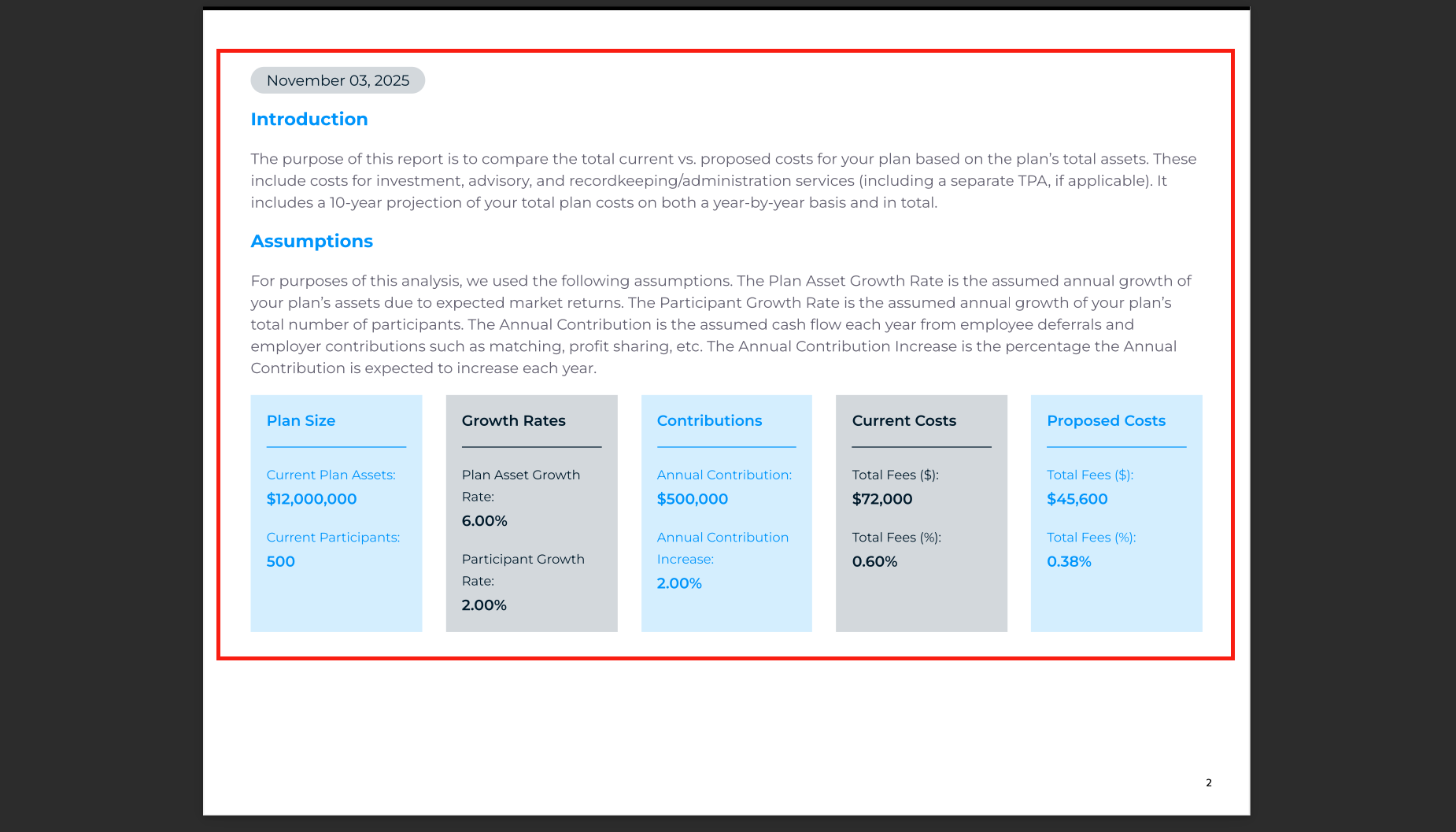
The report includes:
-
Introduction and assumptions (current assets, growth rates, contribution rates, current and proposed costs).
-
Comparison of fees in basis points and dollar terms.
-
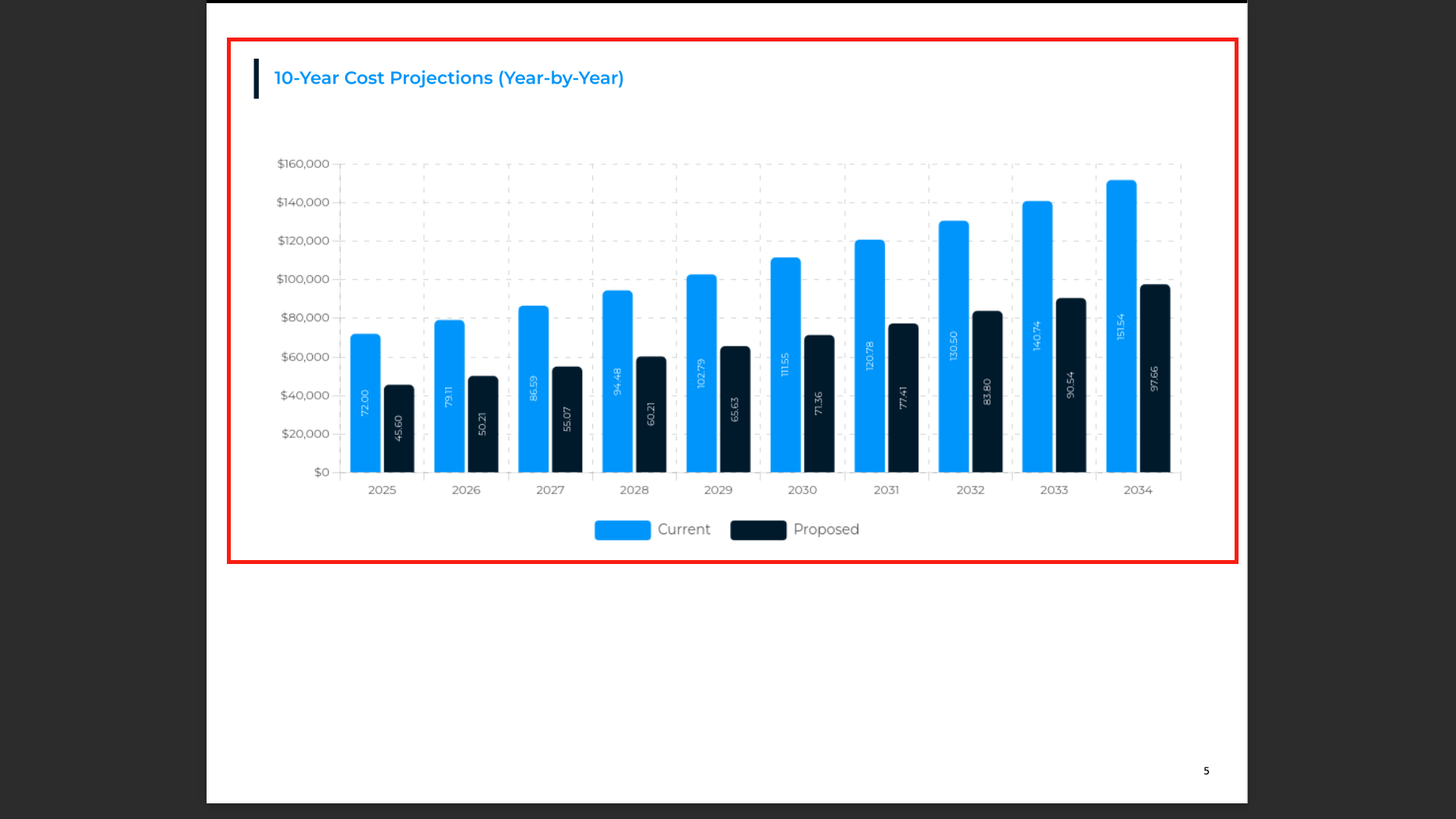
Year-by-year cost projection over ten years.
-
7. Analyze Cost Projections 4:25
-
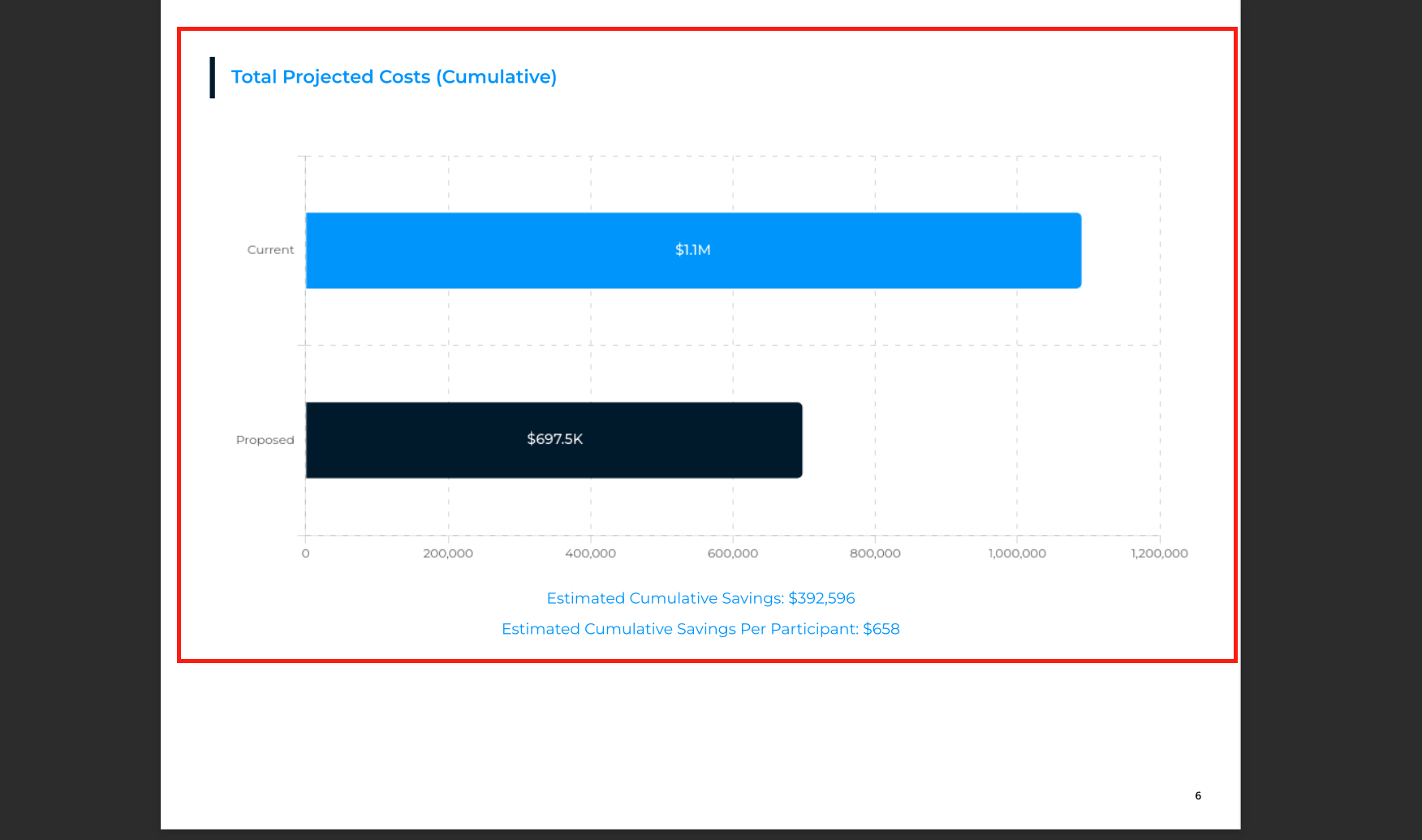
Review total projected cumulative costs:
-
Current costs (e.g., $1.1 million) vs. proposed costs (e.g., $700,000).
-
Calculate estimated savings and cumulative savings per participant.
-
8. Understand Long-term Impact 4:58
- Review total projected cumulative costs:
- Current costs (e.g., $1.1 million) vs. proposed costs (e.g., $700,000).
- Calculate estimated savings and cumulative savings per participant.