
To watch the video, click here: https://loom.com/share/8bd0242729de4d97b4b25795cce271e4
Step-by-Step Instructions
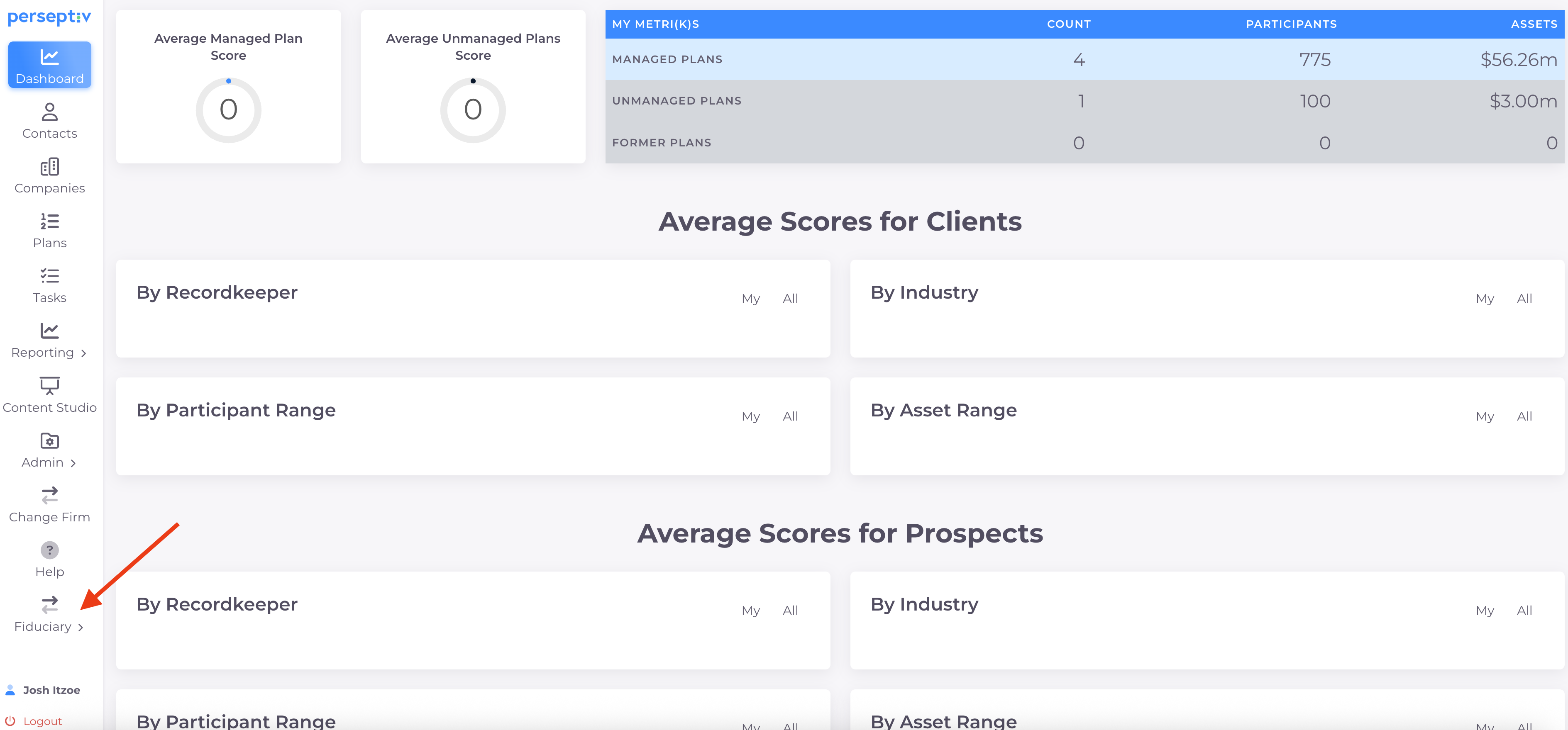
1. Access the Wealth Platform 0:01
-
Ensure you have licensed access to the Wealth Platform within Perseptiv.
-
Use the platform to conduct five-minute Wealth Assessments for participants.
-
Aim to demonstrate value and identify potential prospects for wealth conversations.
2. Navigate Between Platforms 0:24
-
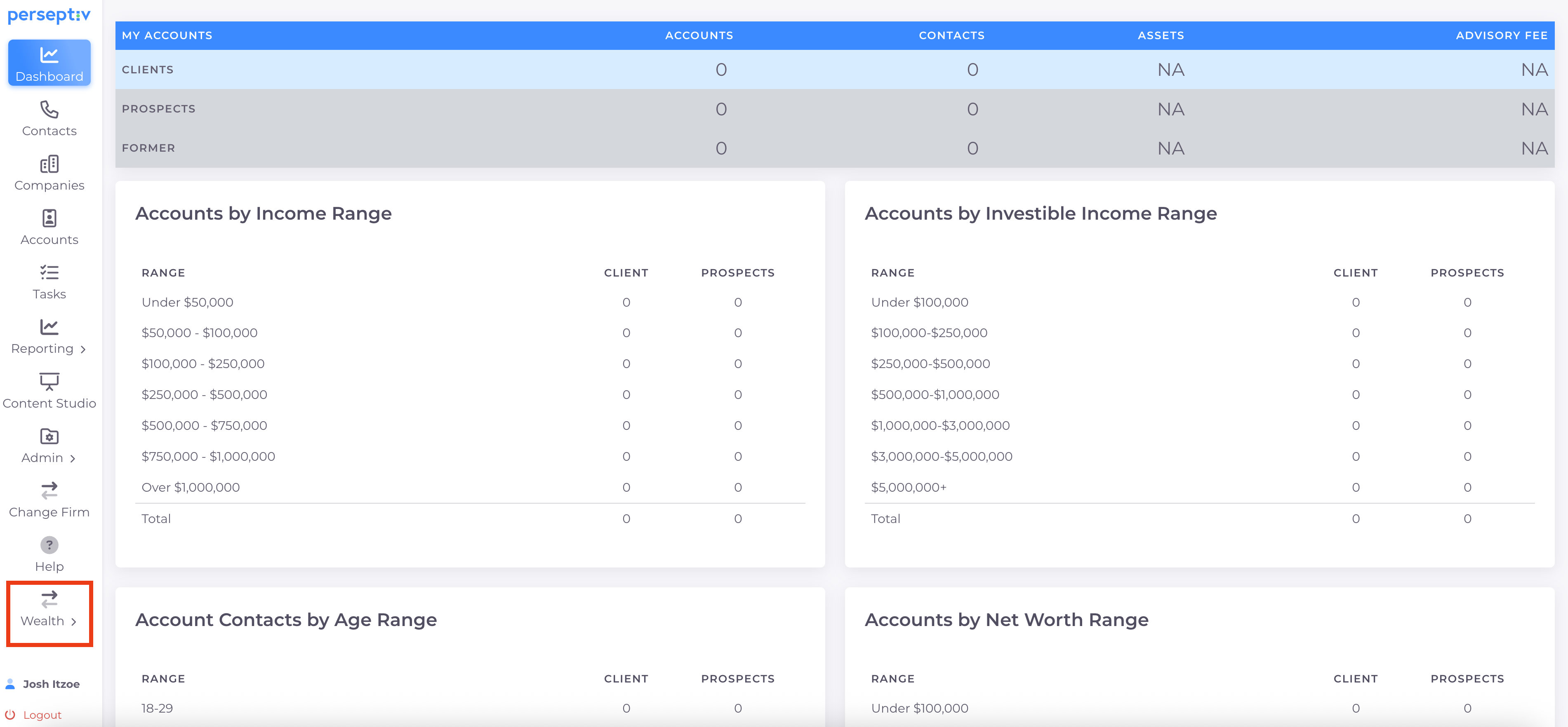
Note that the wellness platform shares the same chassis as the fiduciary platform.
-
Easily switch between fiduciary and wealth sections.
3. Set Up a Wealth Assessment 0:46
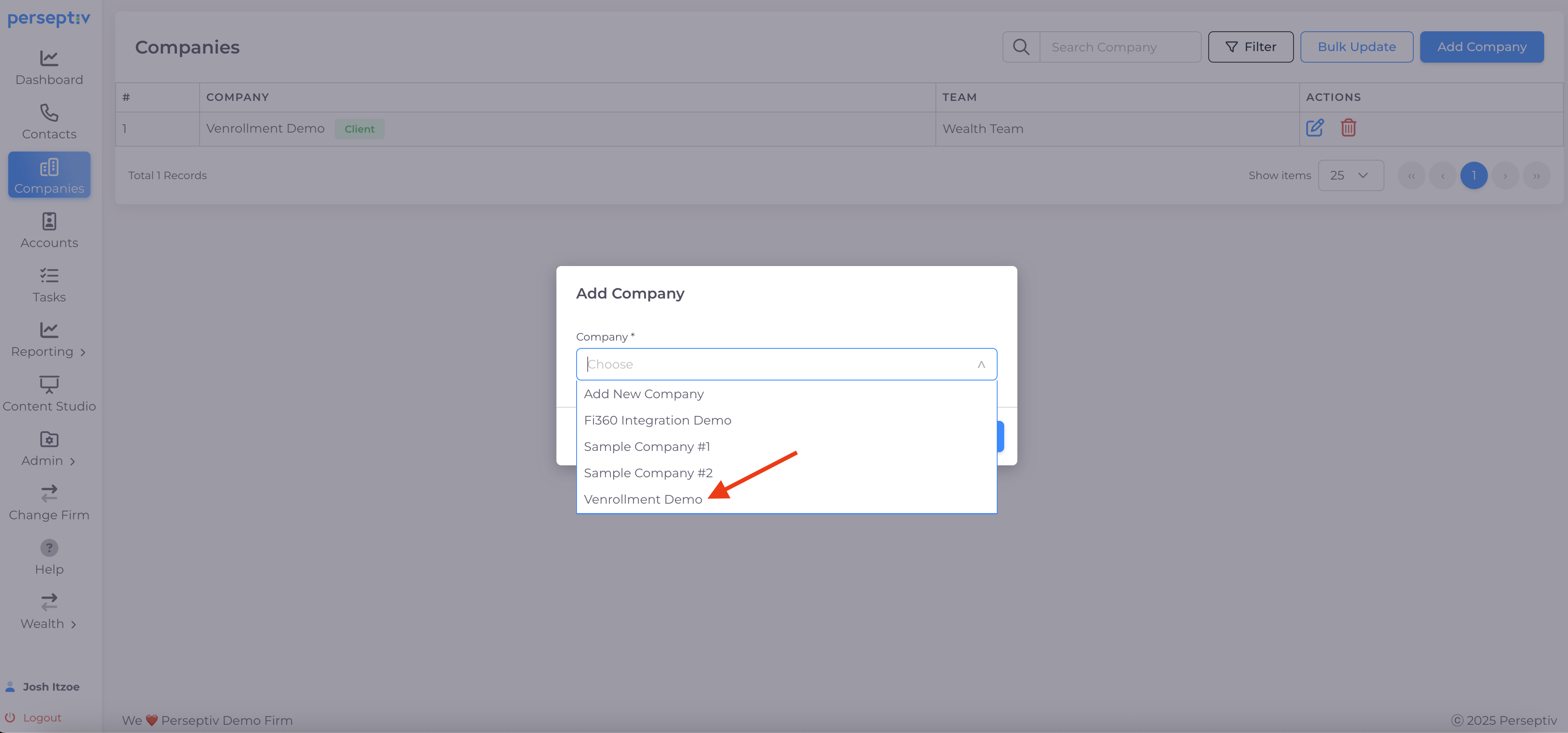
- Confirm that the company is visible on both the fiduciary and wealth sides.
- Select the company.
4. Create a Secure Access Link 1:11
-
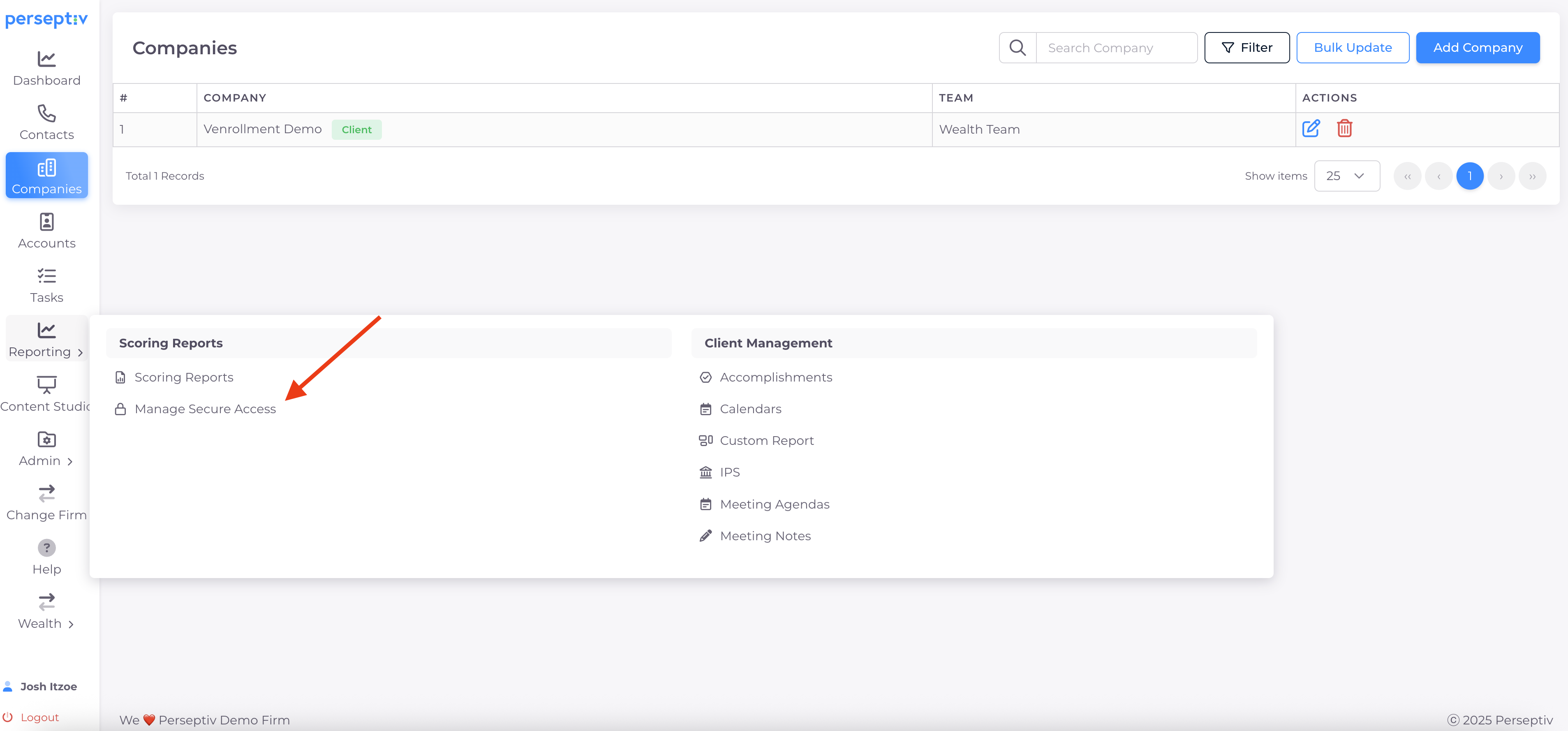
Go to the reporting section and select 'Manage Secure Access'.
-
Create a unique link tied to the company for participants.
5. Customize the Secure Access Link 1:54
-
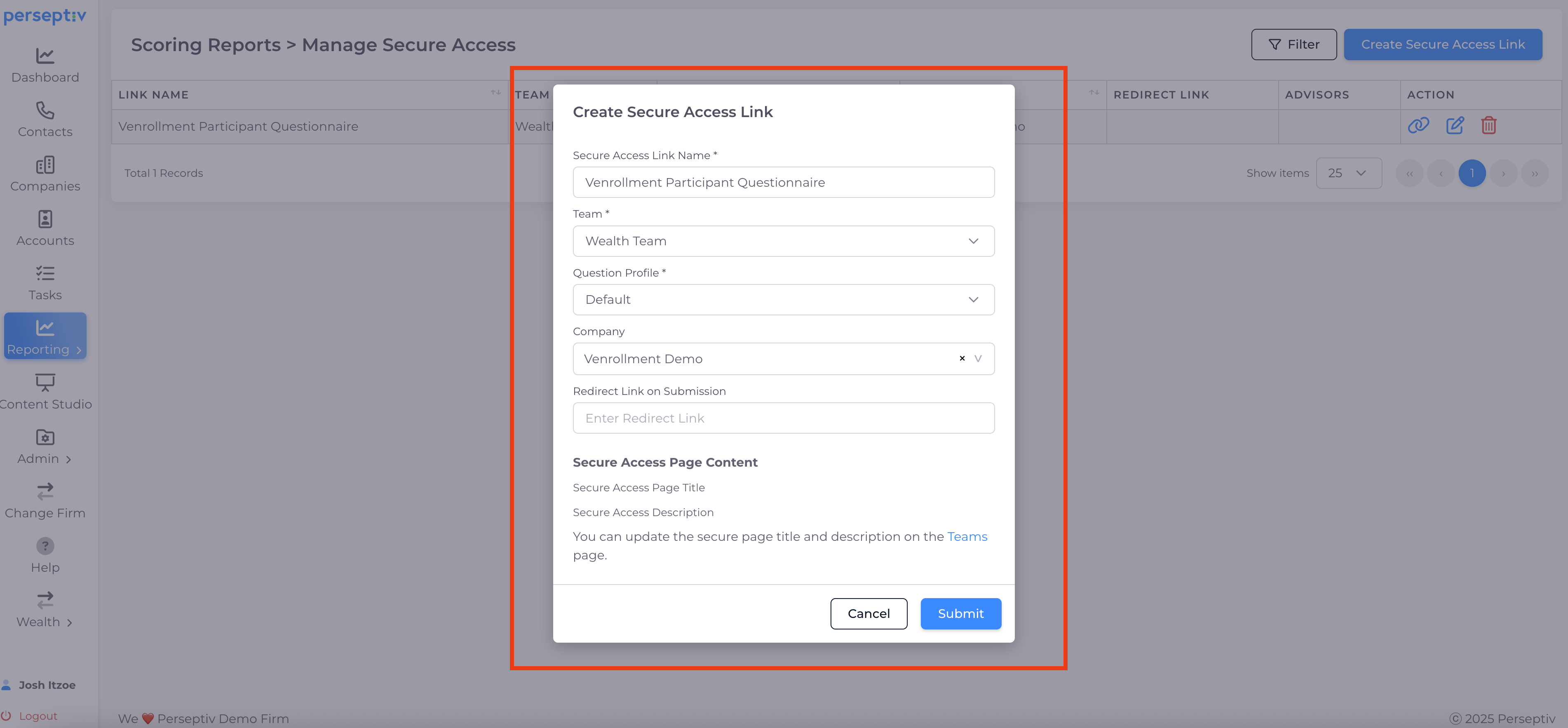
Name the link (e.g., 'Enrollment Participant Questionnaire').
-
Select the question profile and tie it to the company.
-
Optionally, add a redirect link for post-assessment scheduling.
6. Copy the Custom Link 2:21
-
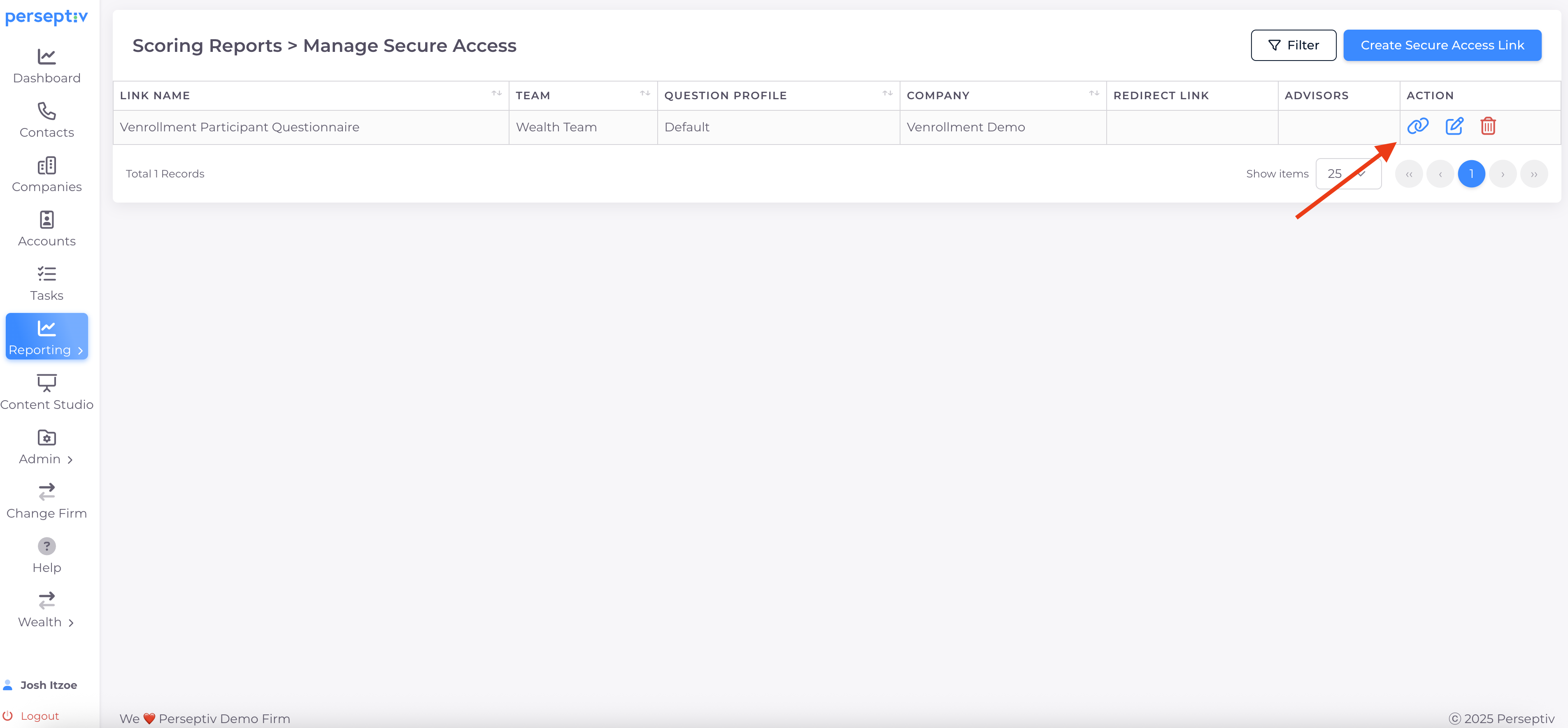
Copy the secure access link.
7. Update Venrollment Site 3:01
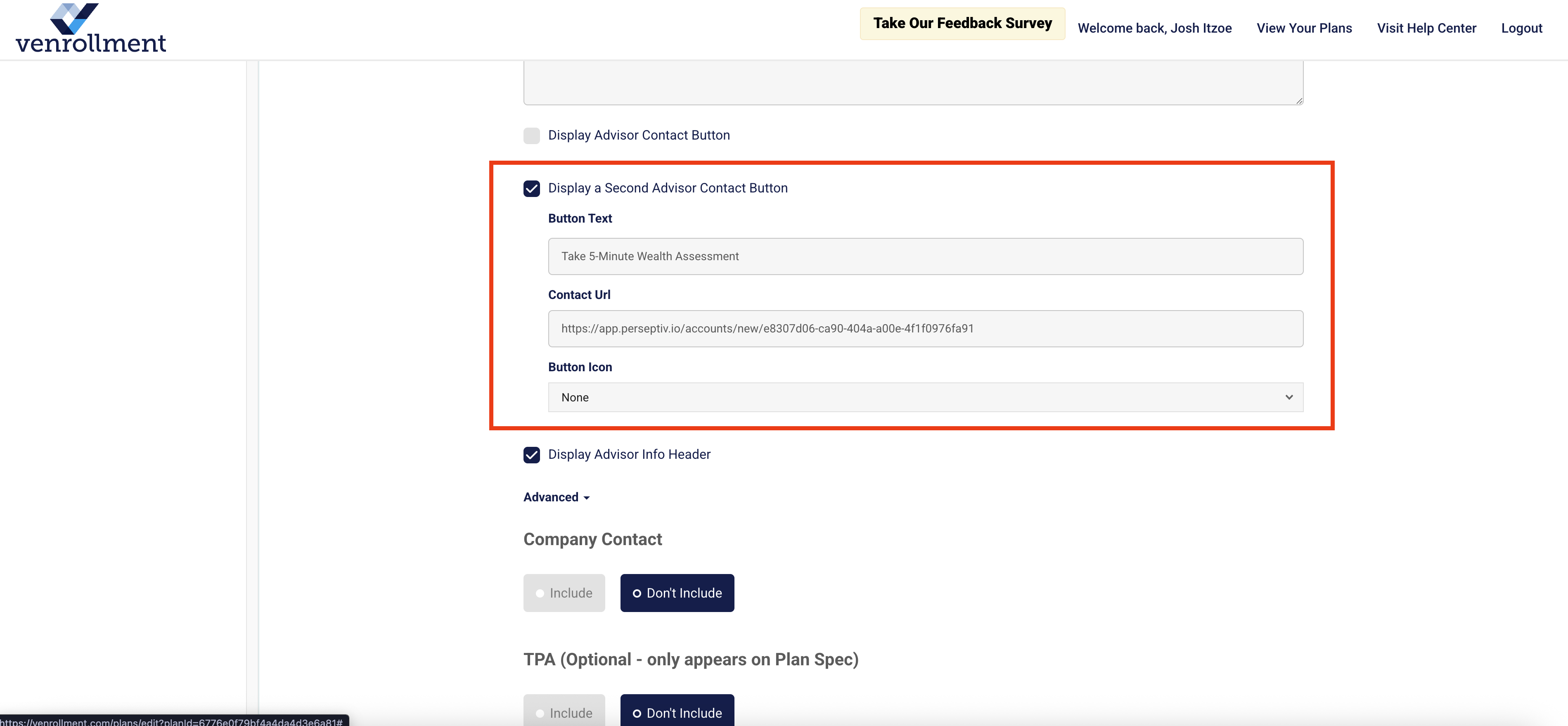
- Navigate to the Venrollment plan and click 'Edit'.
- Go to 'Resources' and enable the 'Display a second advisor contact button' option.
- Add text for the button (e.g., 'Take our 5-minute Wealth Assessment').
- Paste the secure access link into the designated area and hit 'Update'.
8. Test the Enrollment Site 3:25
-
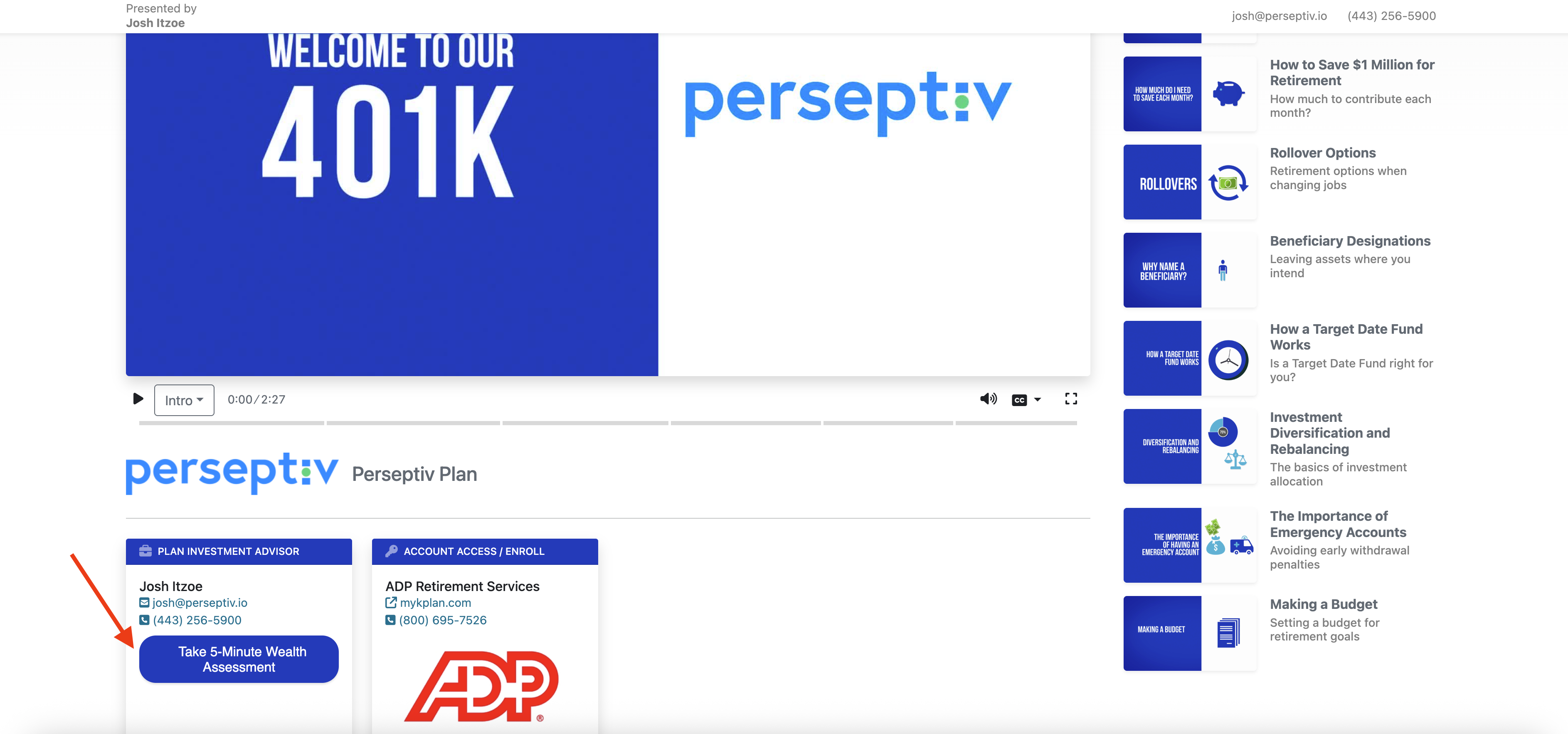
Visit the Venrollment site to ensure the button appears correctly.
-
Click the button to access the questionnaire tied to the company.
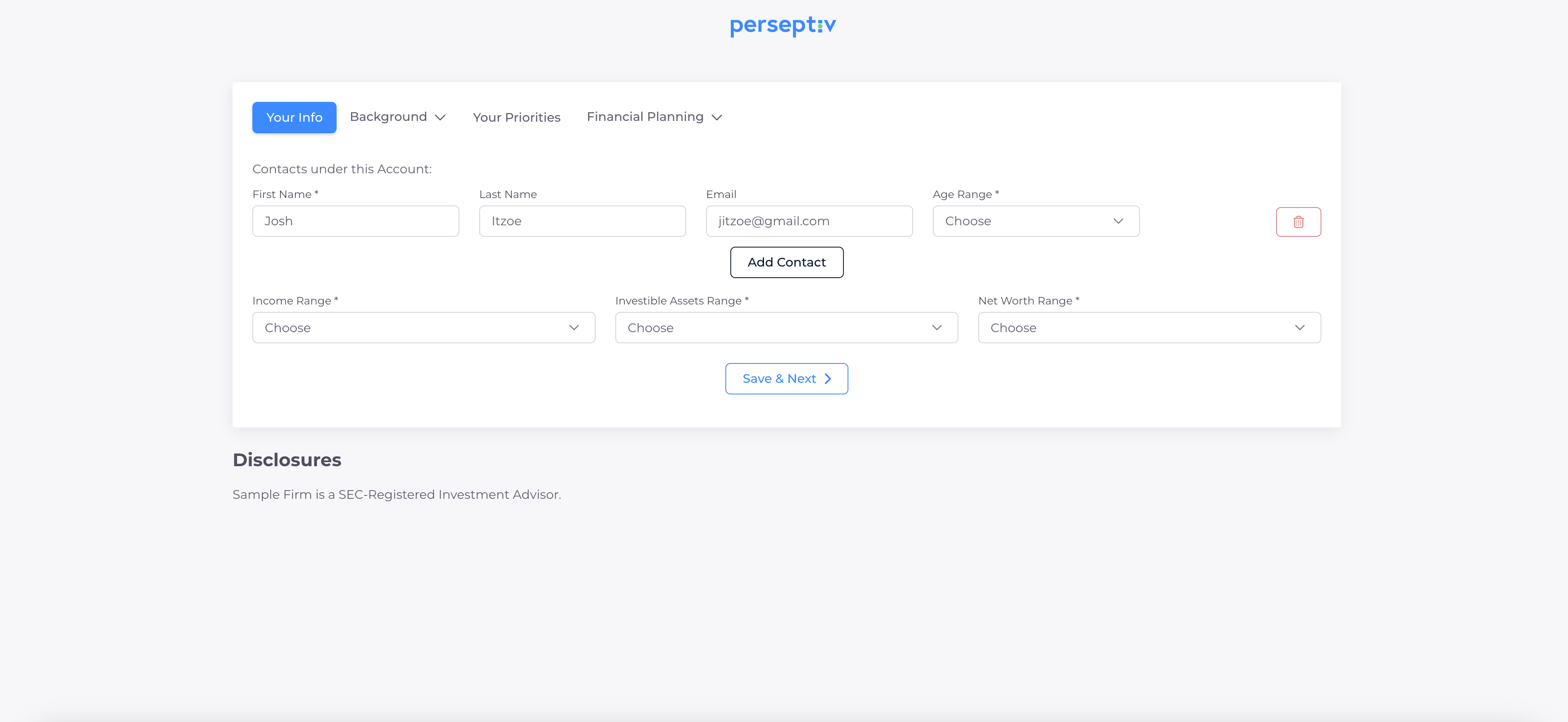
9. Complete the Questionnaire 3:46
-
The participant fills out the questionnaire and submits the assessment.
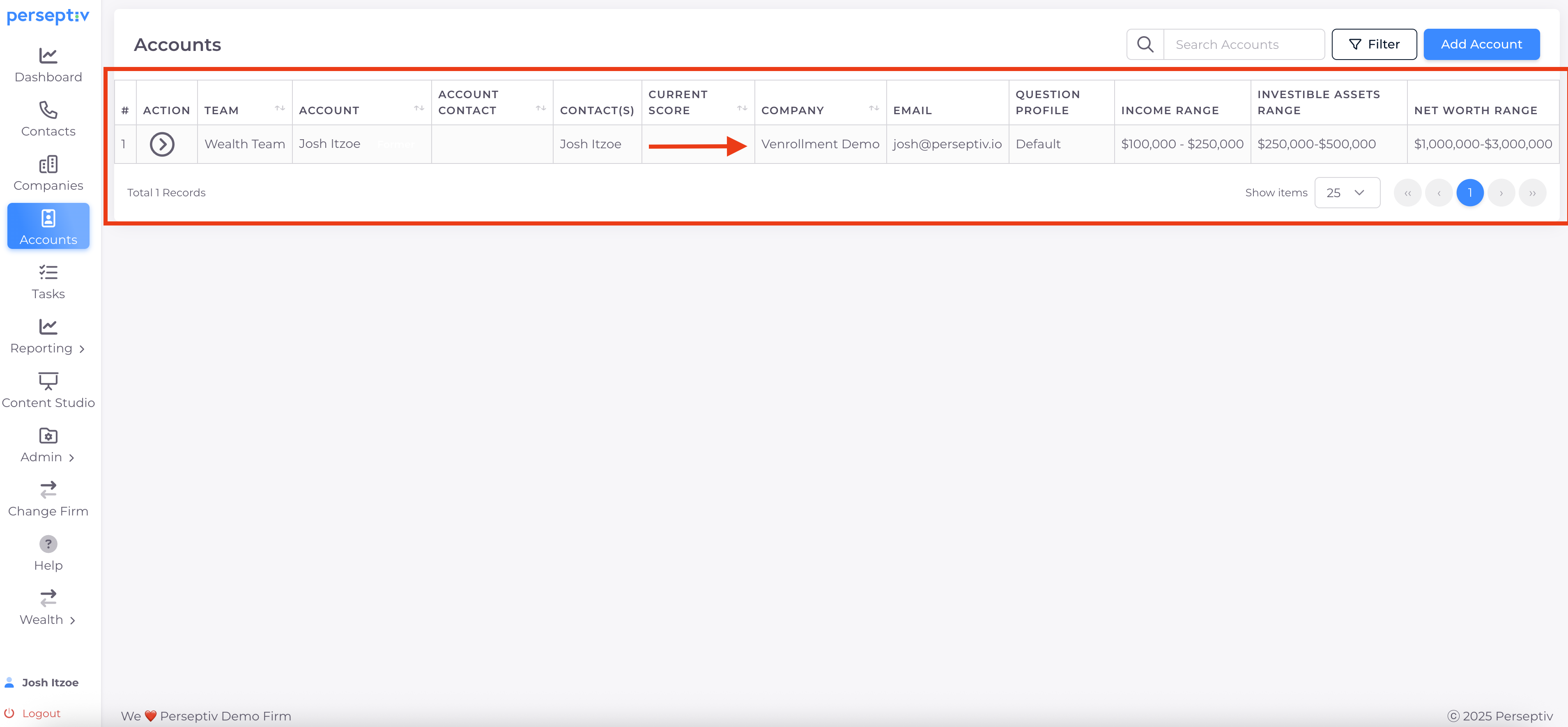
10. Review Responses in Perseptiv 4:29
-
Return to Perseptiv to view the contact information and questionnaire responses.
-
Use this data to engage in meaningful conversations with participants.
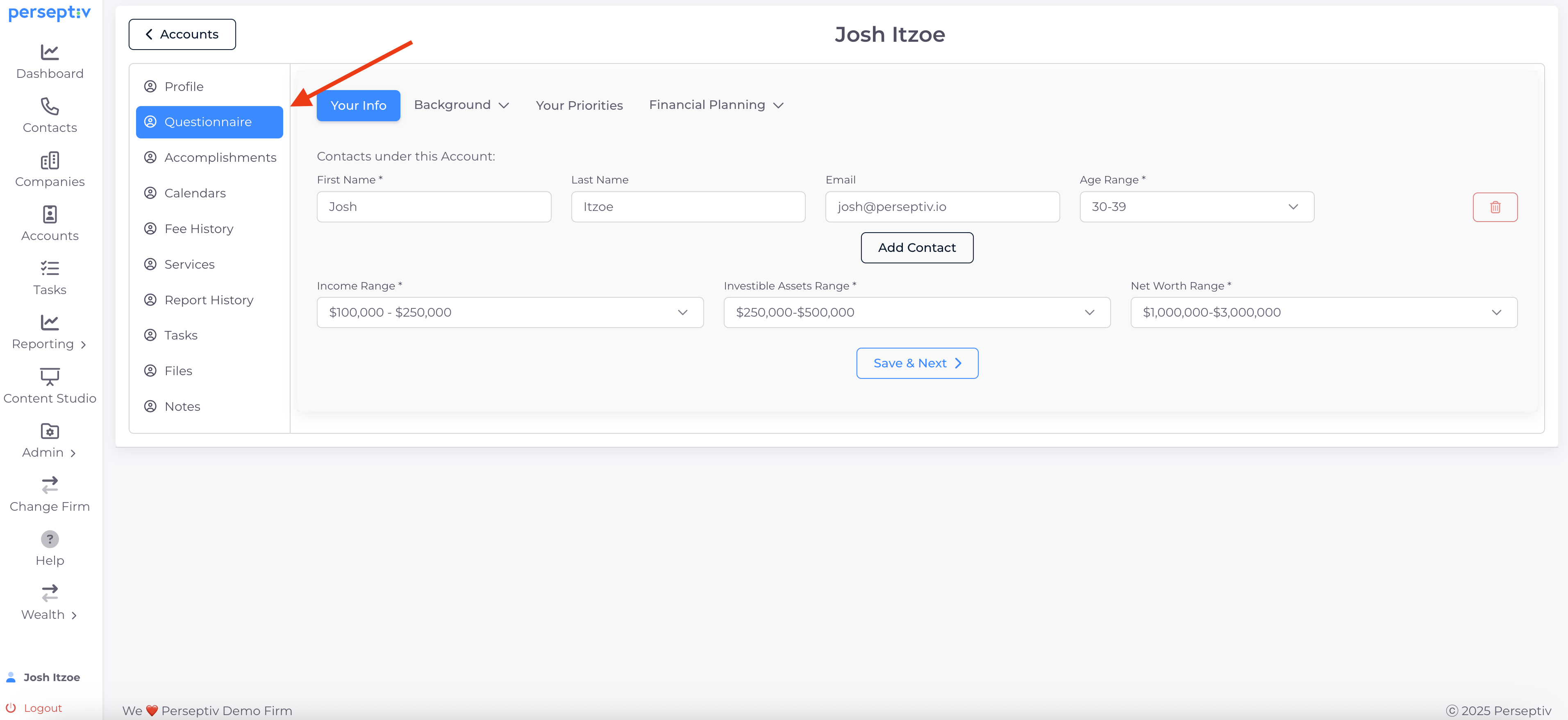
11. Identify Wealth Prospects 4:55
-
Assess whether participants are good wealth prospects based on their responses.
-
If they are, initiate a conversation to bridge them to your wealth team.