
To watch the video click here: https://loom.com/share/21ecad31de814219951e678e174caf00
Step-by-Step Instructions
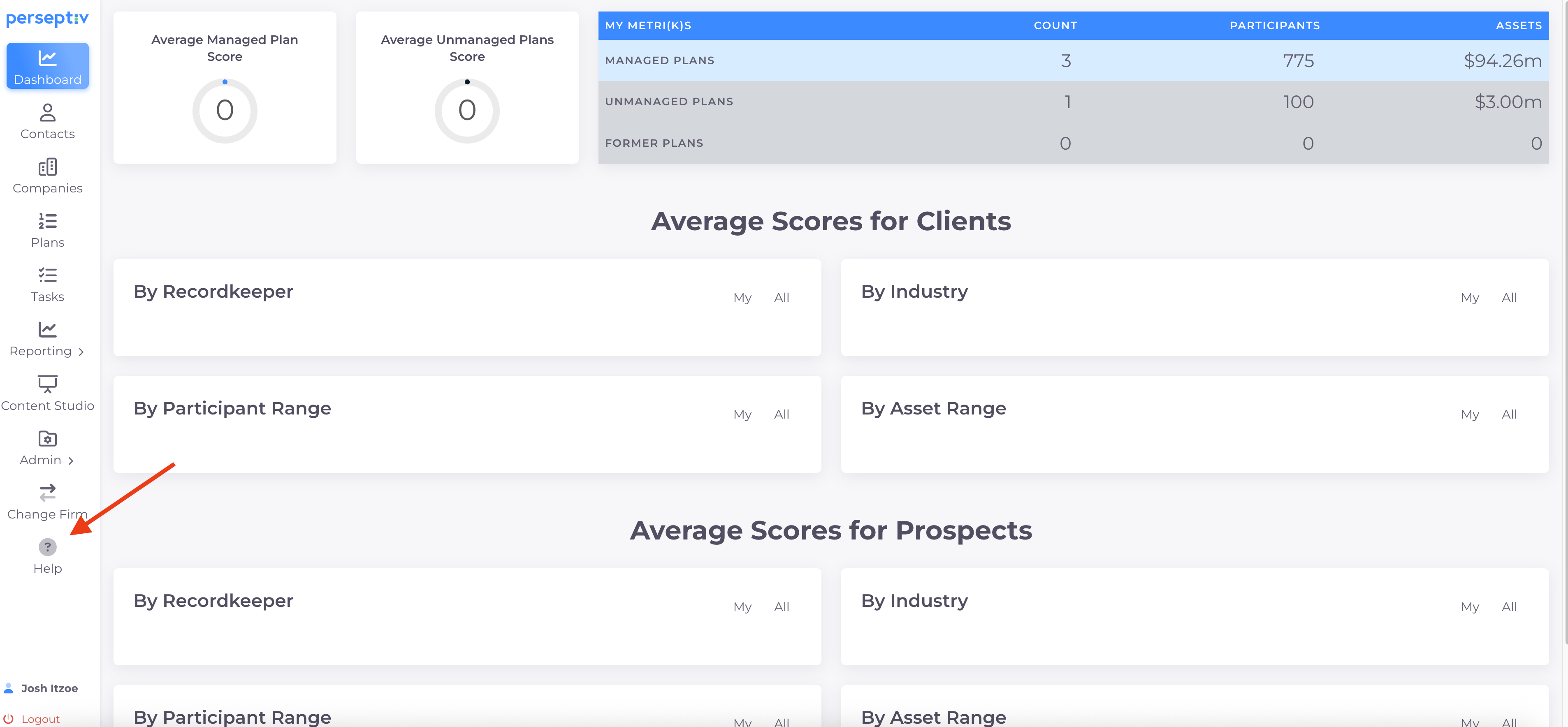
Step 1: Access the Help Icon 0:00
-
Locate the help icon in the lower left corner of the screen.
-
Click on the help icon to proceed.
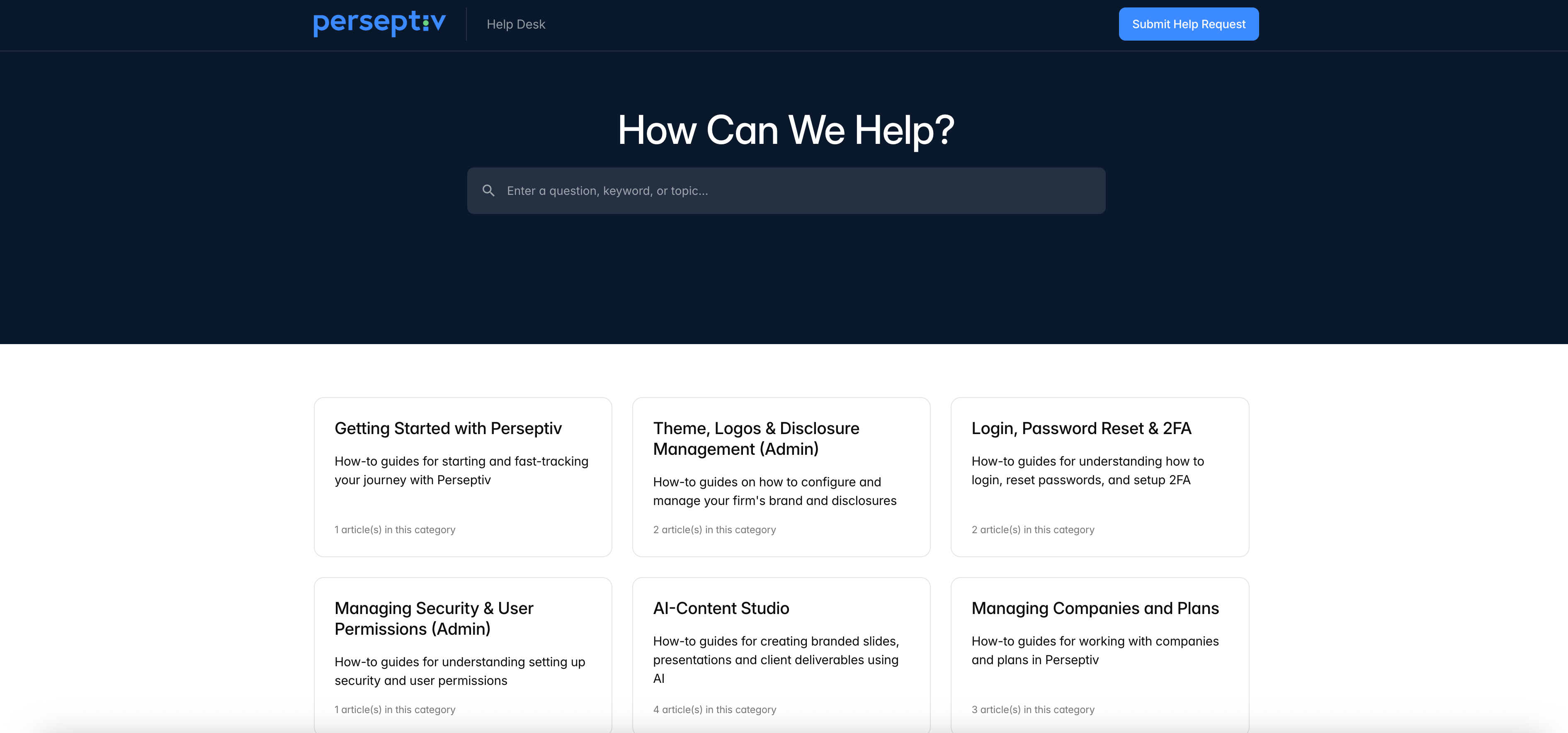
Step 2: Navigate to the Knowledge Base 0:00
-
After clicking the help icon, you will be directed to our knowledge base.
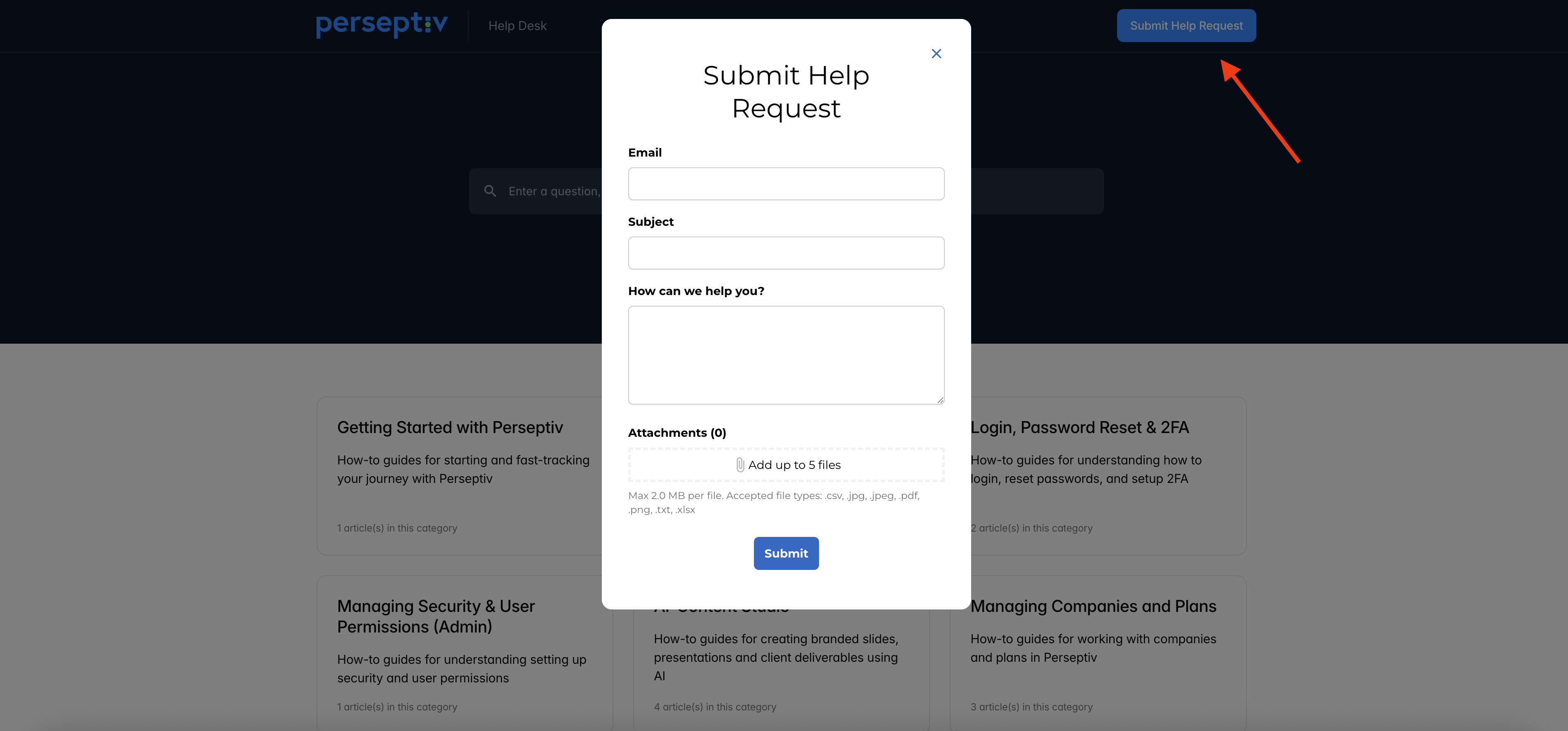
Step 3: Submit a Help Request 0:20
-
Look for the option to submit a help request.
-
Fill in the required fields:
-
Your email address
-
Subject of the request
-
Description of the issue or assistance needed.
-
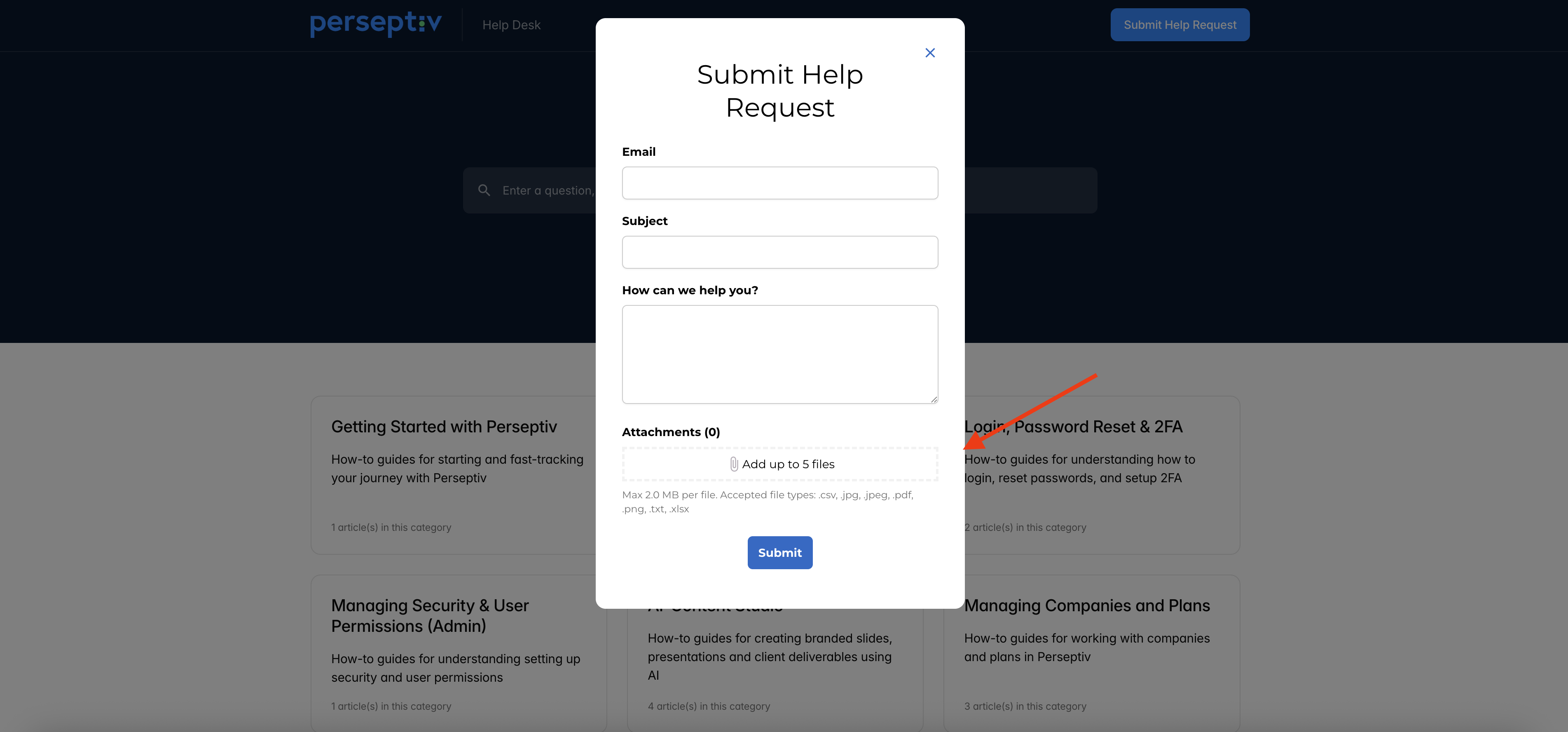
Step 4: Attach Supporting Documents 0:32
-
If applicable, upload any attachments that may help us troubleshoot the issue and hit Submit.
-
This can include screenshots or reports.
-