
To watch the video, click here: https://loom.com/share/65fc9ac56c7b46b188a11a8ccc64d9ed
Step-by-Step Instructions
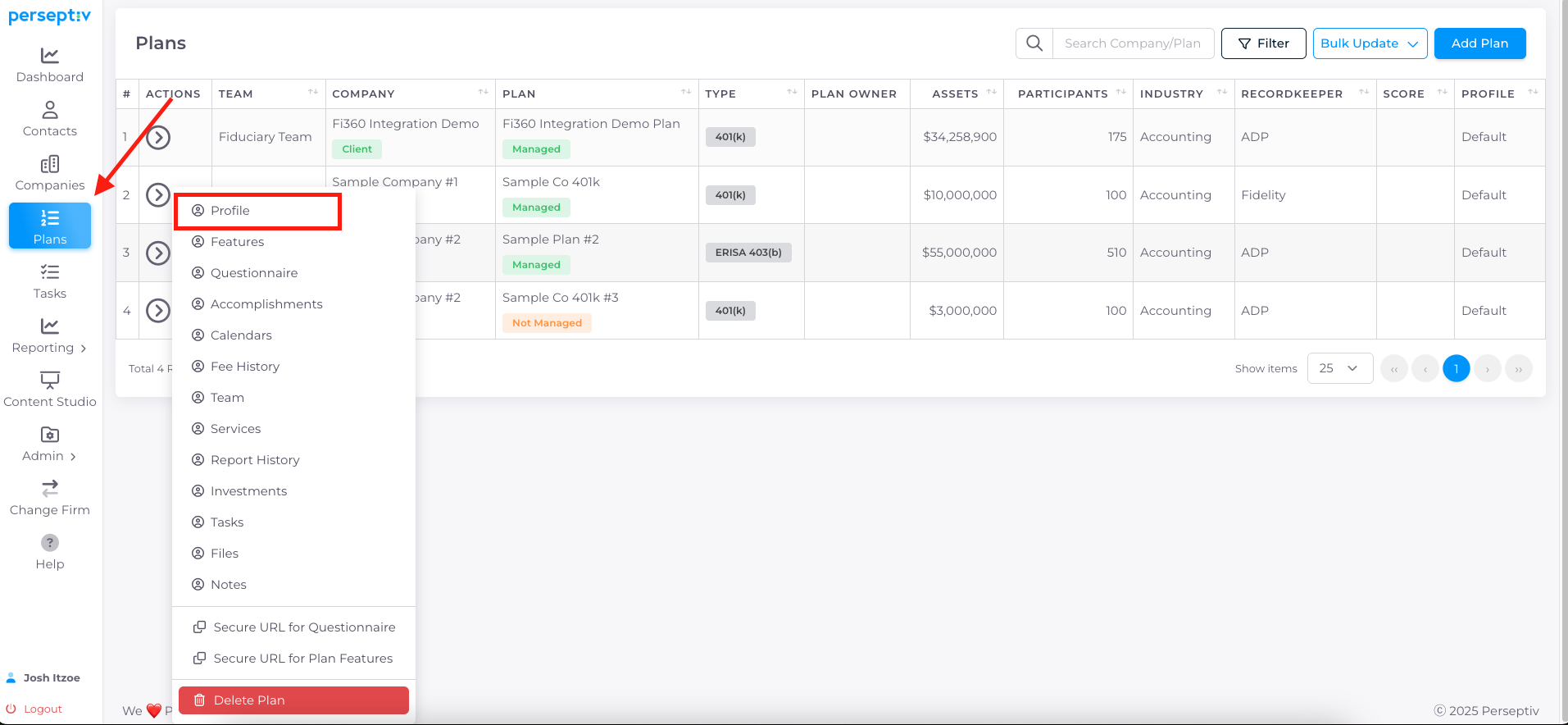
1. Accessing the Profile Page 0:02
-
Navigate to the 'Plans' section.
-
Click on the actions arrow next to the desired plan.
-
Select 'Profile' to view the high-level snapshot.
2. Overview of Profile Information 0:27
-
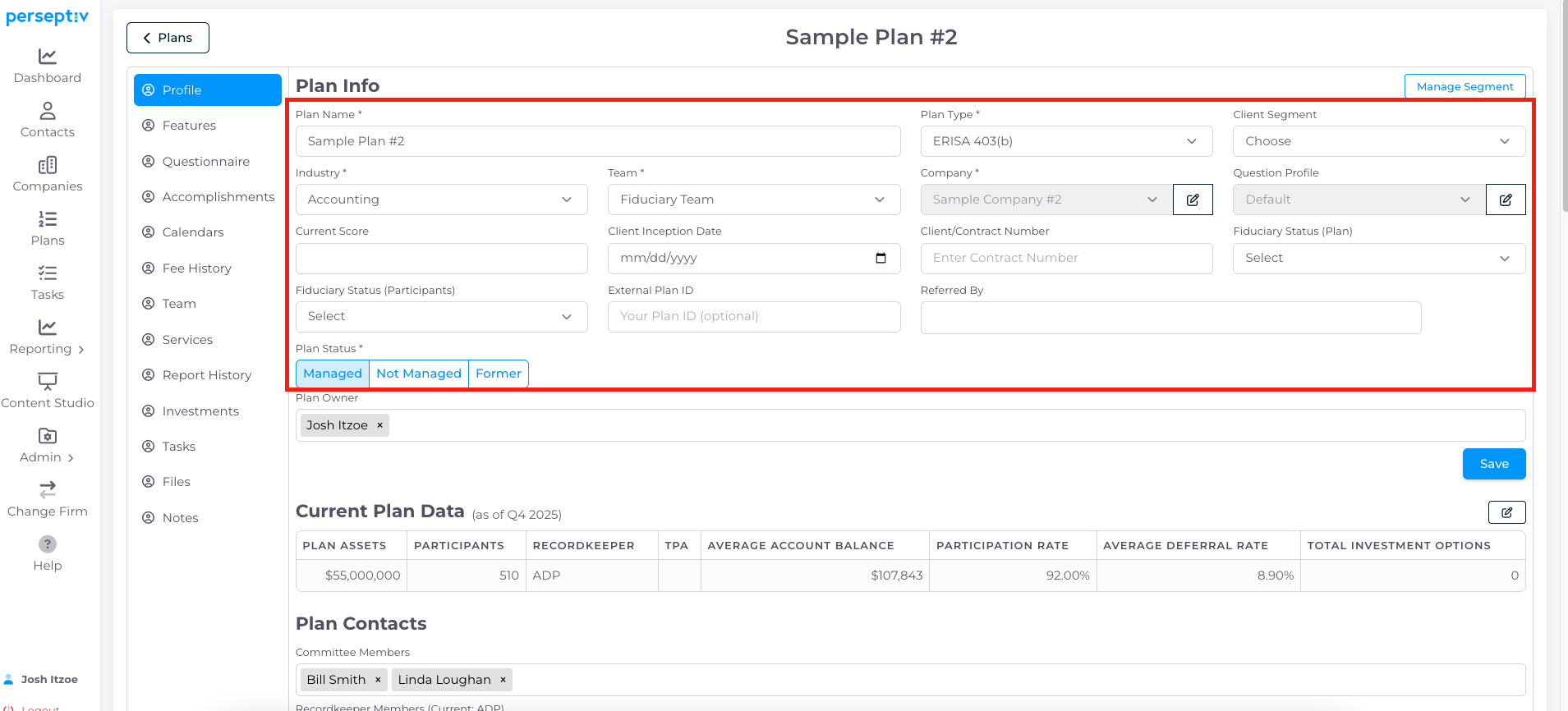
The profile page provides a summary of key plan information.
-
You can input details such as:
-
Client inception date
-
Fiduciary status (e.g., 3(38) at plan level, 3(21) to participants)
-
Referral source and contact information.
-
3. Client Segmentation 1:01
-
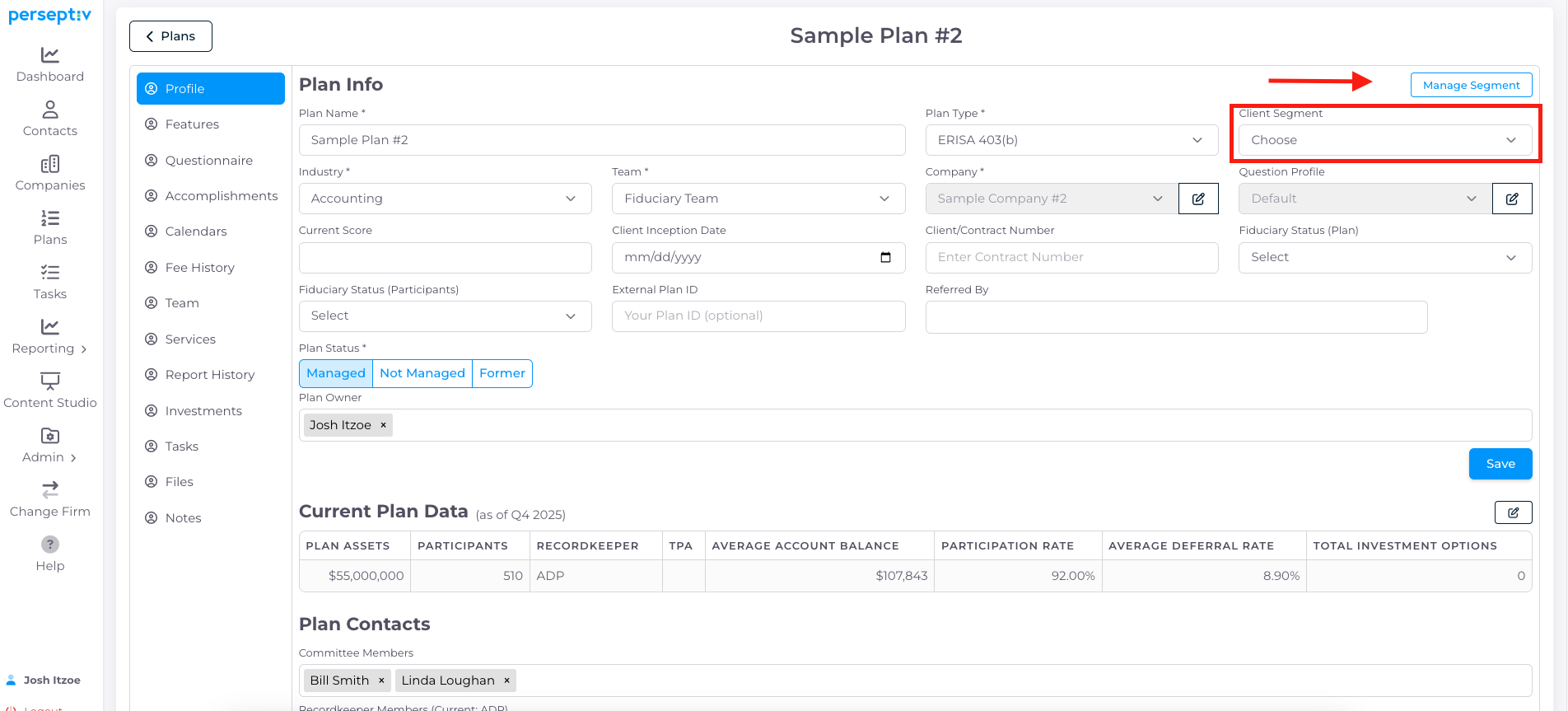
Create and manage client segments (e.g., Segment A, B, C).
-
Assign clients to segments for better organization.
4. Current Plan Data 1:25
-
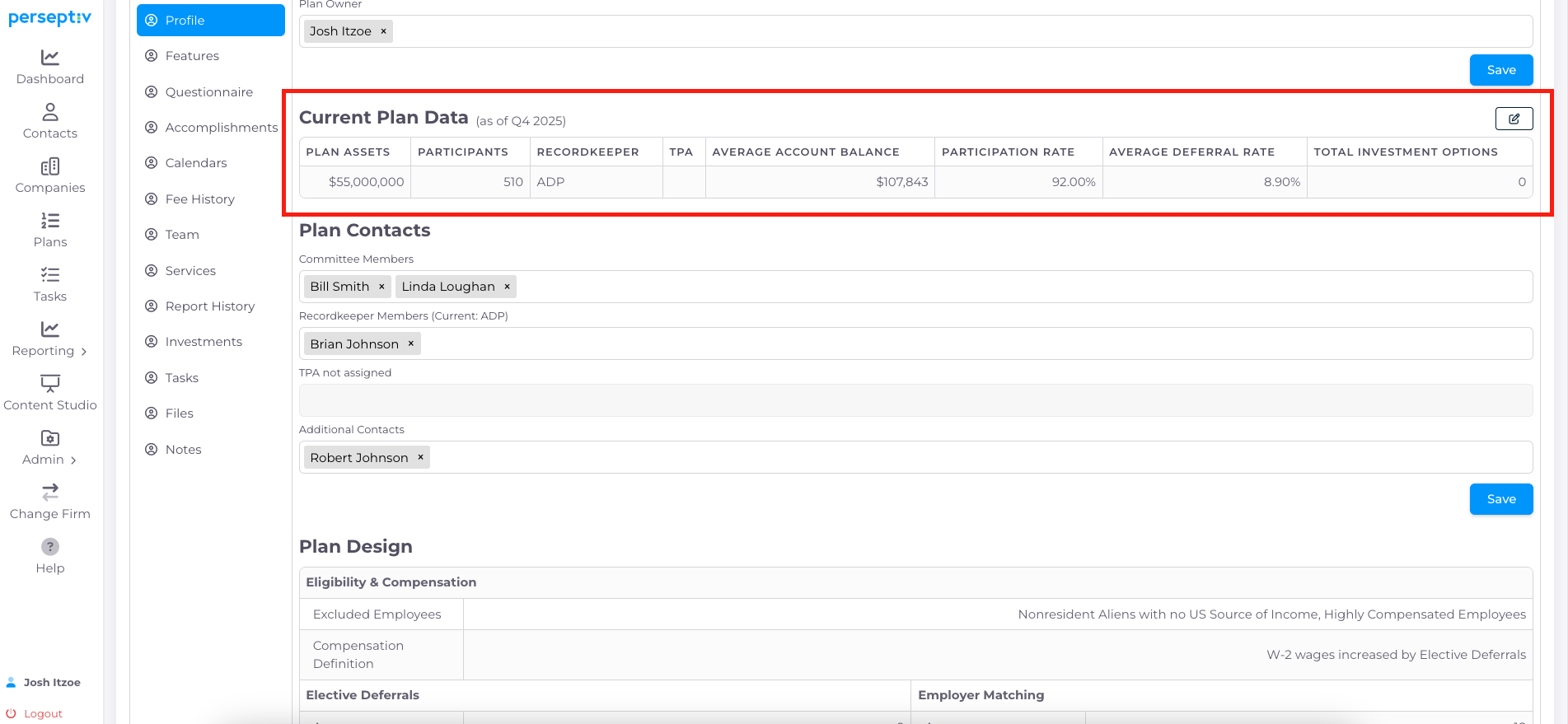
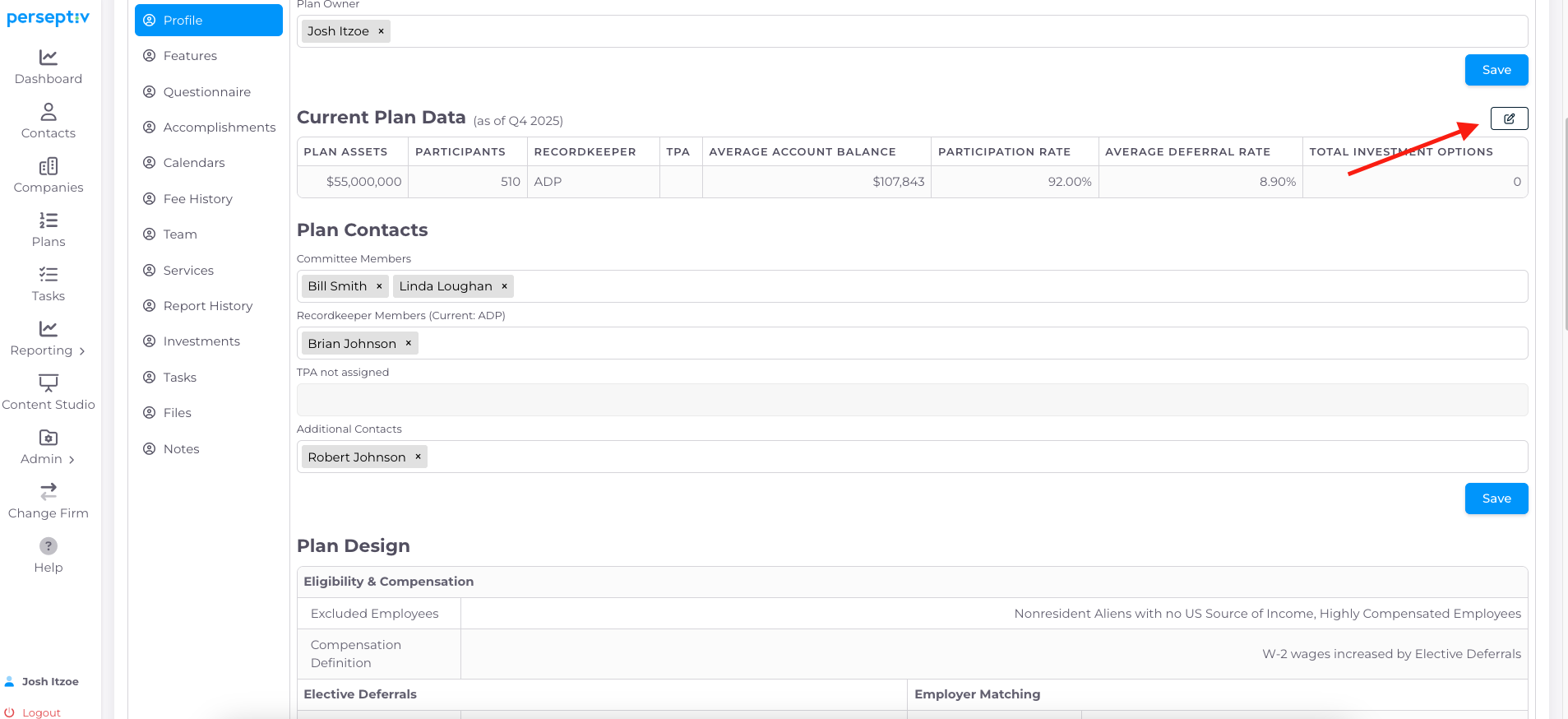
View plan owner and current plan data.
-
Data includes:
-
Assets
-
Participants
-
Record keeper and TPA information.
- Participation Rate, Average Deferral Rate and Total Investment Options (if updated in Plan Statistics)
-
5. Updating Current Plan Data 1:50
-
Check the 'as of' date for current data.
-
Click to update data if necessary.
-
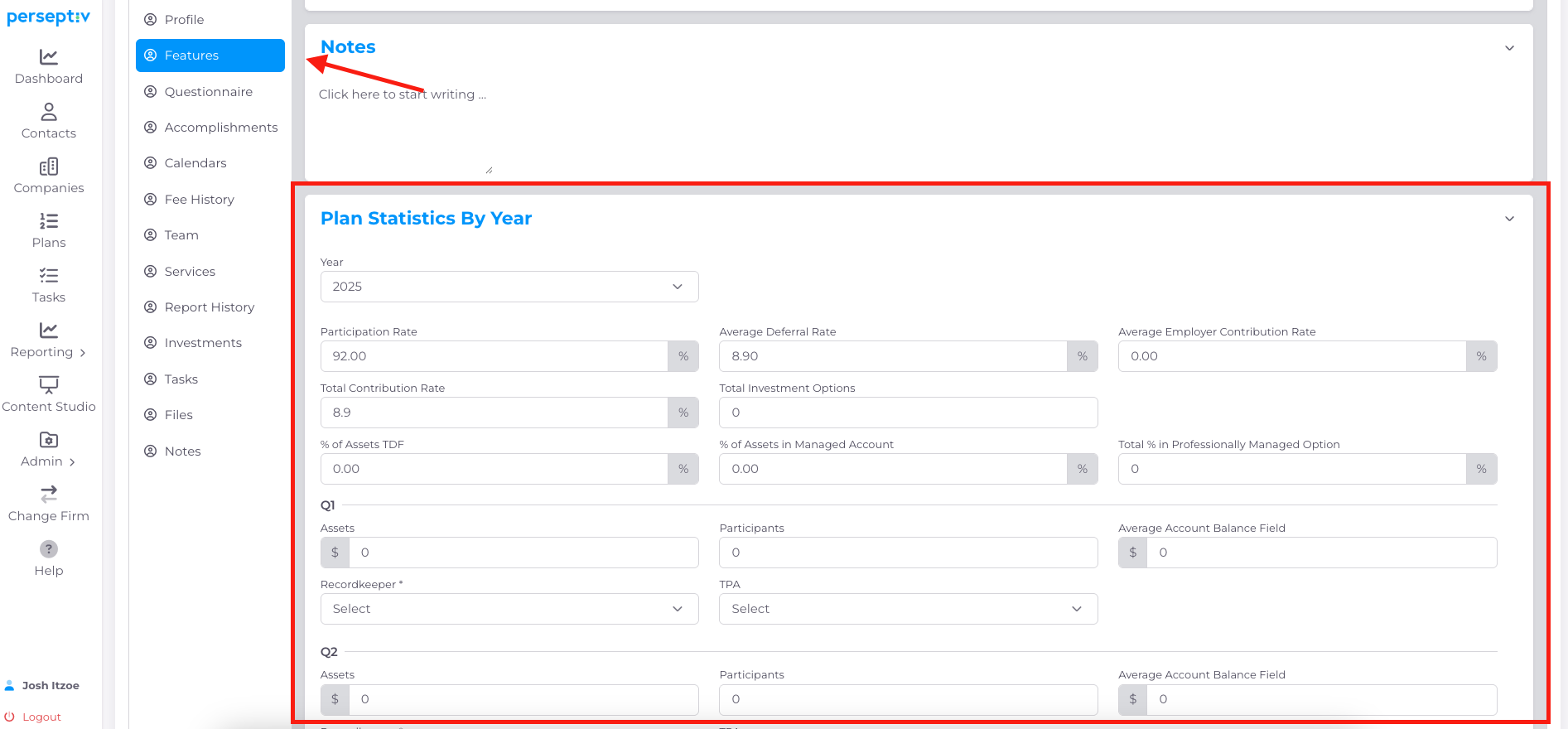
Scroll down to view Plan Statistics by Year at the bottom of the Features Page
6. Manually Updating Assets, Participants, Recordkeeper, TPA and Other Stats 2:08
-
Scroll to bottom of Features page to Plan Statistics By Year section (clicking the pencil icon from the Profile page should take you here automatically)
-
Update assets, participants, RK and TPA by quarter
-
Note - If using Fi360 integration, this should update automatically when you complete monitoring reports in FI360
-
-
Add metrics such as:
-
Participation rate
-
Percent of assets in Target Date Funds (TDF)
-
Average deferral rate.
-
7. Auto-Calculations 2:29
-
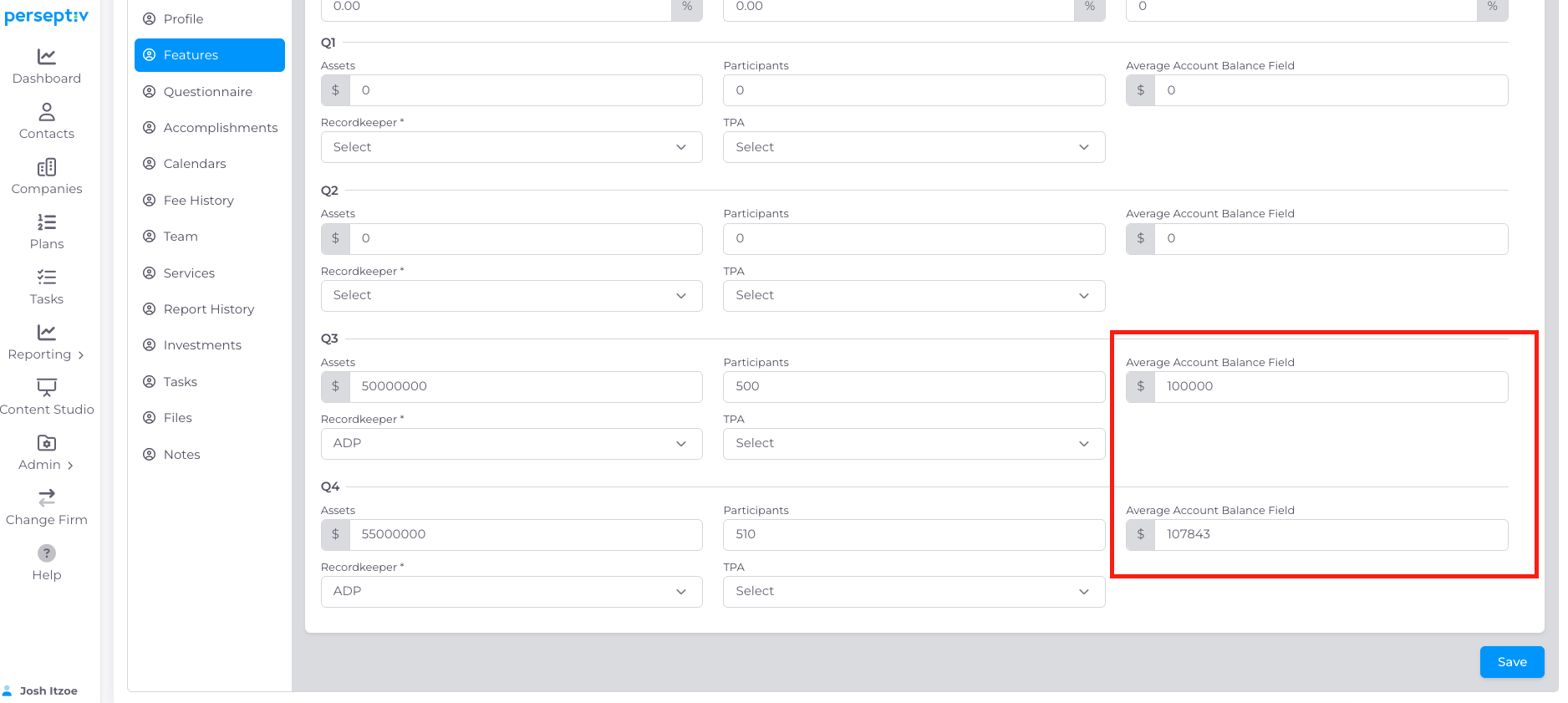
The system auto-calculates:
-
Average account balance based on updated participant and asset data.
-
8. Managing Record Keeper and TPA 3:08
-
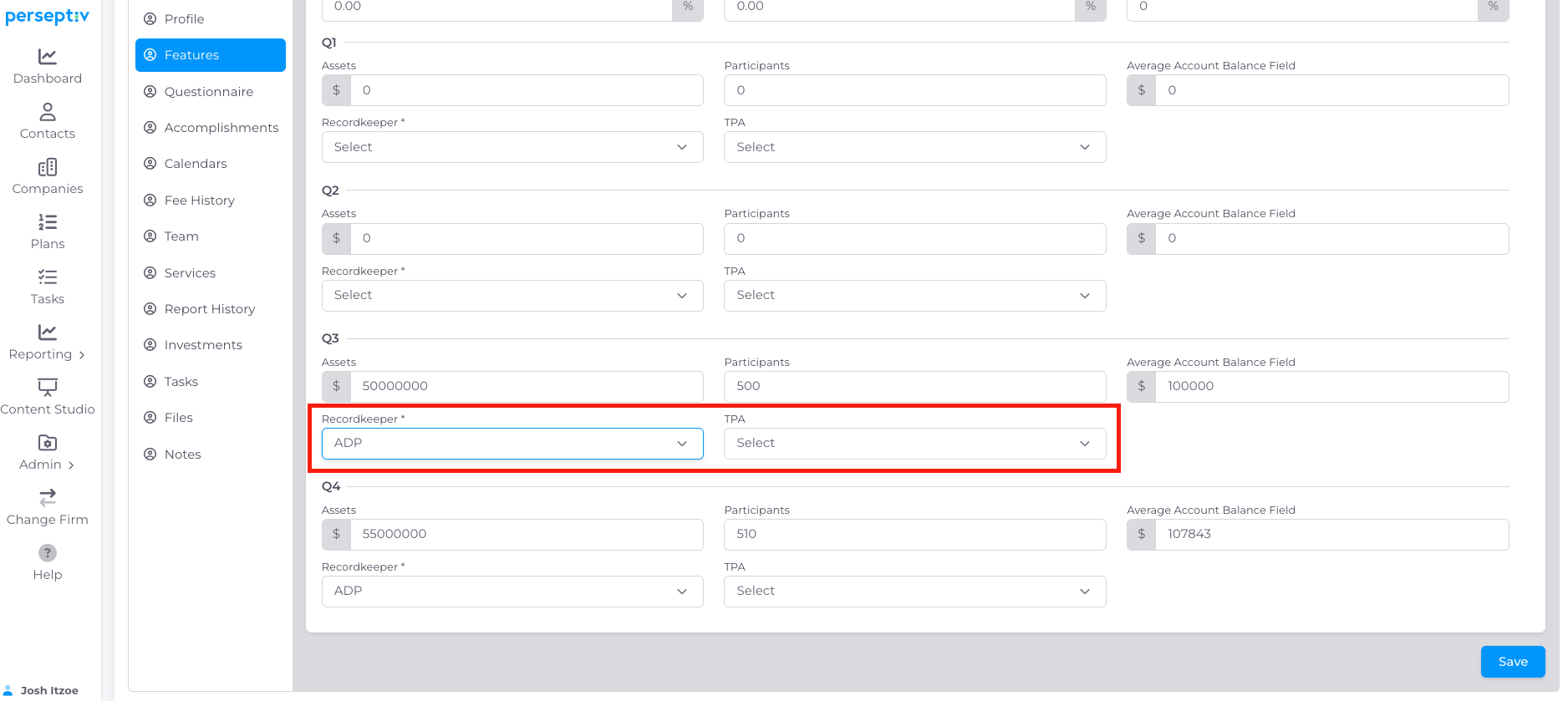
Assign the plan's recordkeeper and TPA
-
Save changes to the profile.
9. Assigning Plan Contacts 3:45
-
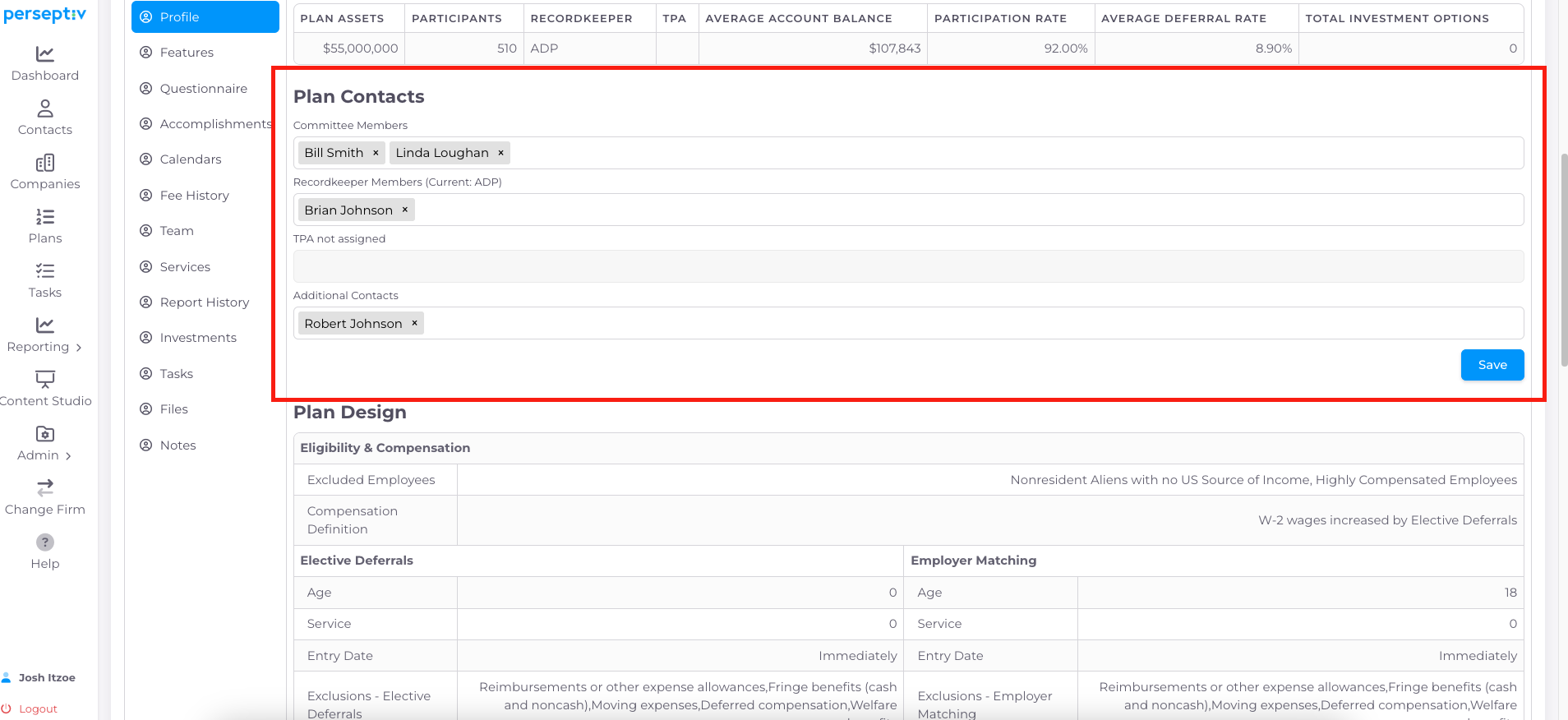
Add committee members and contacts for recordkeepers and TPA to the plan.
10. Plan Design Section Overview 4:06
-
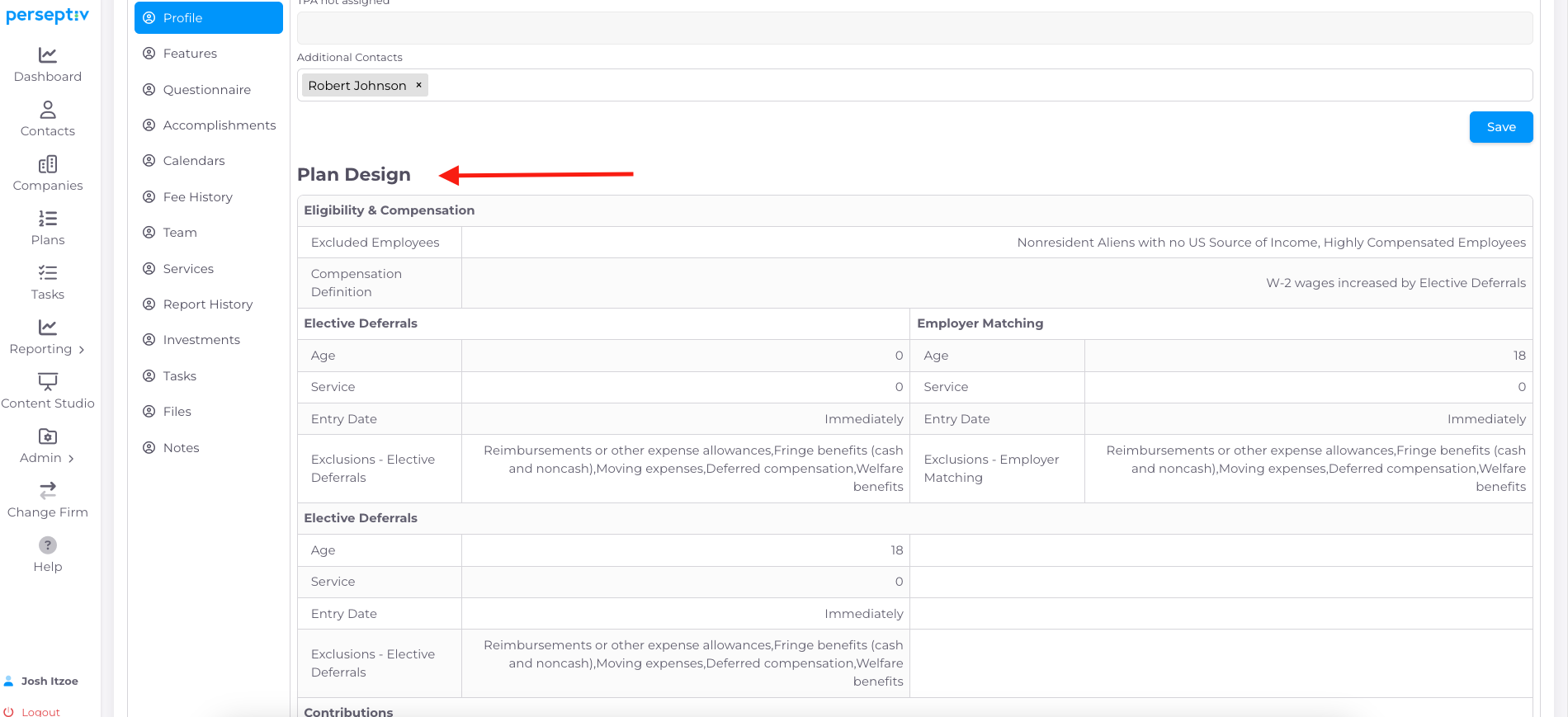
The plan design section rolls up certain information from plan features for a quick snapshot.
11. Fee Information Section Overview 4:06
-
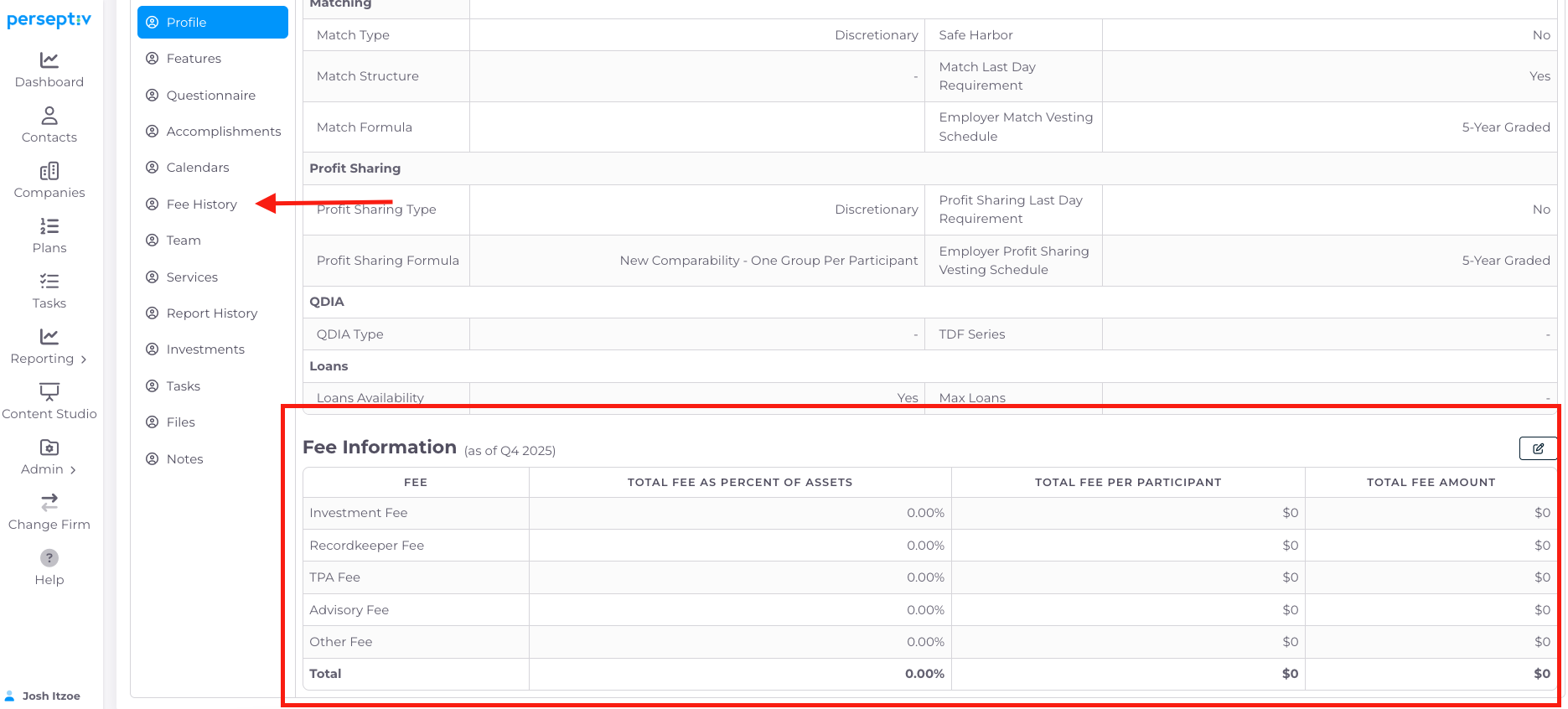
The fee information section rolls up information from Fee History for a comprehensive snapshot.