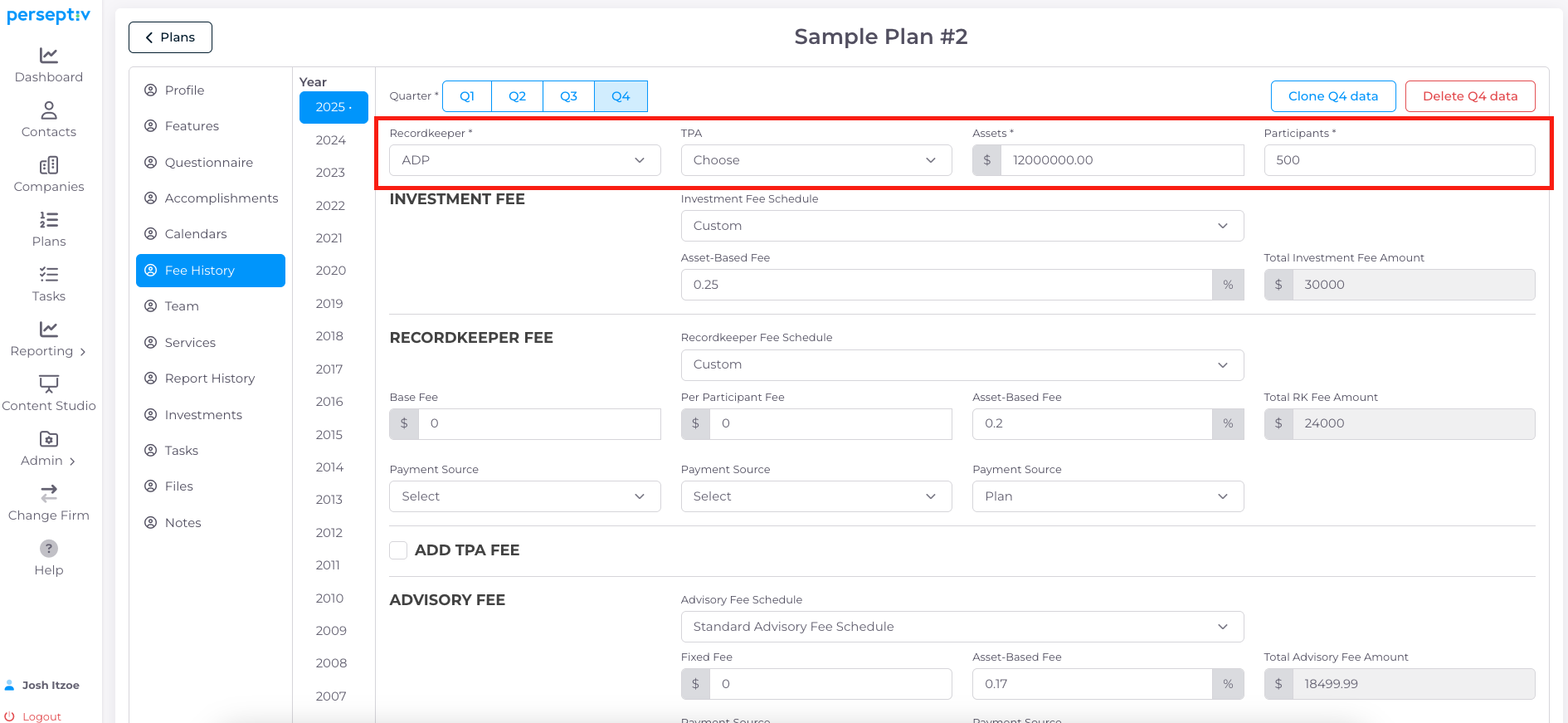
To watch the video, click here: https://loom.com/share/5ad3ef1513274746a72fc49c0bd3c29a
Step-by-Step Instructions
1. Accessing the Update Area 0:01
-
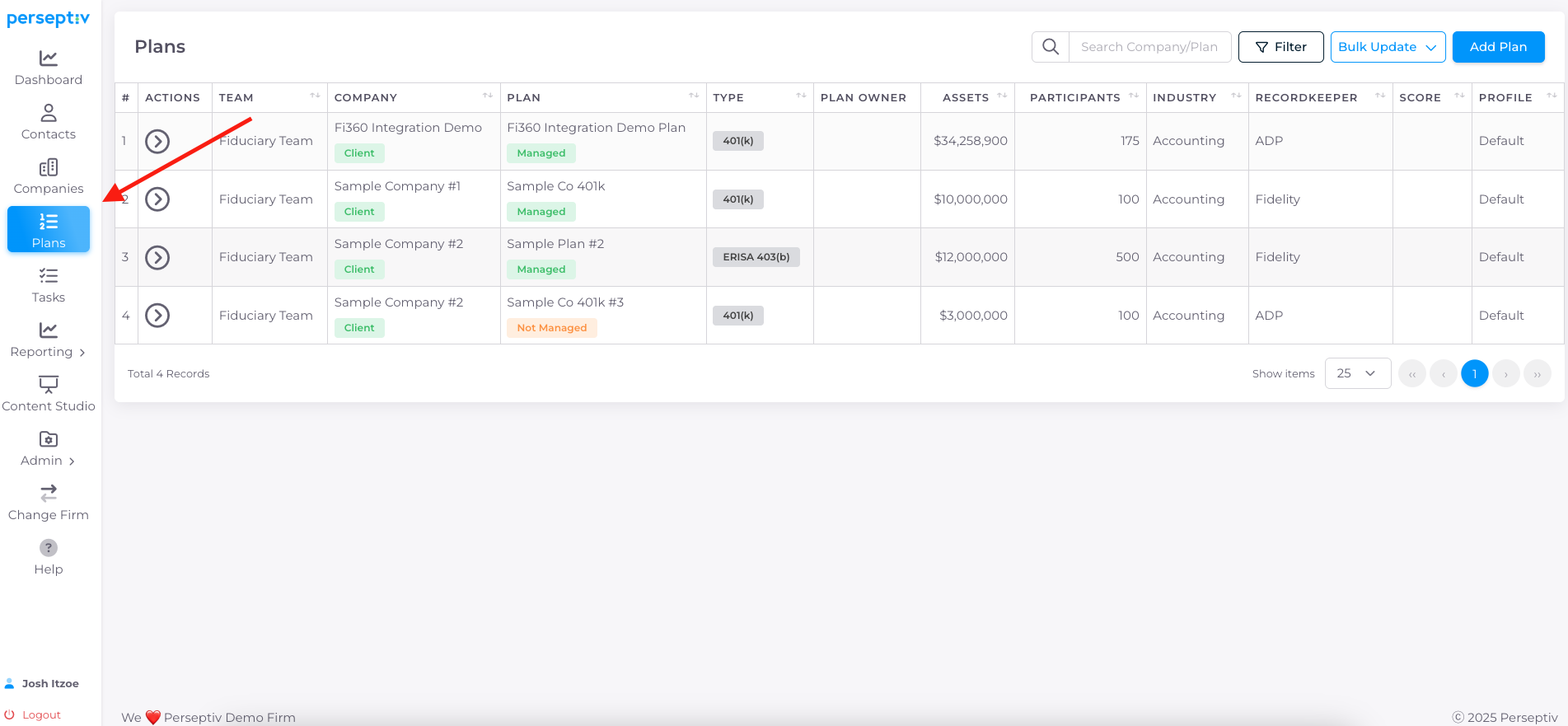
Navigate to the master area of the system where plan data is stored.
-
Locate the 'Plans' section.
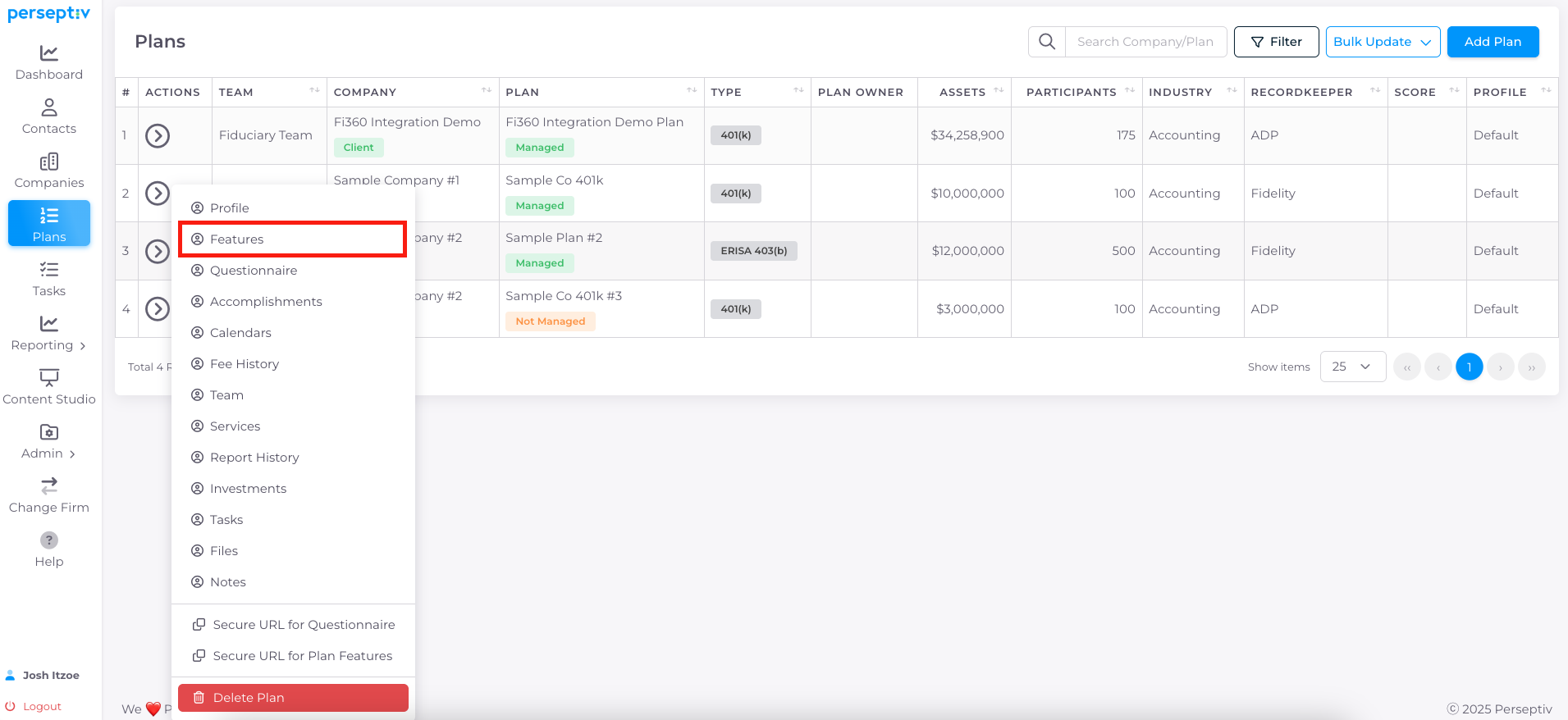
2. Finding the Features Page 0:16
-
Scroll down to the bottom of the 'Features' page.
-
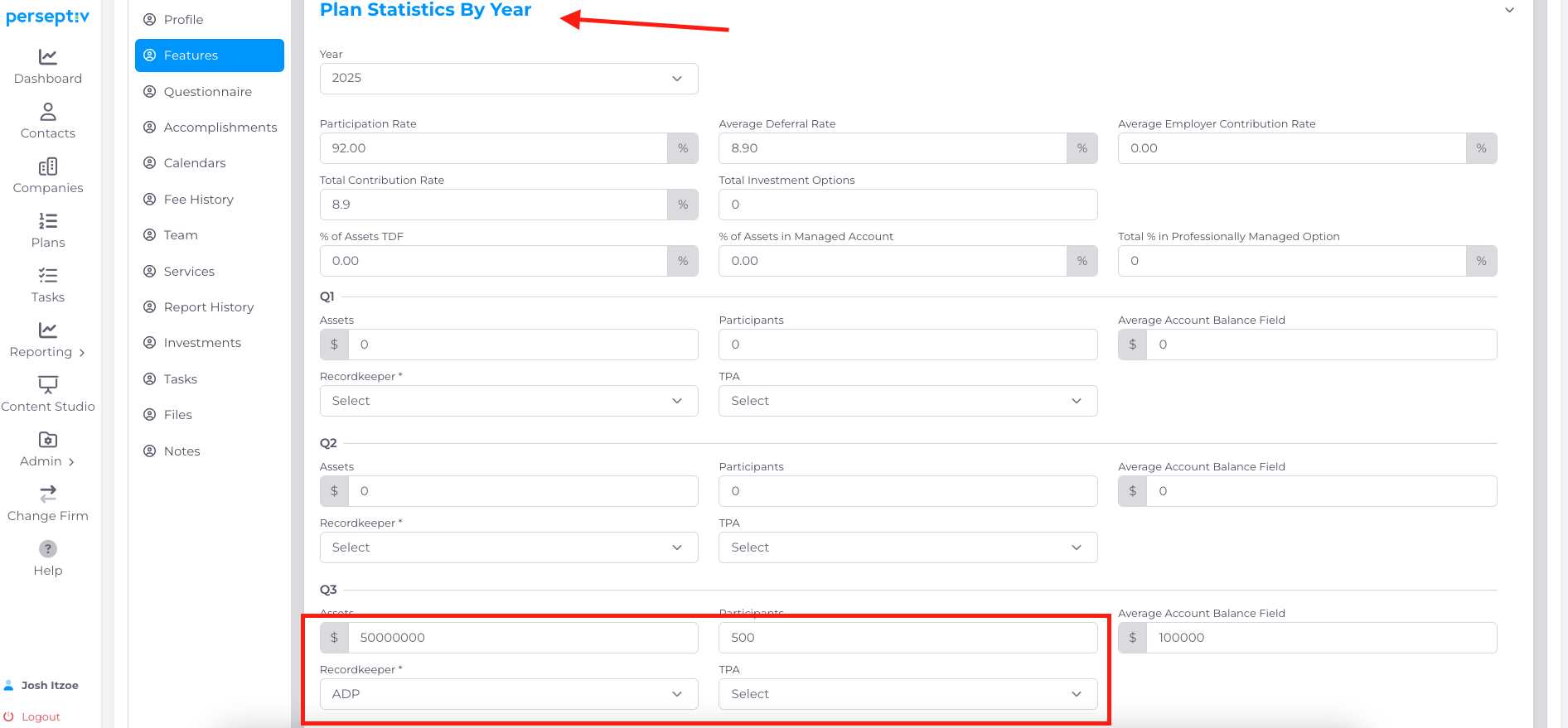
Look for the section labeled 'Plans Statistics by Year'.
3. Updating Plan Data 0:28
-
Choose the quarter you want to update (Q1, Q2, Q3, Q4).
-
Update the following:
-
Assets
-
Participants
-
Record Keeper
-
TPA (Third Party Administrator)
-
- You can also update these fields from the Fee History page and the data will get reflected in the Plan Statistics section of the Features page automatically.