
To watch the video click here: https://loom.com/share/5197e98fb08945bea185376ac11e8817
Step-by-Step Instructions
1. Access Security Settings 0:01
-
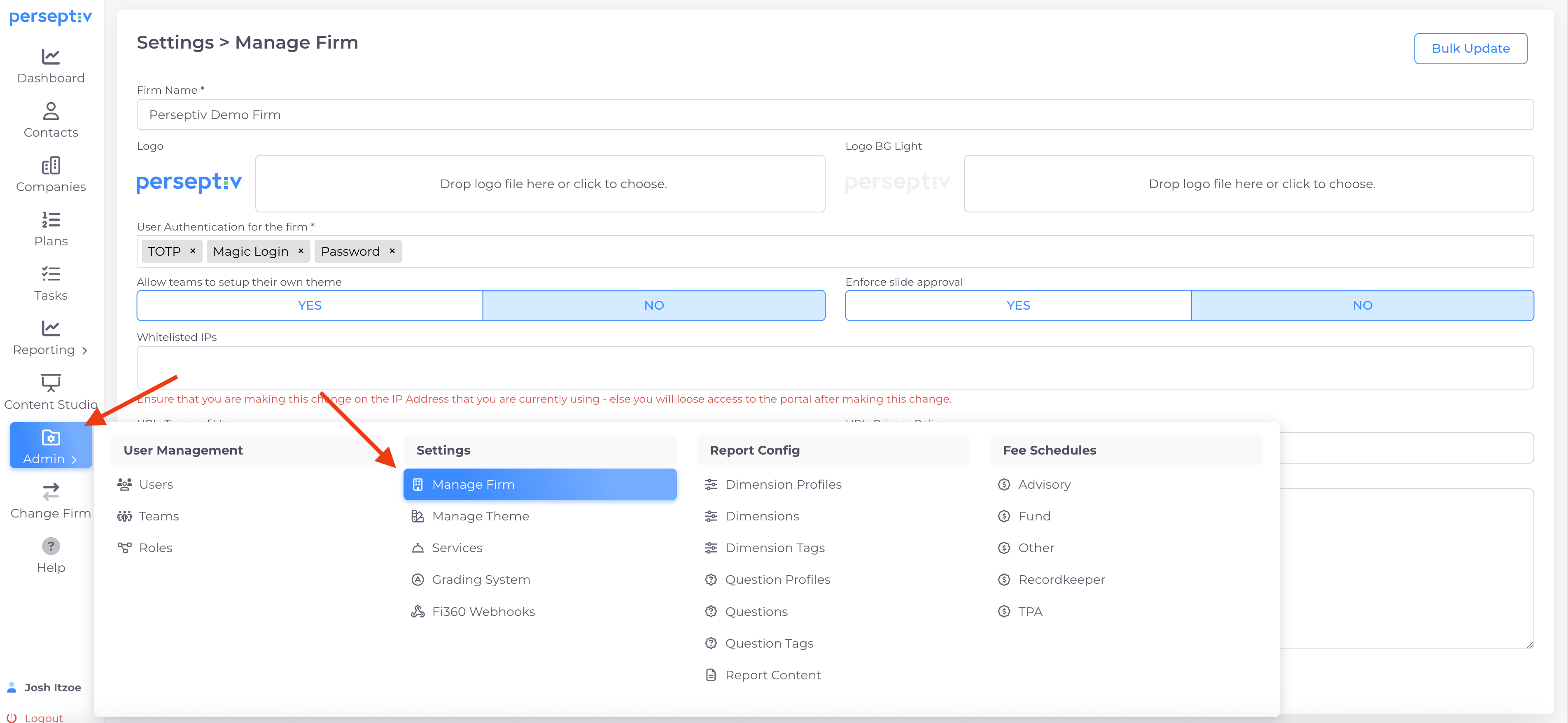
Navigate to the Admin section.
-
Select 'Manage Farm' to access security options.
2. Understand Available Security Options 0:14
-
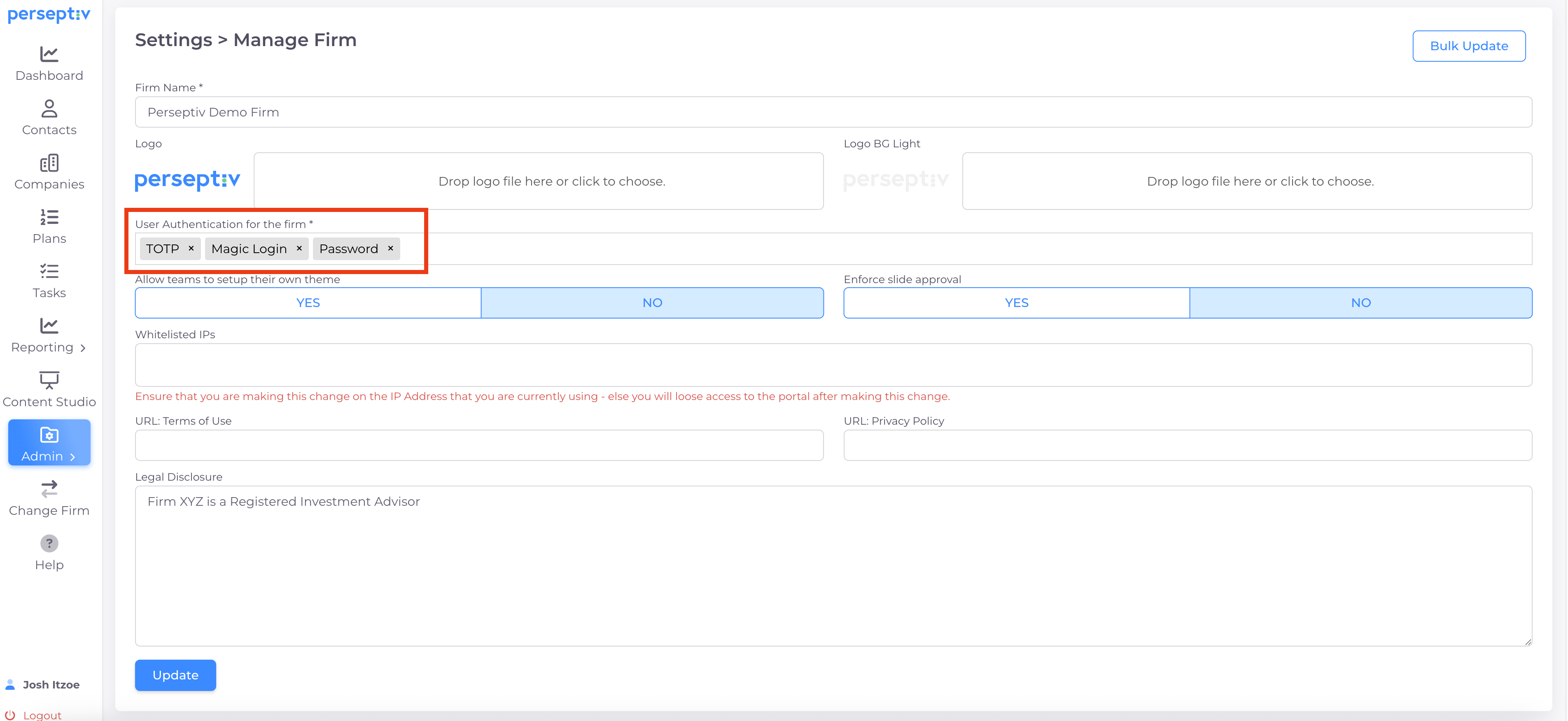
There are three security options available for user authentication.
-
You can use any combination of these options.
3. Two-Factor Authentication Enabled by Default (TOTP) 0:28
-
By default, TOTP (two-factor authentication) is enabled.
-
New users must set up an authenticator app during account creation or login.
4. Choose an Authenticator App 0:47
-
Users must use an authenticator app to generate a 6-digit code.
-
Supported apps include:
-
Google Authenticator
-
Microsoft Authenticator
-
Duo
-
Okta
-
-
Codes are not sent via text or phone.
5. Use Magic Login Option 1:06
-
If users do not have their device, they can use the magic login feature.
-
A 6-digit code will be sent to their registered email address.
6. Customize Security Settings 1:29
-
You can turn off TOTP or magic login for security purposes.
-
The default setting is the strongest security option.
7. Save Changes 1:51
-
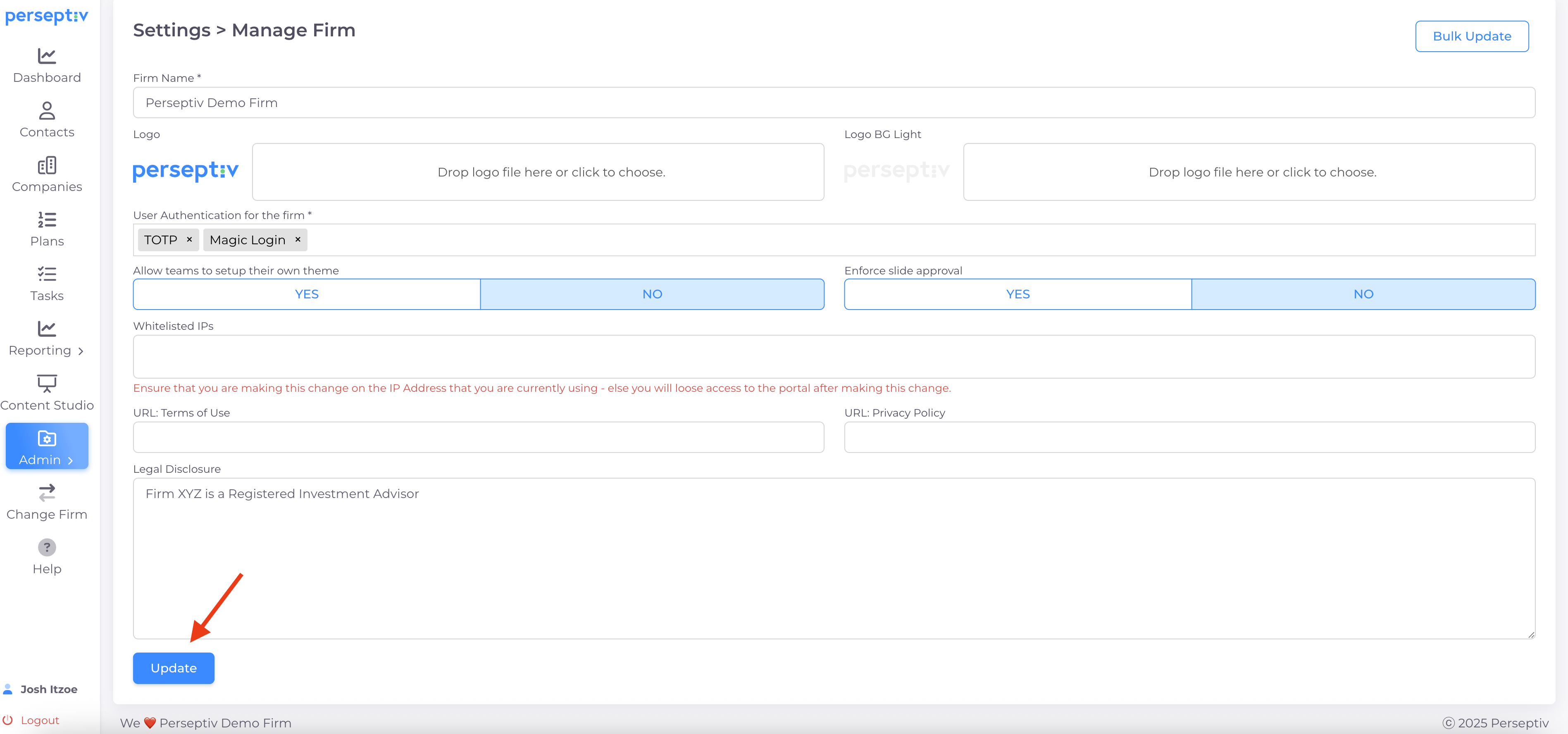
After selecting your desired security options, click 'Update' to save changes.
-
This will control how users access the system.