
Click here to watch the video: https://loom.com/share/e5bb4541560b4647907cdb57af1a3c35
Step-by-Step Instructions
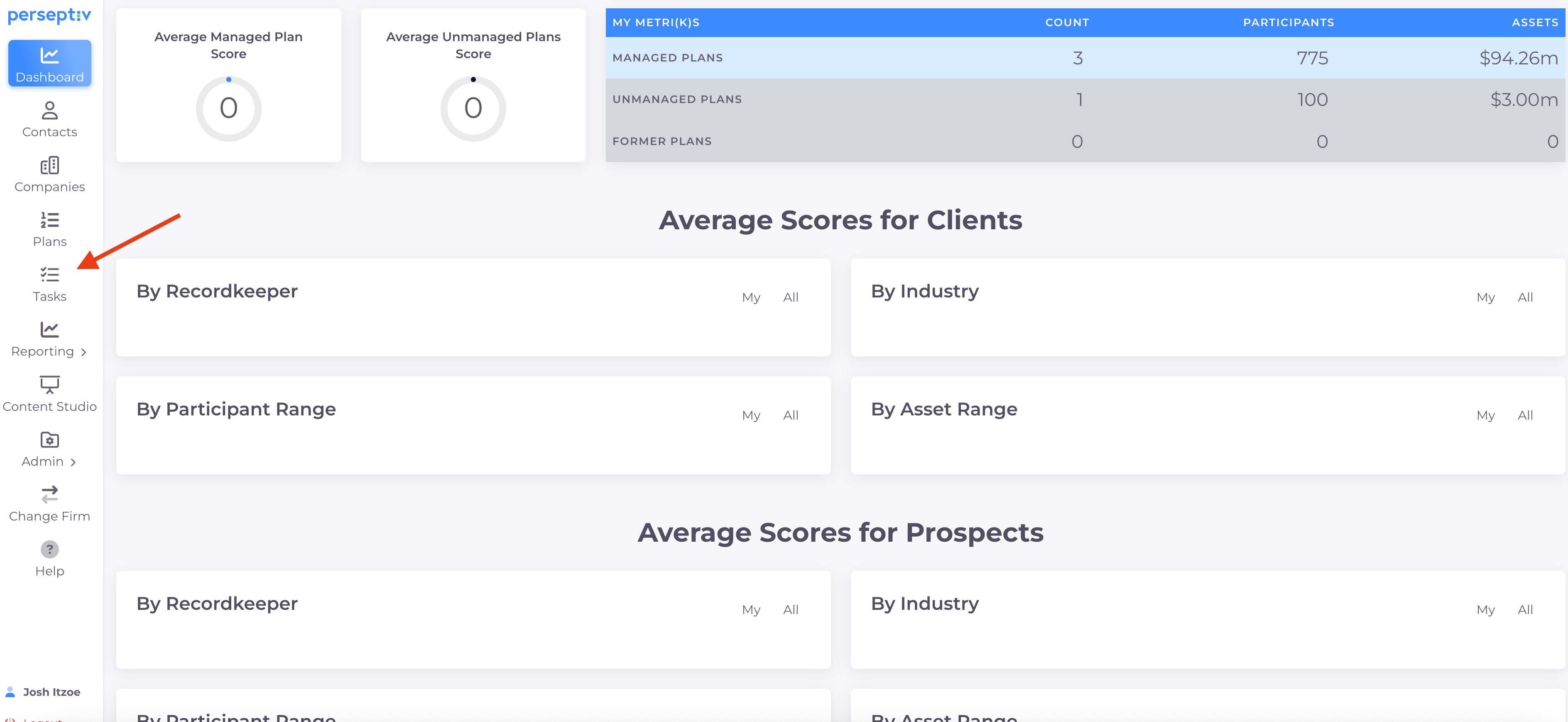
1. Introduction to Task Management 0:02
-
Overview of the task management feature in Perseptiv.
-
Importance of linking tasks to accomplishments for demonstrating client value.
2. Accessing Task Settings 0:16
-
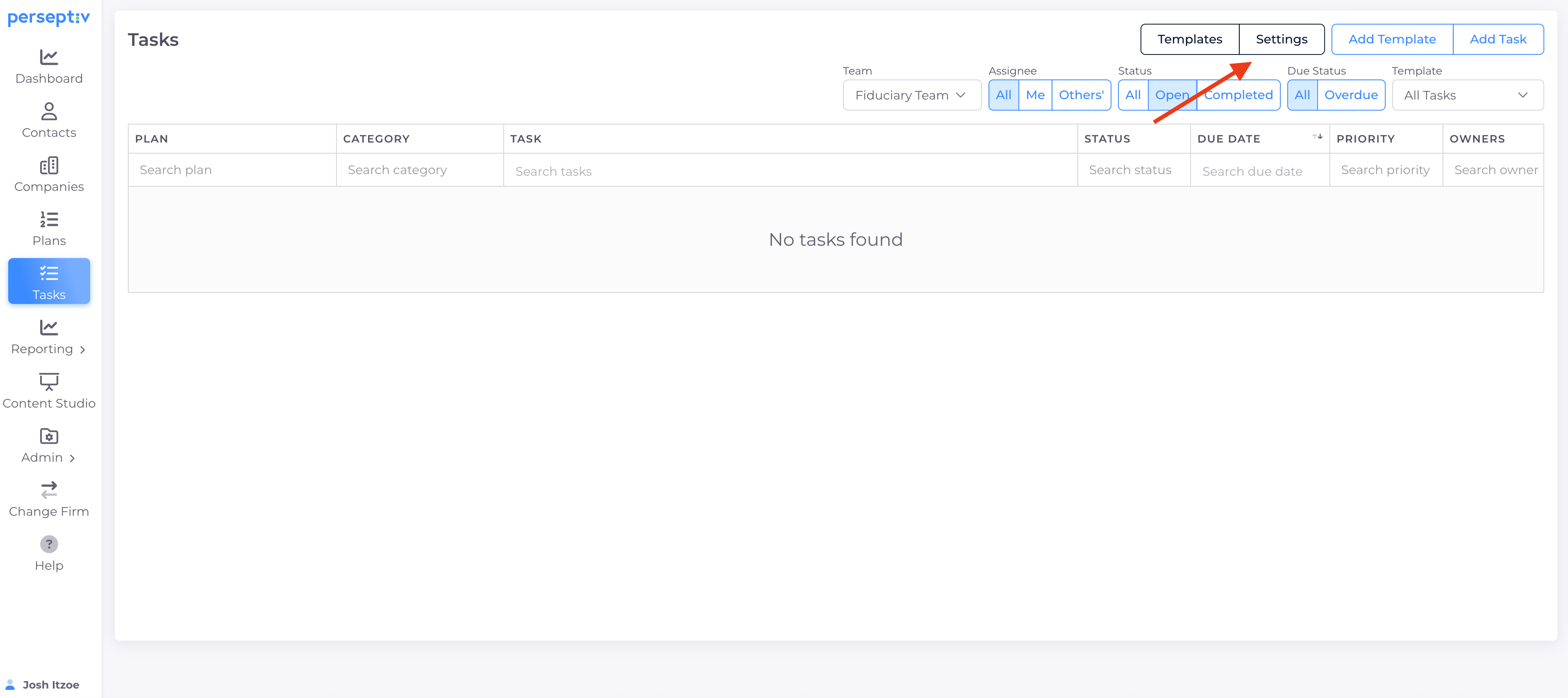
Click on the 'Tasks' section in the system.
-
Navigate to 'Settings' to customize tasks and accomplishments.
3. Customizing Tasks and Categories 0:32
-
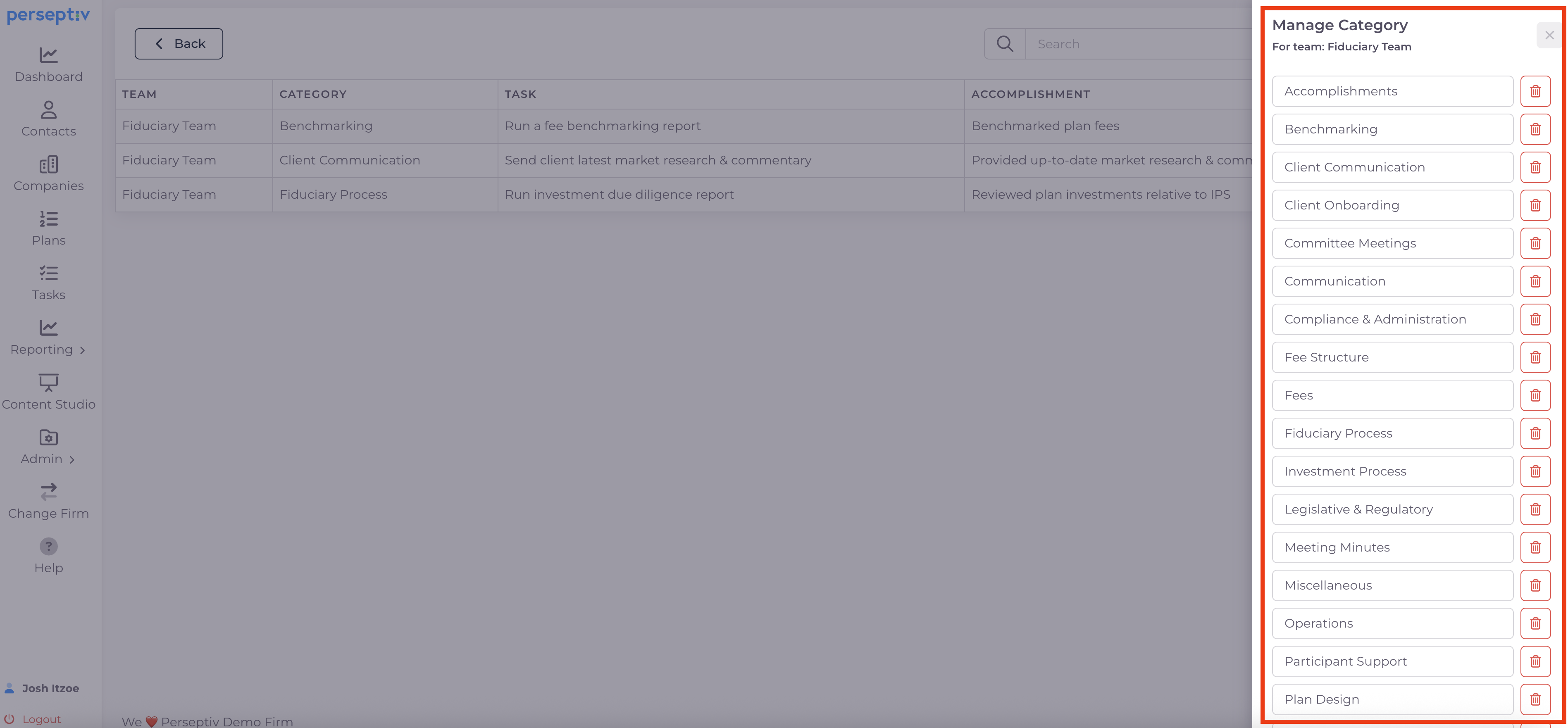
Default tasks provided (50+ tasks).
-
Ability to delete, modify, and create custom tasks and categories.
-
Example: Change 'fiduciary governance' to 'fiduciary process'.
4. Creating Custom Snippets 2:09
-
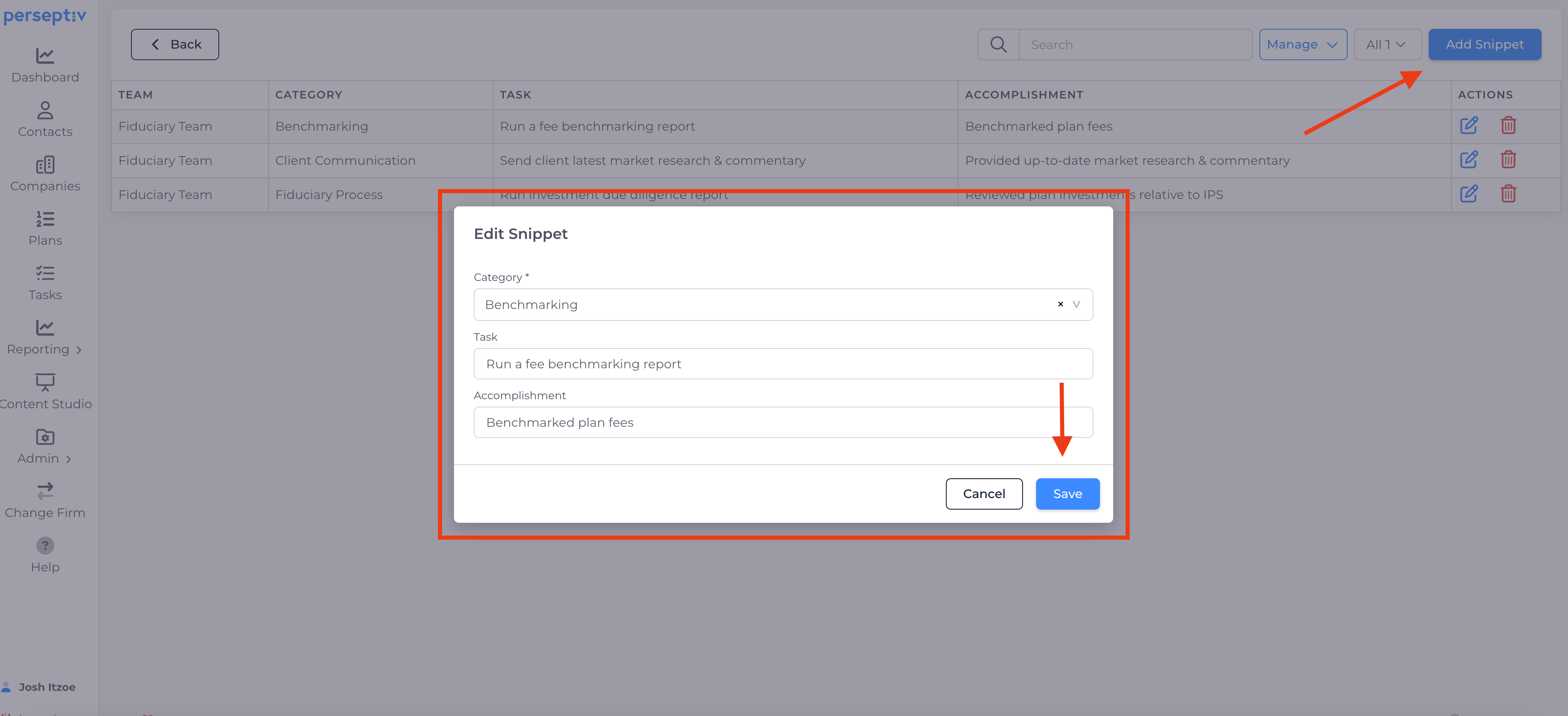
Create custom tasks and accomplishments text.
-
Example: For 'Client Communication', create a task to send market research.
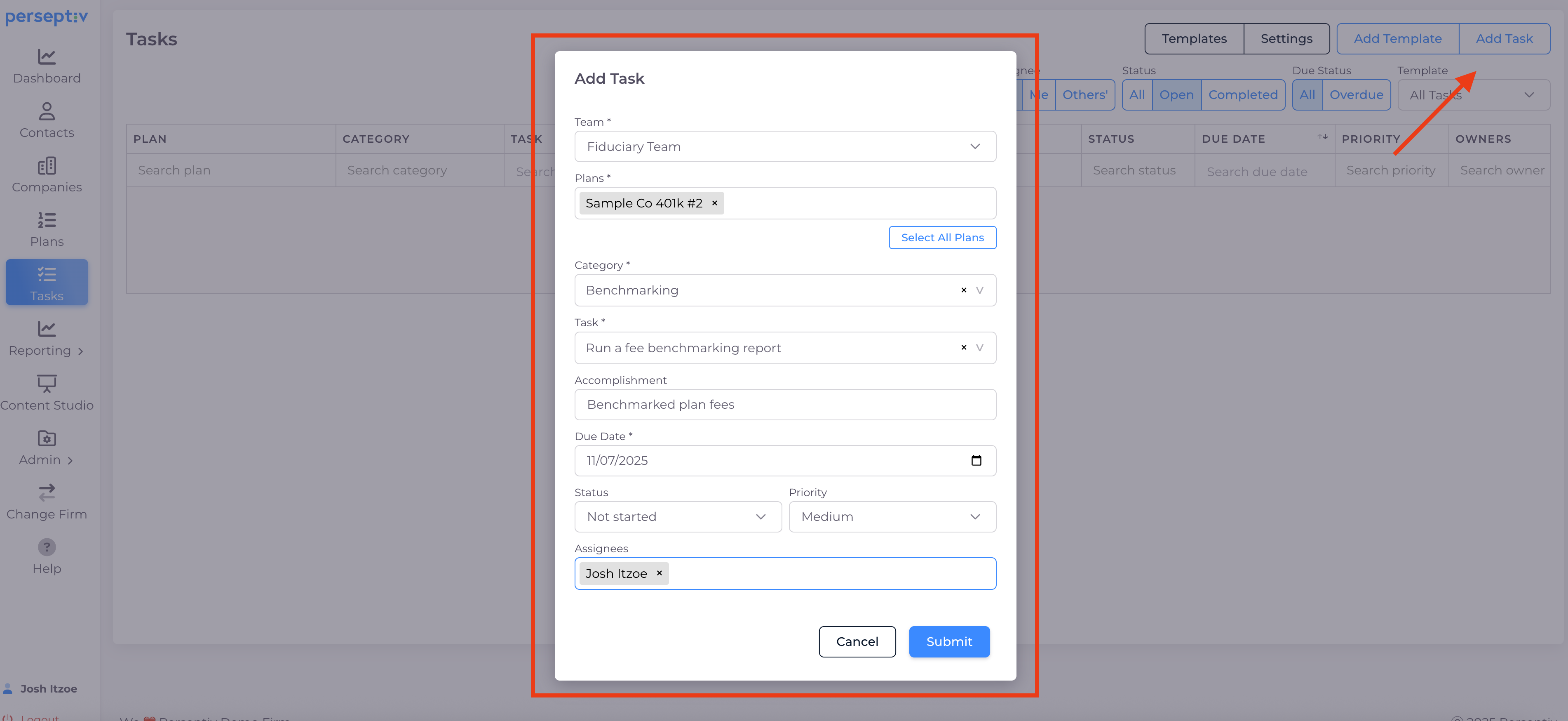
5. Adding Tasks to Plans 3:20
-
Manually add tasks for specific plans.
-
Select category, set due date, status, priority, and assign to team member.
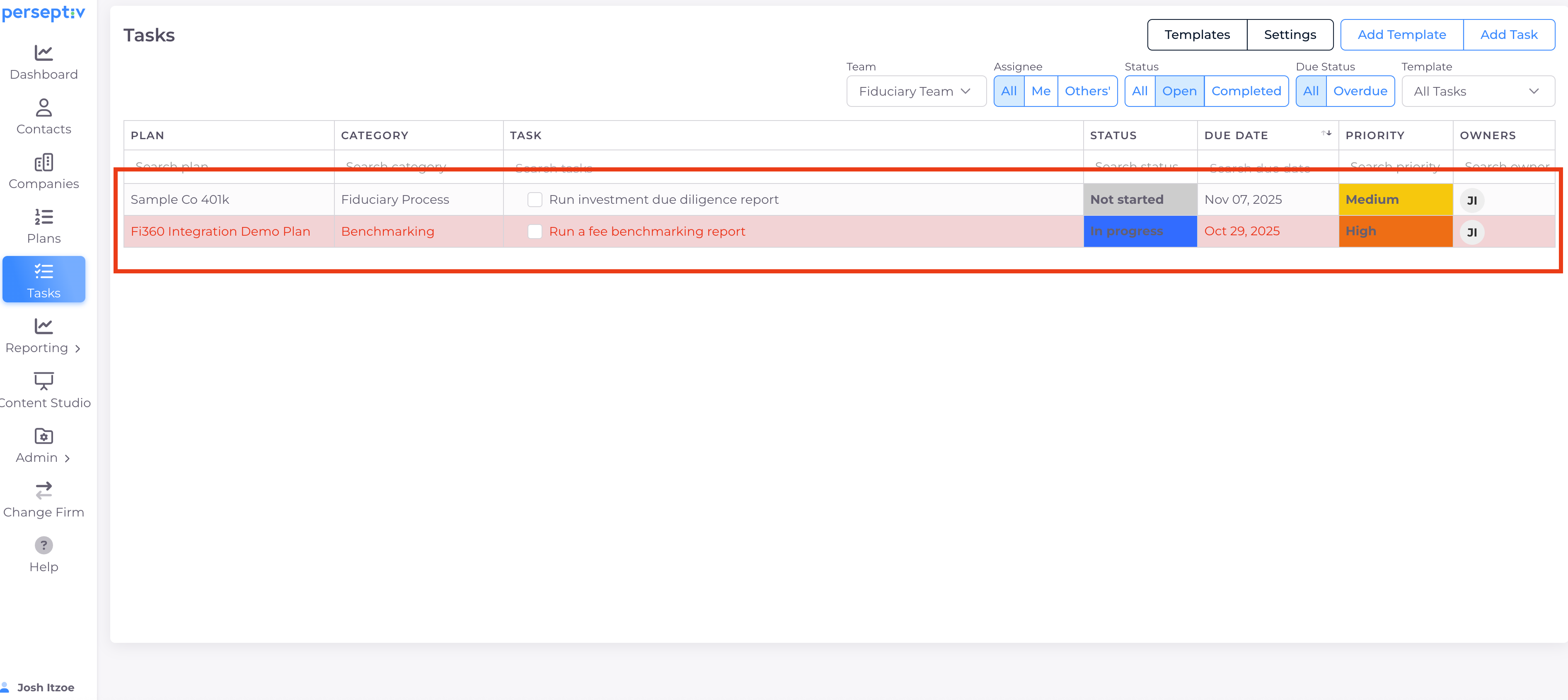
6. Viewing and Managing Tasks 4:23
-
Overview of tasks table: task details, client, due date, priority, owner, and status.
-
Highlight overdue tasks in red.
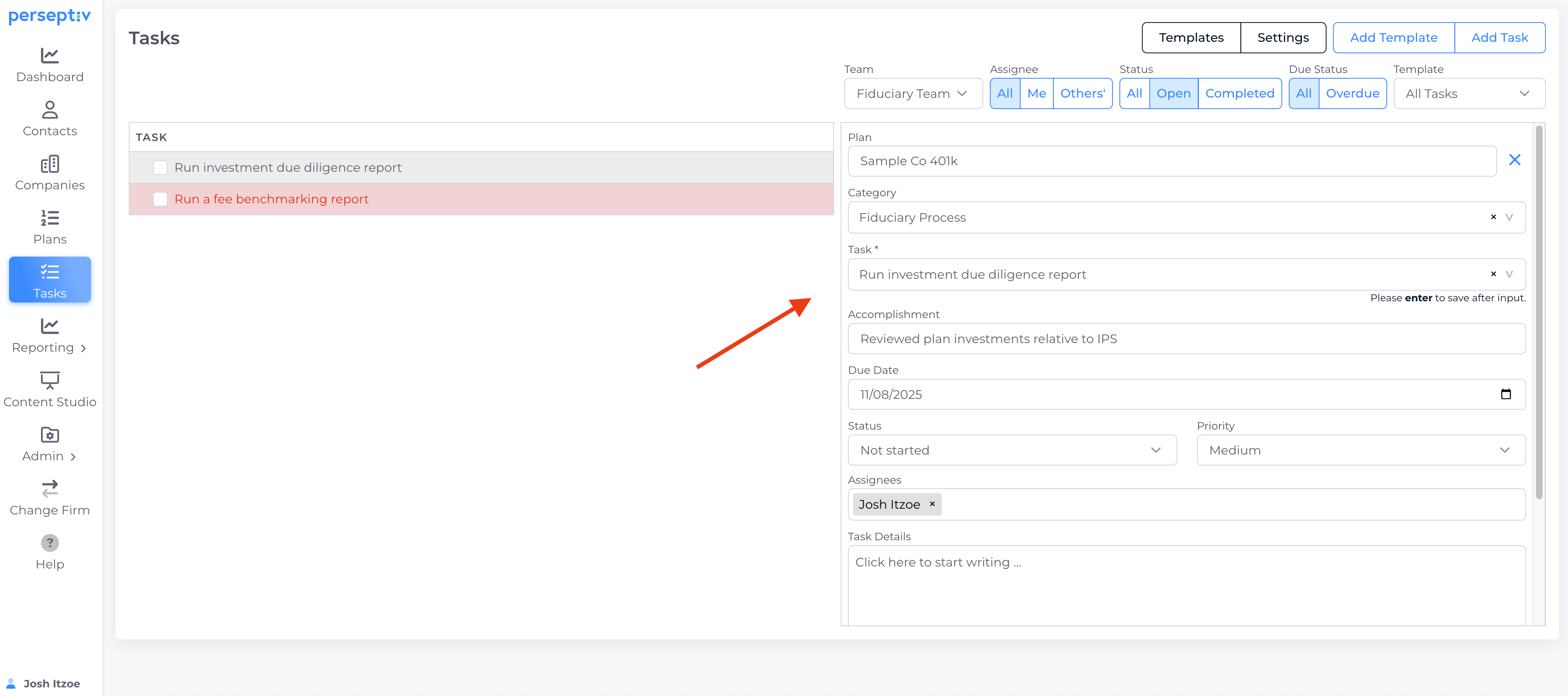
7. Updating Tasks 6:06
-
Click on tasks to update status, details, and notes.
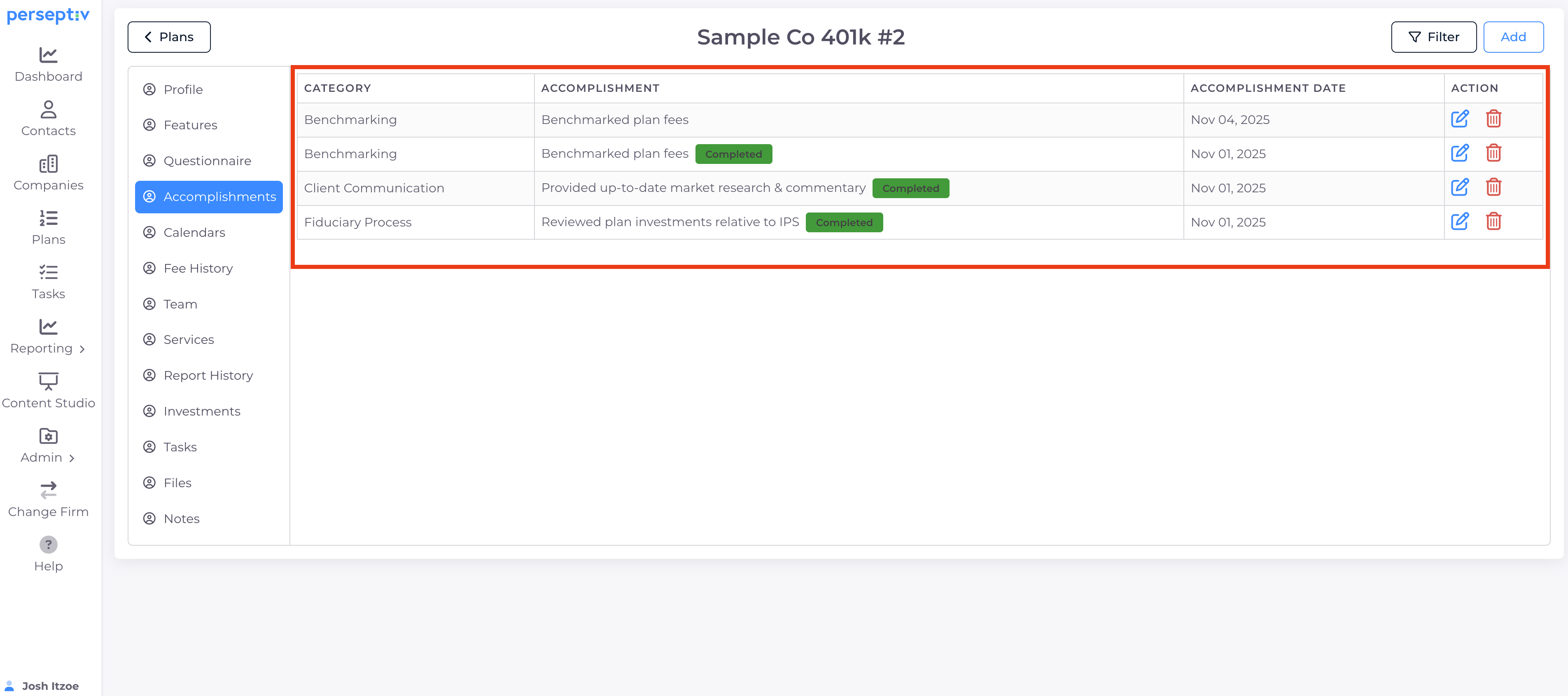
8. Tracking Accomplishments 6:44
-
View completed tasks under accomplishments for each plan.
-
Manual addition of accomplishments does not show completion status.
9. Generating Accomplishments Reports 7:52
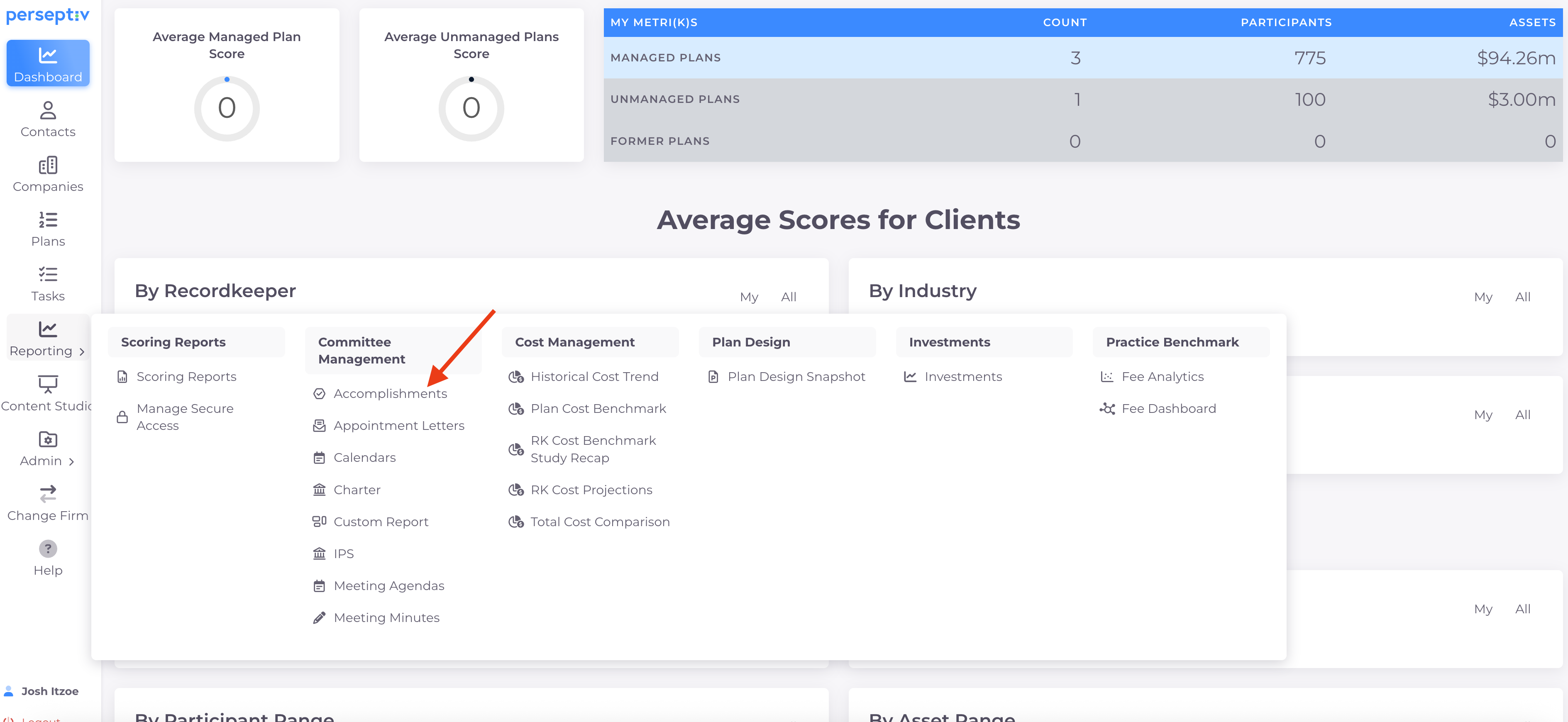
-
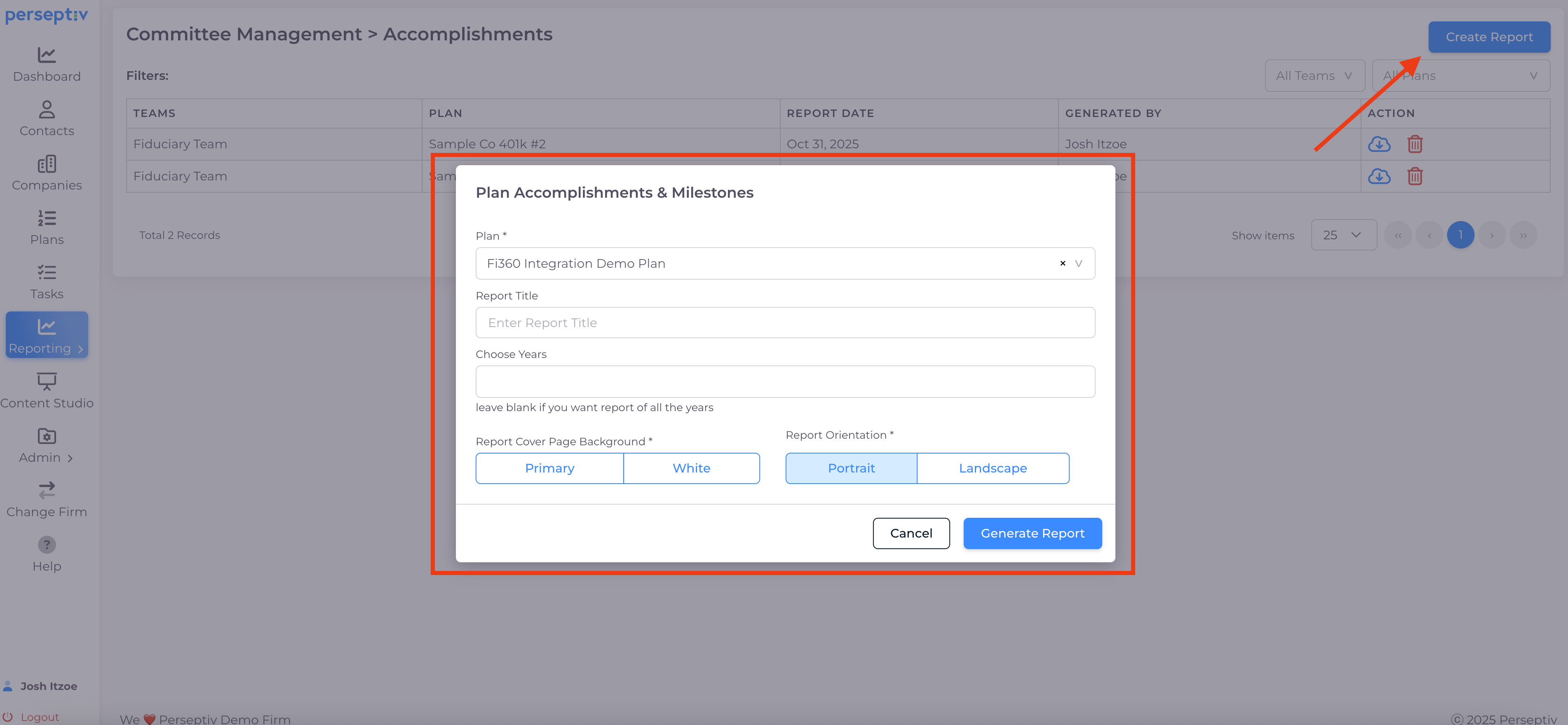
Run accomplishments reports for specific years.
-
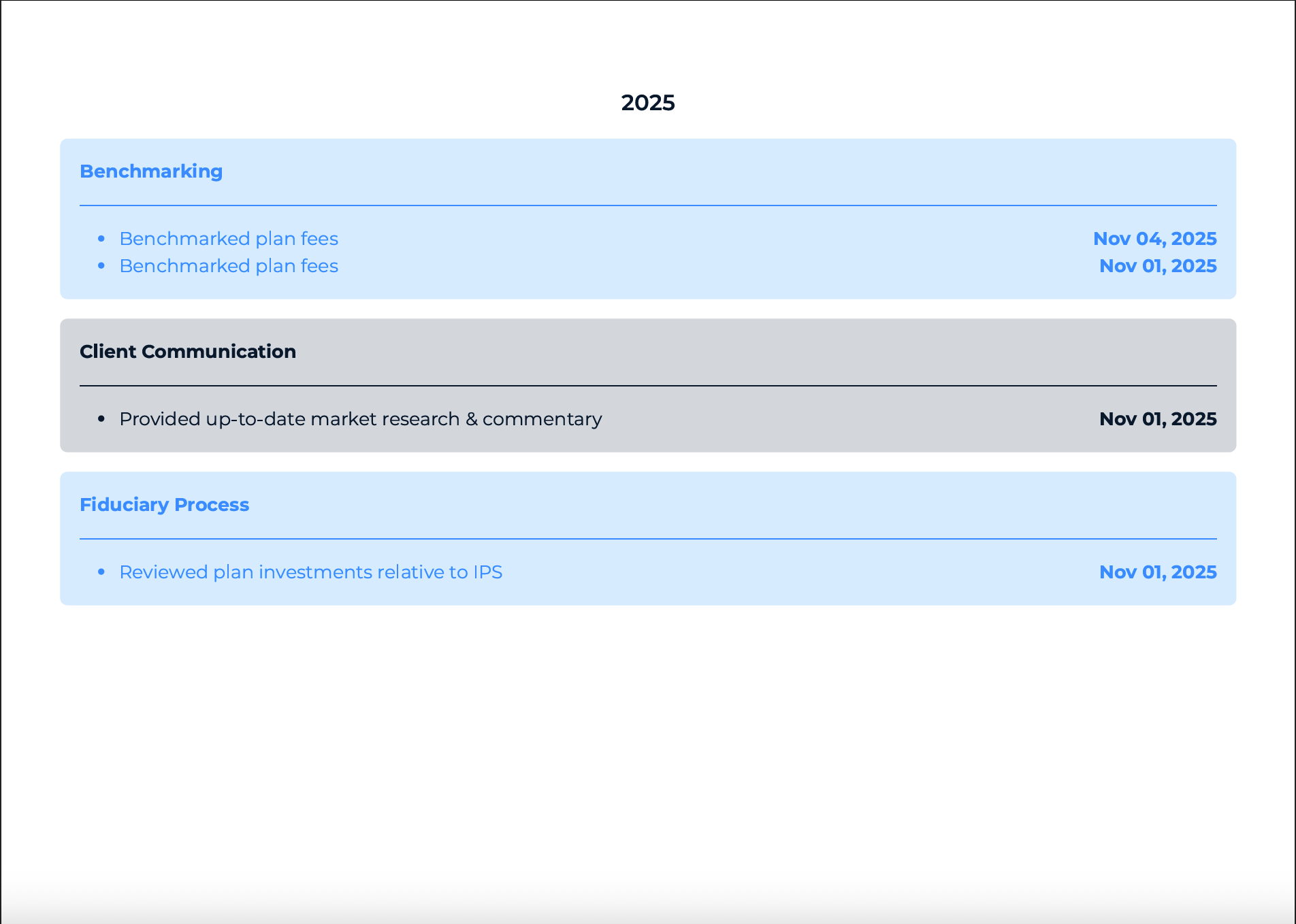
Generate reports to showcase completed tasks by category and date.
10. Conclusion and Next Steps 8:38
-
Emphasize the power of task integration for client deliverables.
-
Mention upcoming video on creating tasks from meeting minutes.