
To watch the video, click here: https://loom.com/share/c0b46fd0fe884251a30129a94ba7ecad
Step-by-Step Instructions
1. Overview of Accomplishments and Tasks 0:01
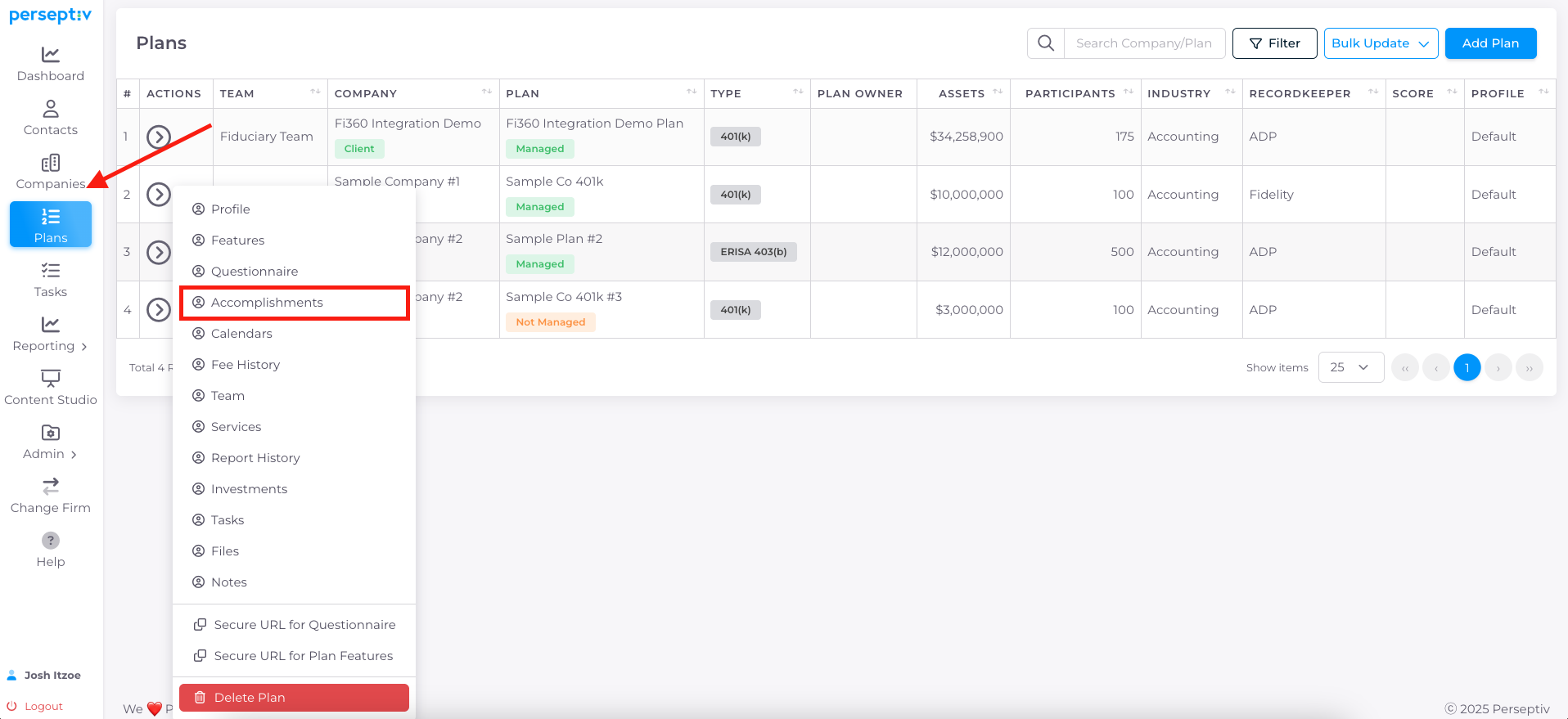
-
Accomplishments can be automatically assigned to a client through tasks.
-
Completing tasks adds the associated accomplishment text to the client's record.
-
Manual addition of accomplishments is also possible if tasks are not used.
2. Setting Up Tasks for Consistency 0:37
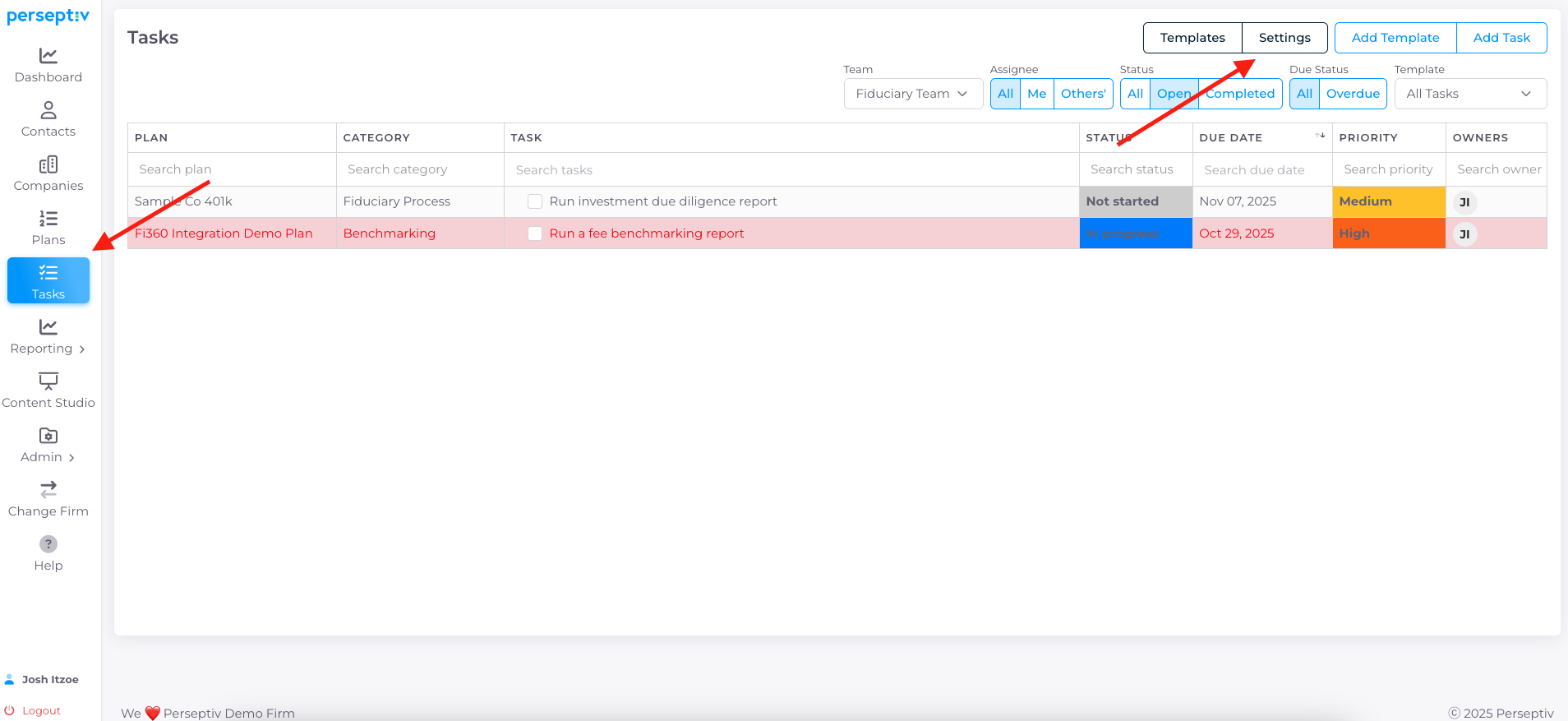
-
To create consistent, repeatable tasks:
-
Navigate to Tasks > Settings.
-
Add a snippet and assign it to a category.
-
Input the internal task and provide accomplishment text.
-
3. Manually Adding Accomplishments 1:39
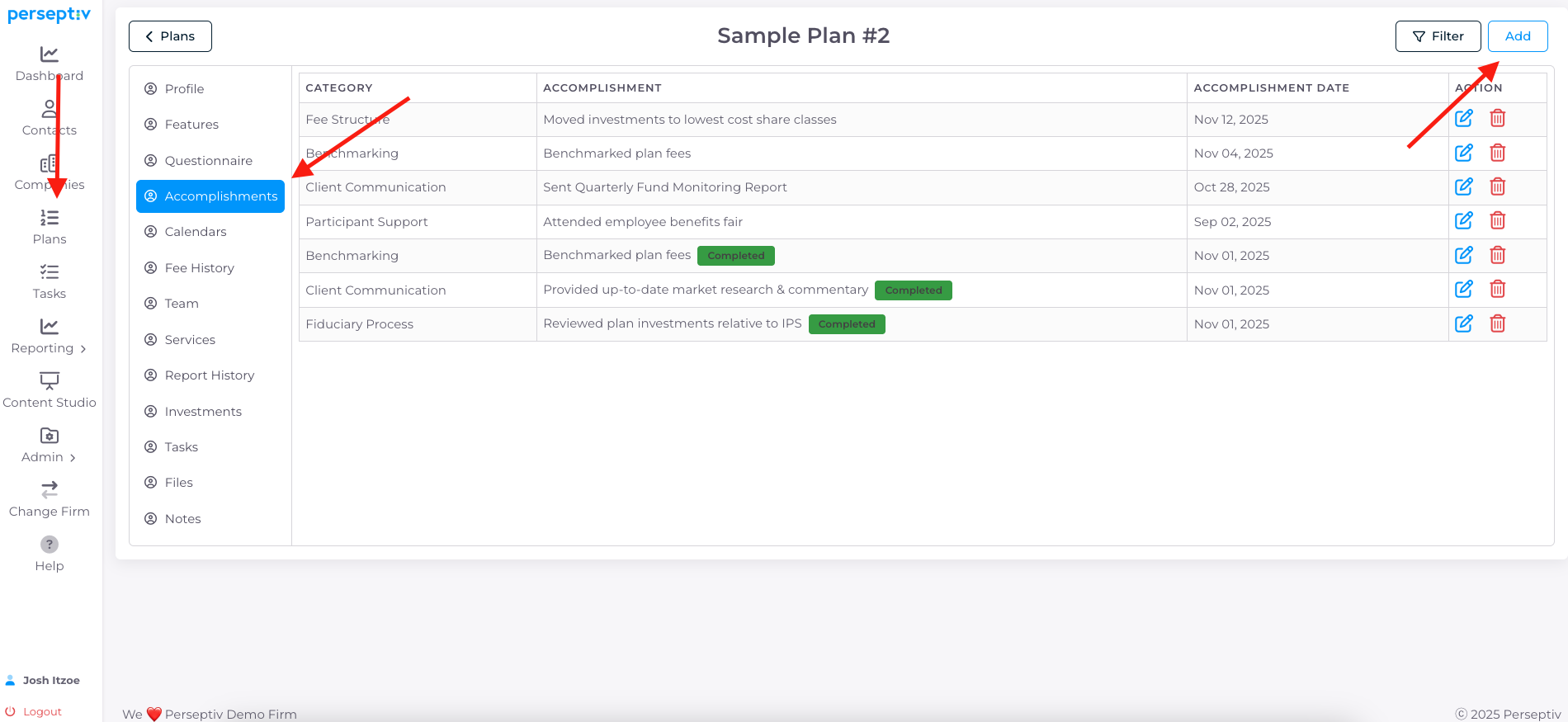
-
To add accomplishments manually:
-
Go to the Accomplishment section and click Add.
-
Select the category and input the accomplishment text (e.g., 'sent quarterly fund monitoring report').
-
Hit Save to track the accomplishment.
-
4. Understanding Completion Tags 2:03
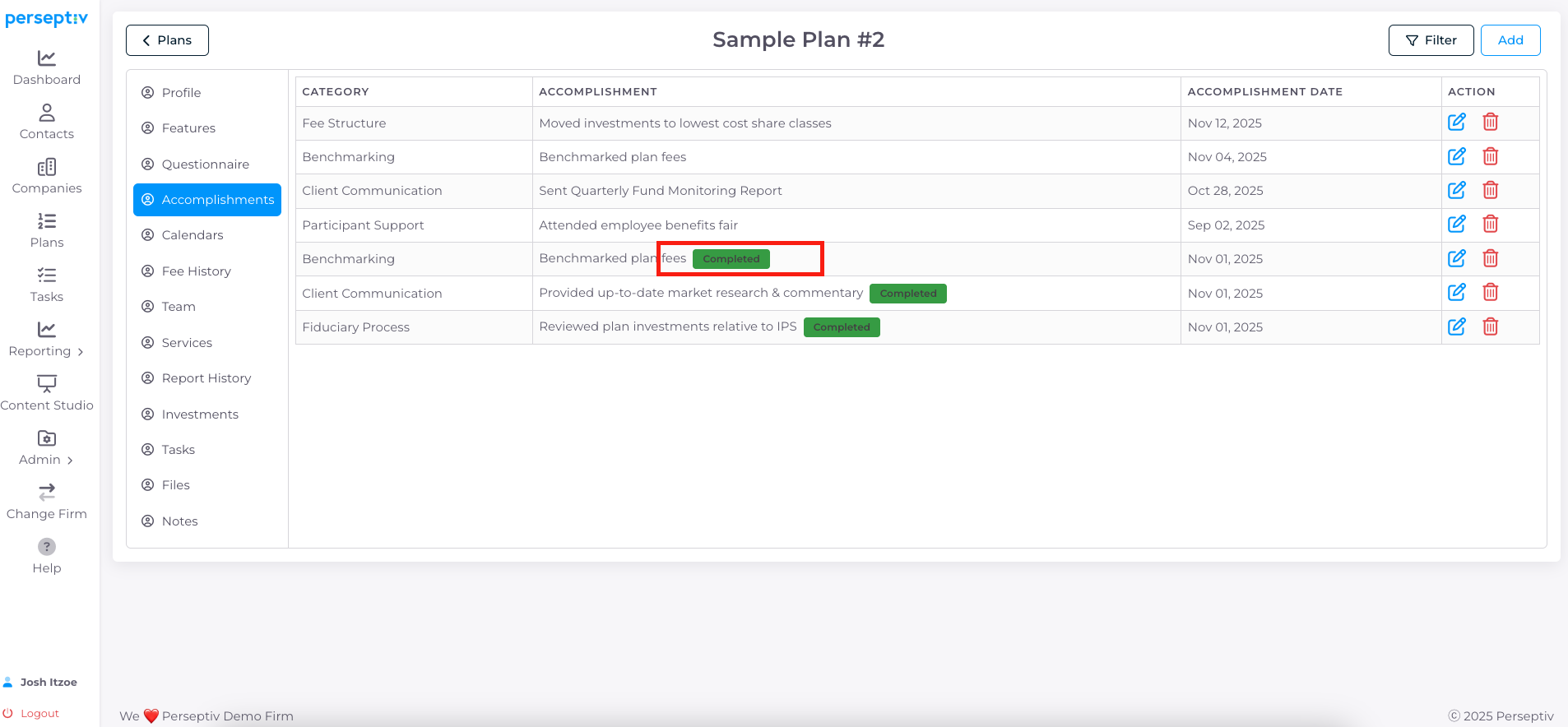
-
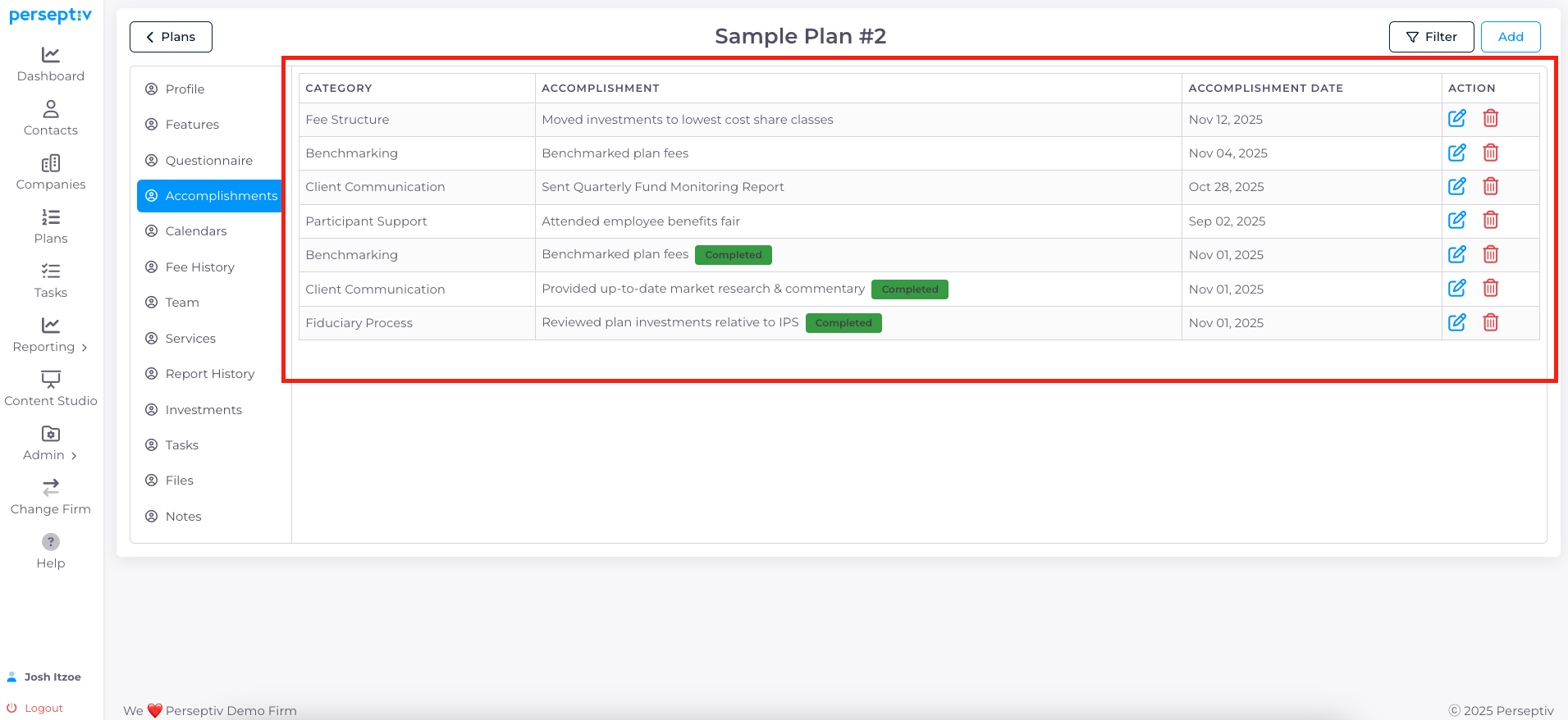
Note that manually added accomplishments will not show a green completed tag.
-
This tag only appears when accomplishments are added through task completion.
5. Year-End Tracking of Accomplishments 2:20
-
At year-end, you can review and add accomplishments:
-
Manually input any accomplishments from the year.
-
Change categories if necessary and hit Save.
-
6. Generating Accomplishments Reports 3:07
-
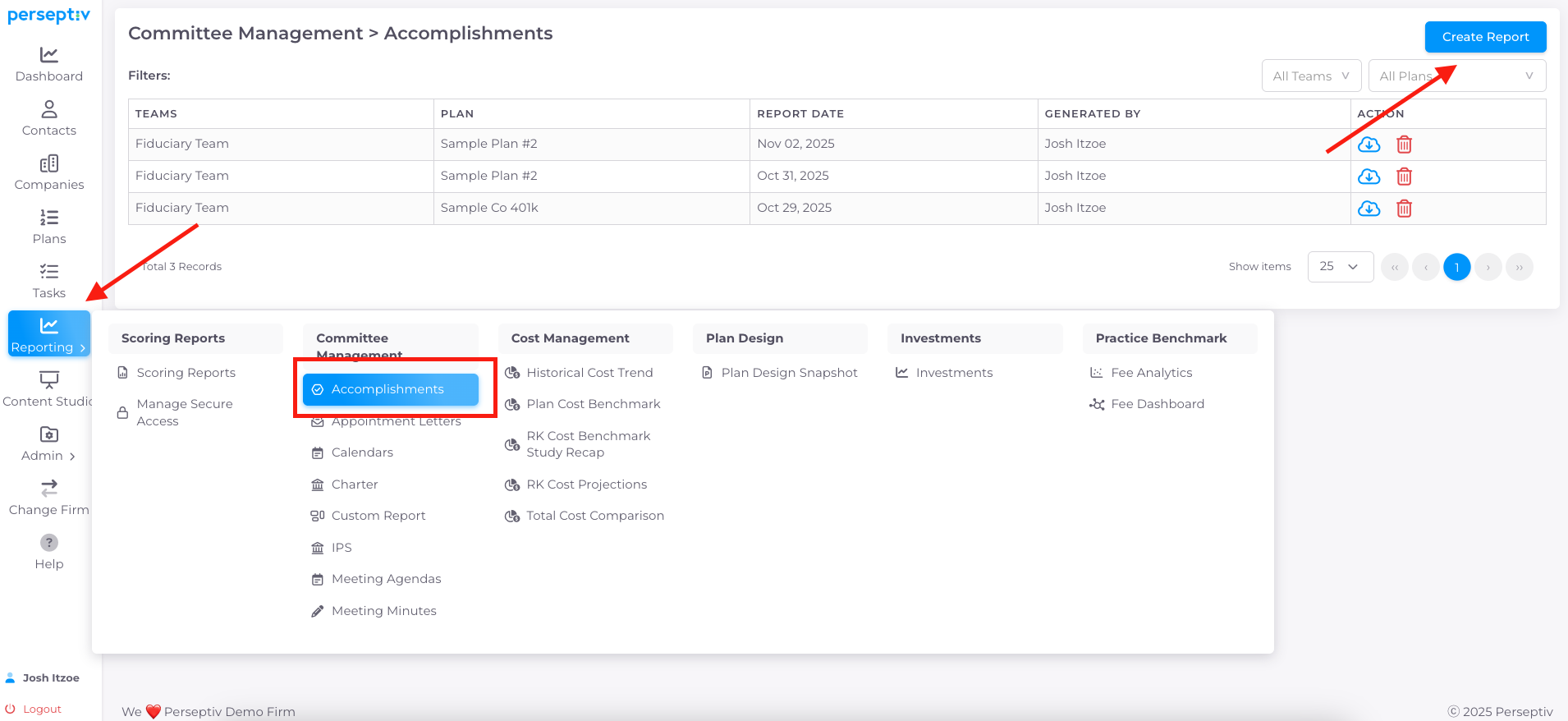
To run an accomplishments report:
-
Go to Reporting > Accomplishments.
-
Select a plan, give it a title, and choose the year(s).
-
Click Generate Report to view tracked accomplishments.
-
7. Demonstrating Value to Clients 3:43
-
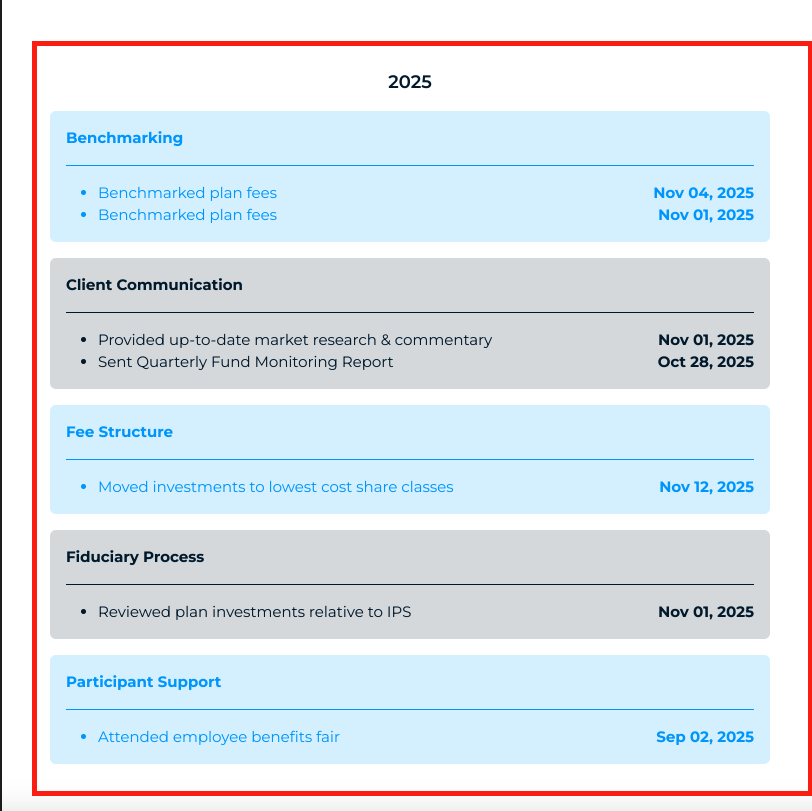
Accomplishments serve as a tangible way to demonstrate value to clients.
-
They highlight both visible and behind-the-scenes work that clients may forget or overlook.