
To watch the video, click here: https://loom.com/share/b755aa23940f477fb9e266911b00589d
Step-by-Step Instructions
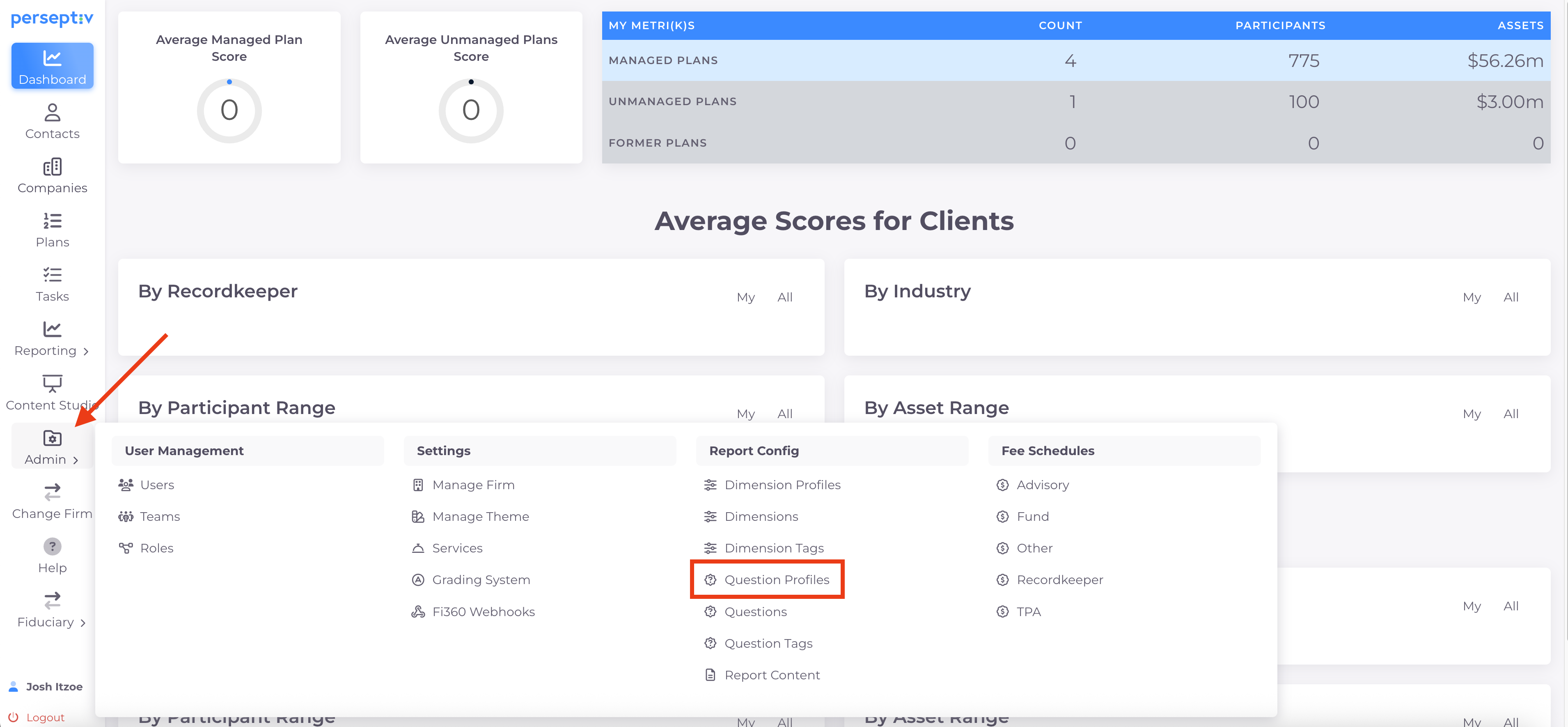
Step 1: Access Question Profiles 0:16
-
Navigate to the admin settings.
-
Select 'Question Profiles' from the menu.
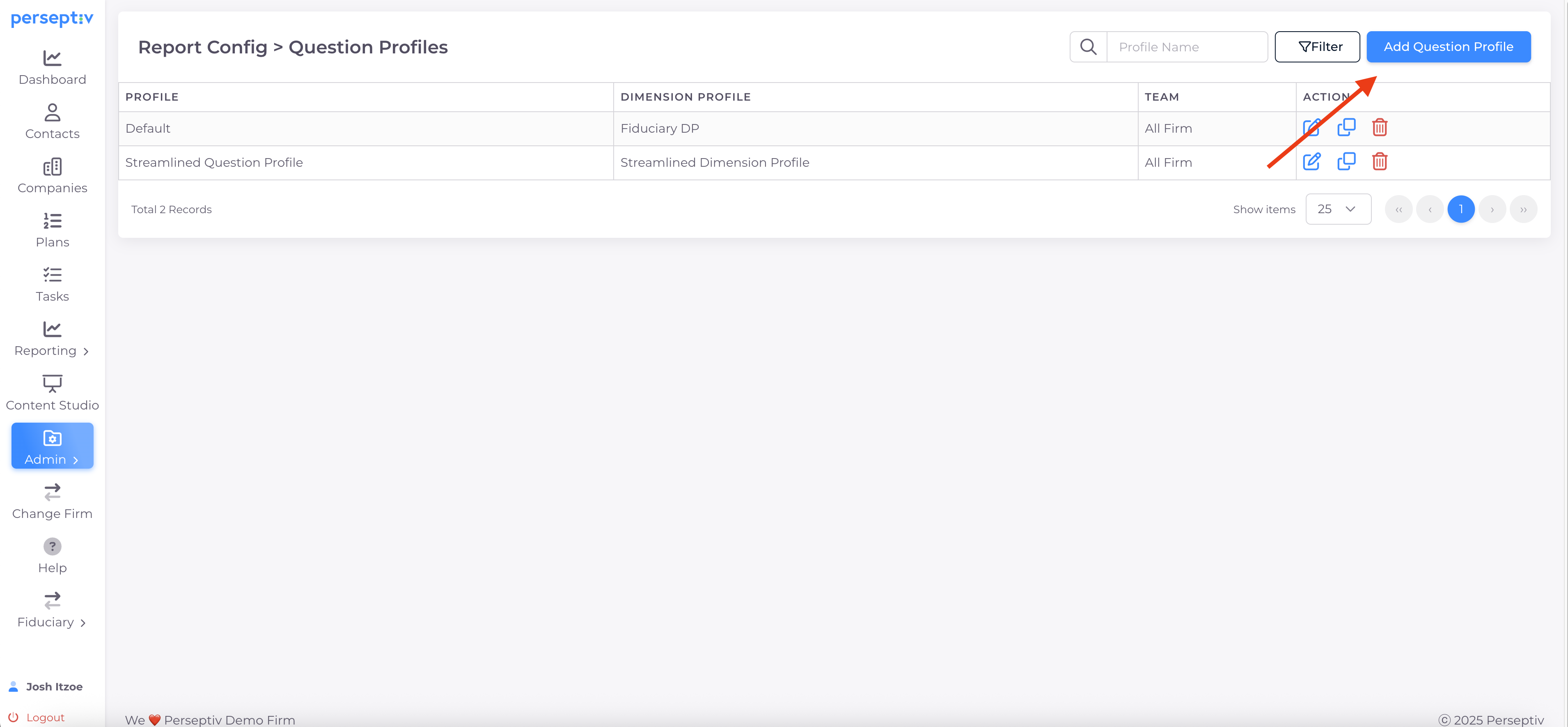
Step 2: Create a New Question Profile 0:24
-
Click on 'Add a Question Profile'.
-
Provide a name for your new profile.
-
Select the desired dimension profile (e.g., 'Streamlined Dimension Profile').
-
Click 'Get Questions' to pull in relevant questions.
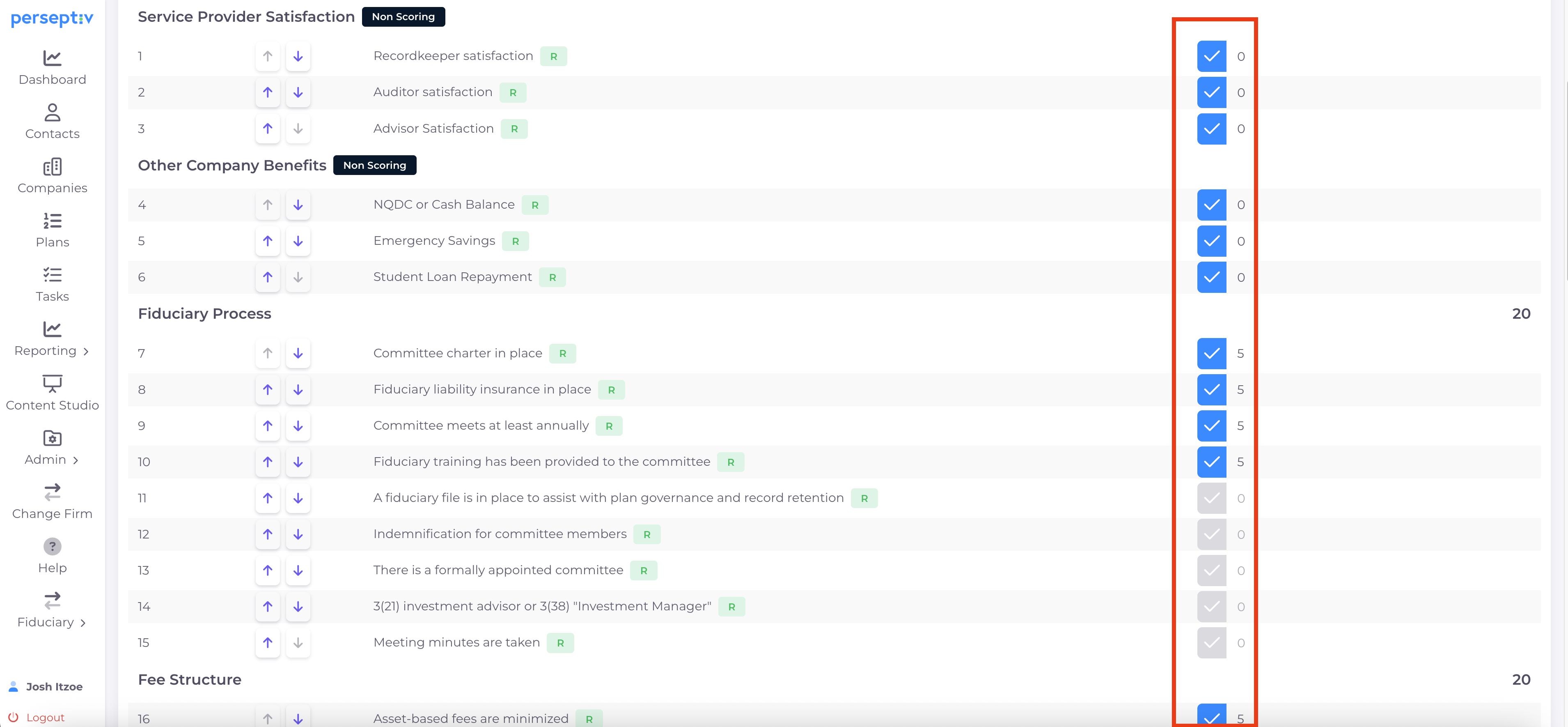
Step 3: Select Questions for the Profile 1:04
-
Review the list of questions pulled from the question bank.
-
For non-scoring questions:
-
Select the questions you want to include (weighting will be zero).
-
Change the order of the questions as needed.
-
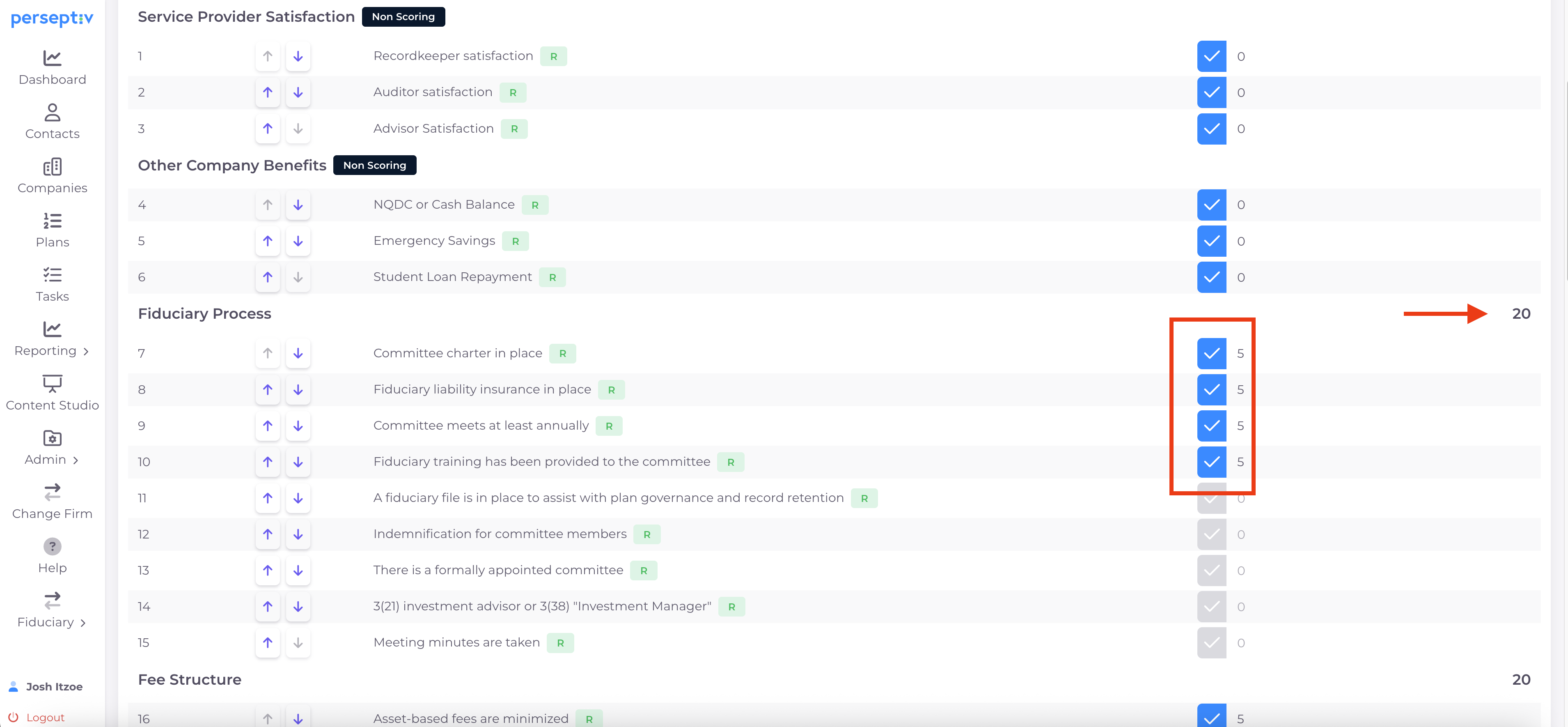
Step 4: Build Your Custom Scoring System 2:00
-
Review the scoring questions tied to the dimension profile.
-
Adjust the order of scoring questions as necessary.
-
Select the scoring questions you want to include in your profile.
-
Customize the scoring for each question based on your philosophy and approach.
Step 6: Set Up Default Scoring Dimensions 3:13
-
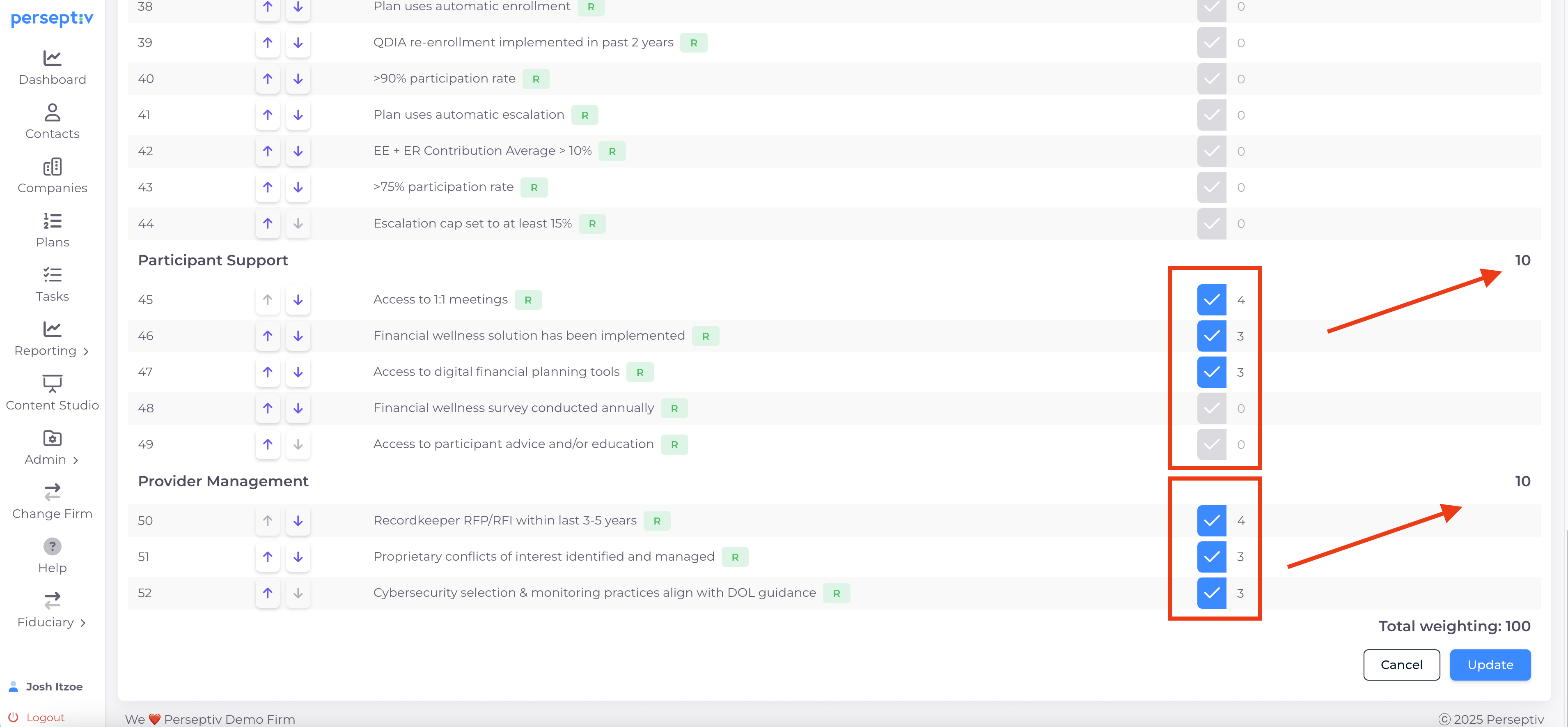
Determine your scoring setup for each dimension (e.g., 20 points for most dimensions, 10 points for participant support and provider management).
-
Adjust the scoring system to fit your needs (e.g., total score of 100, 500, etc.).
Step 7: Assign Points to Questions 4:03
-
For each dimension, assign points to the selected questions (e.g., 5 points each for four questions under fiduciary process).
-
Ensure the total weighting aligns with your scoring system.
Step 8: Finalize and Save the Question Profile 5:06
-
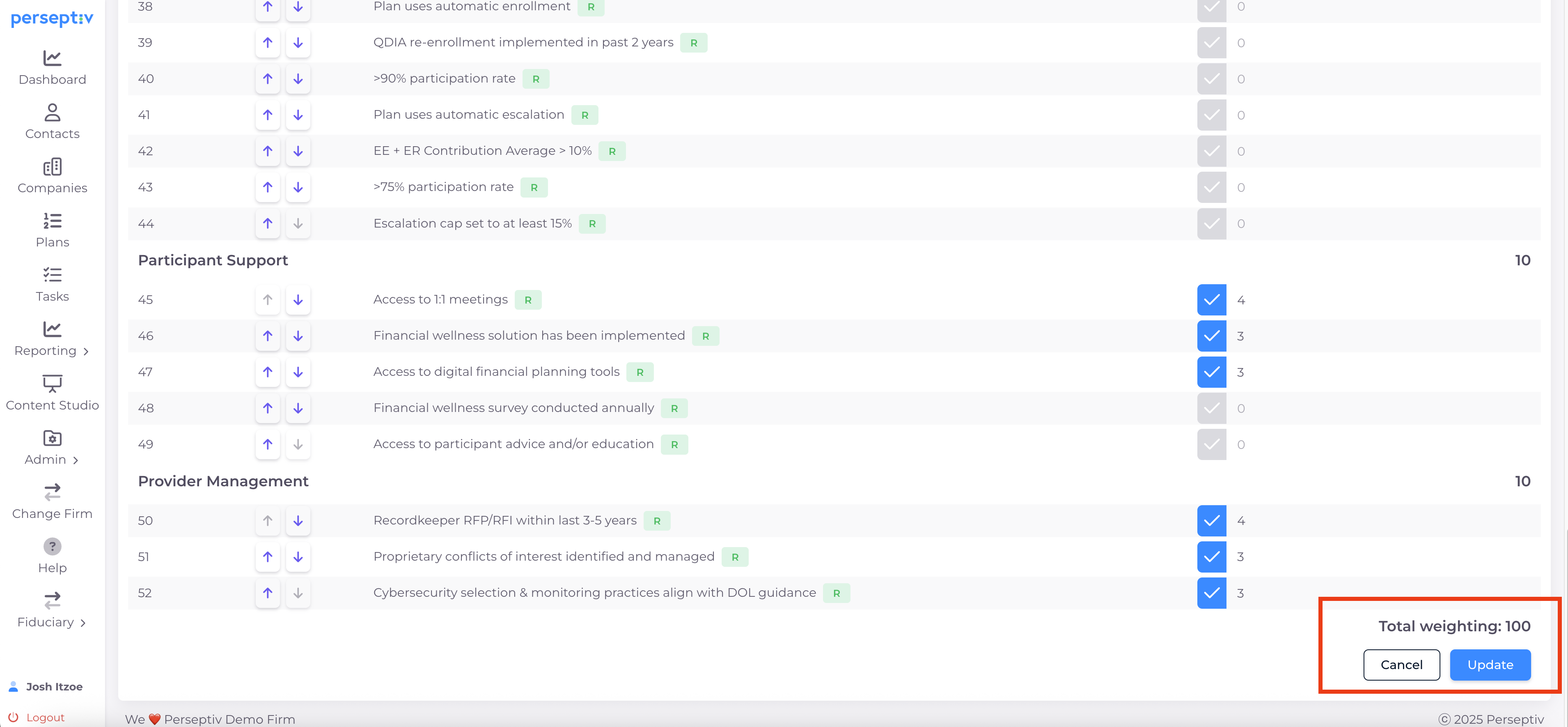
Review the total weighting to ensure it sums correctly (the 'Total weighting' will be based on the total points you assigned to each question/dimension).
-
Click 'Add' to save your new question profile.