
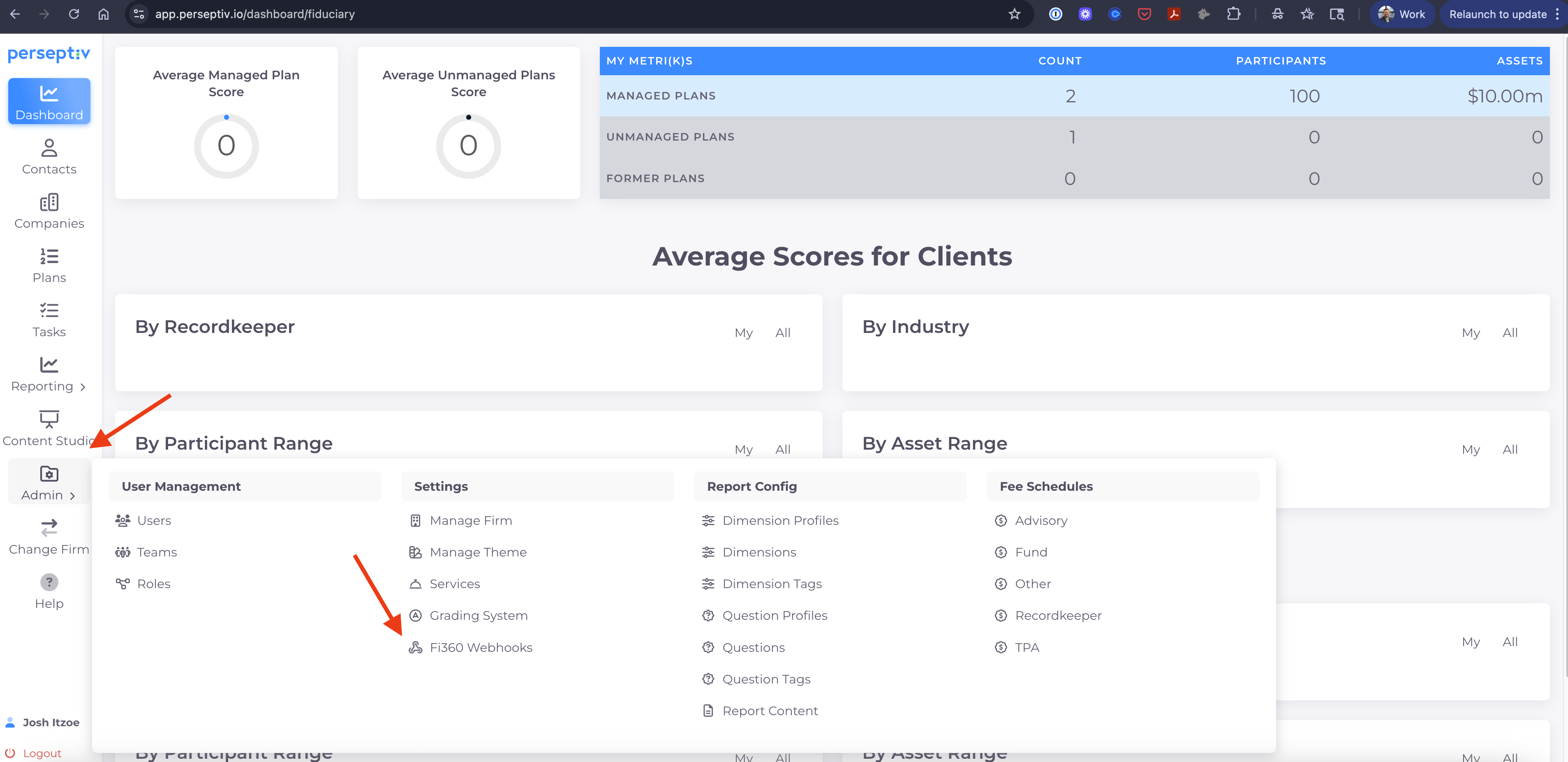
1. In Perseptiv, go to "Admin" on the left hand menu and click the "Fi360 Webhook" option.
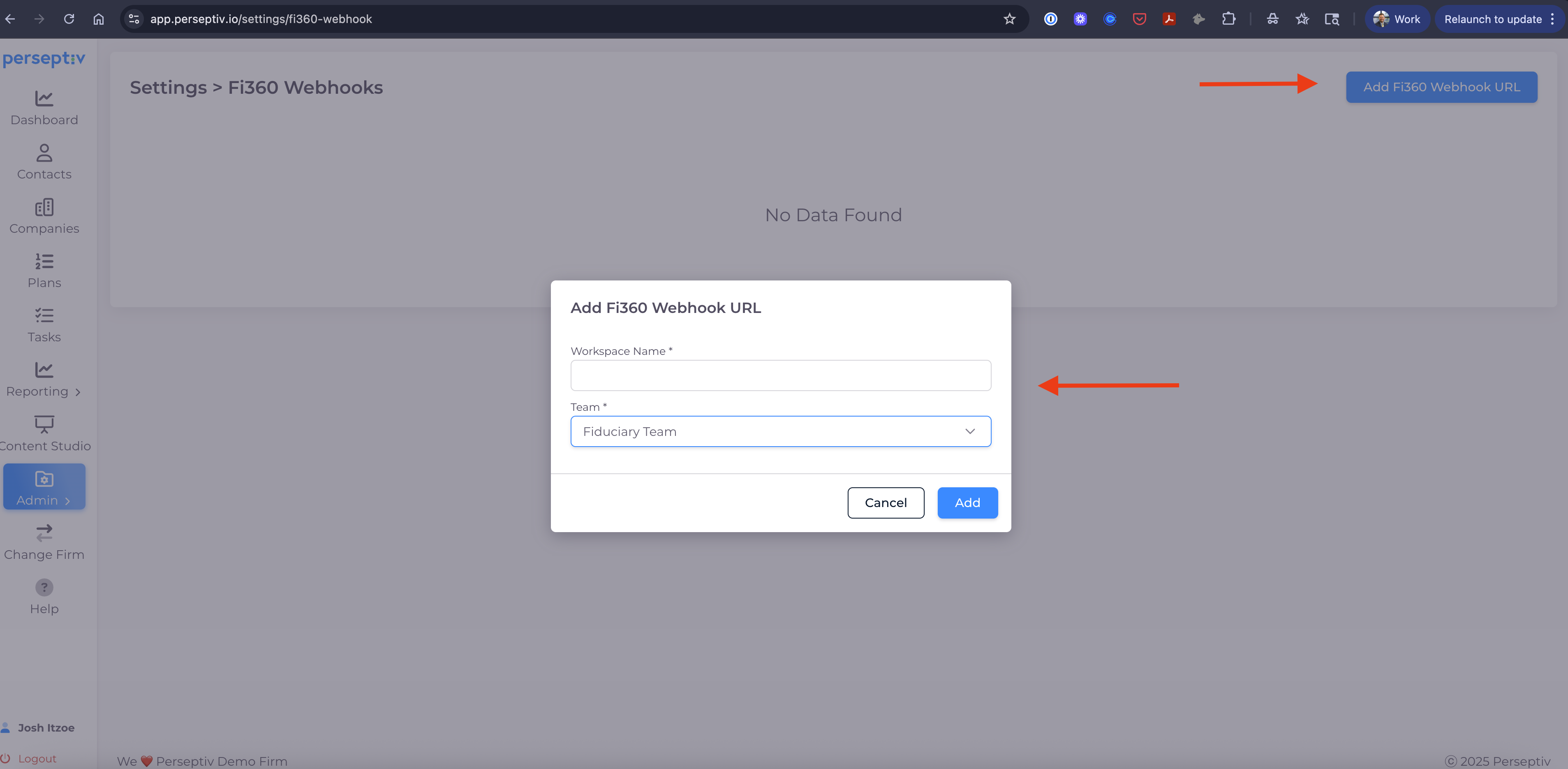
2. Click the "Add Fi360 Webhook URL" button. Then add an Fi360 Workspace Name (you can choose any description) and the team the Fi360 workspace is associated with. Then hit the "Add" button.
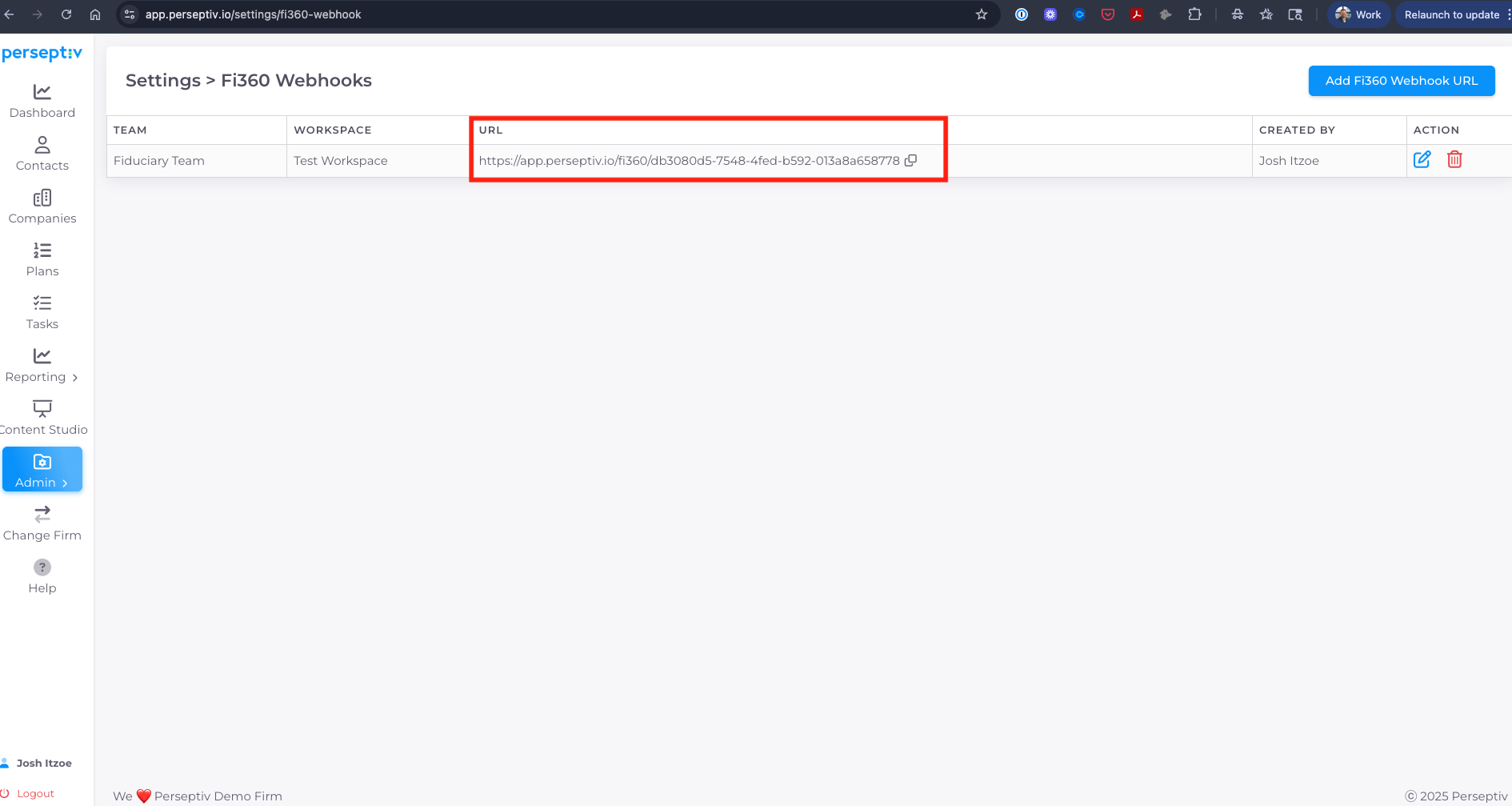
3. Copy the URL once the webhook has been added (Perseptiv autocreates a unique URL)
4. Head over to your Fi360 account to connect your firm's Perseptiv account and Fi360 account. In Fi360, click on the "Applications" tab within the Settings area. Then, click on Webhooks and then ADD ENDPOINT.
_ad3f959e-e1cd-4992-b5ec-187a35edf1c0.png)
5. Copy the Fi360 Webhook endpoint URL that is shown within Perseptiv.
6. Paste that into the Fi360 URL box and then select the "events" that you want to trigger the transmission. You can enter a short description for your own reference and leave the child workspaces toggle unselected unless you have many workspaces within your subscription.
- For the Perseptiv integration, you can only use only the 'Toolkit: Monitoring Report Completed' event.
- You can control this event very explicitly to avoid sending draft reports that are not finalized. So, you would use the Toolkit to generate a 'client ready' version and review it to ensure it's good to go. When you are ready, you can then mark that report as complete (individually or using our batch utilities) which will then trigger the event to send the data to Perseptiv.
_711a24d9-55a5-4bee-ba4b-b5a0a5792397.png)